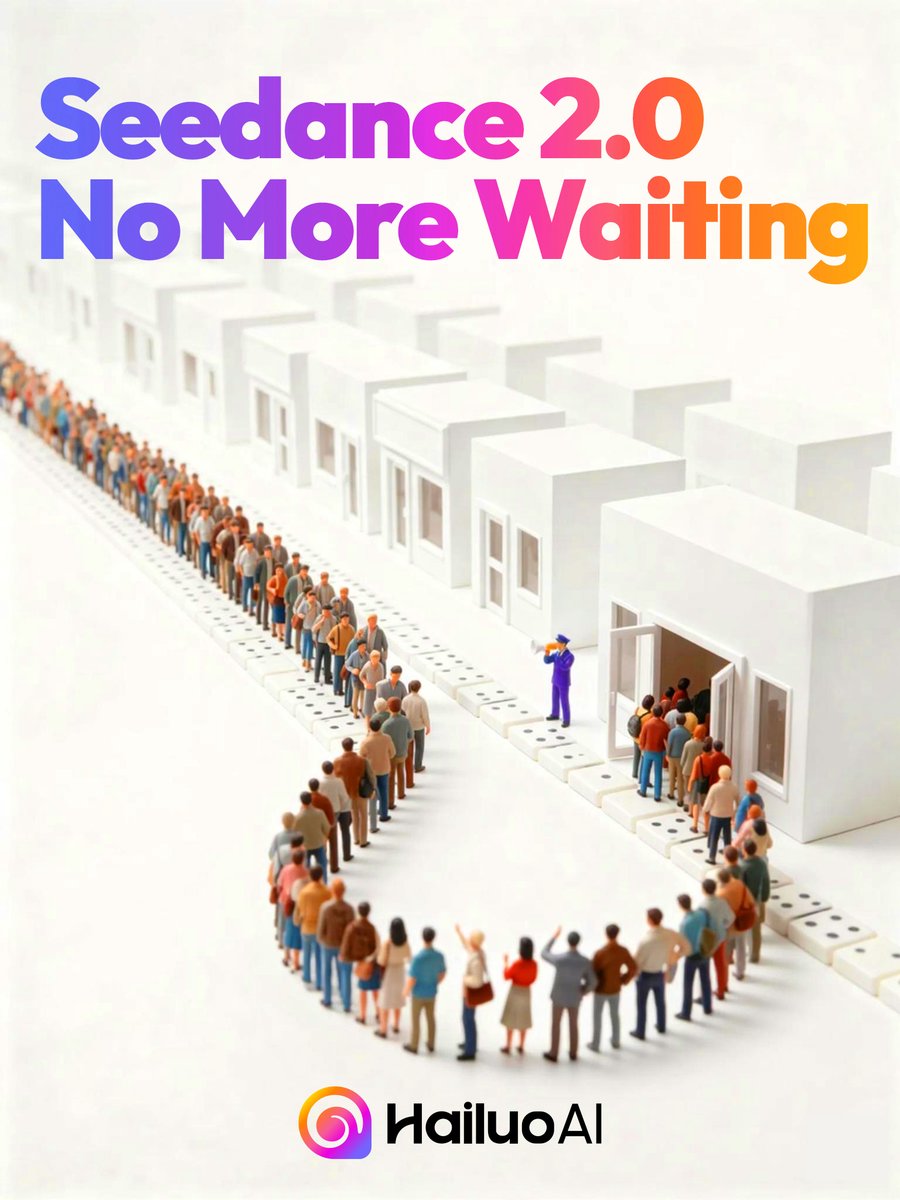
Seedance 2.0 Waiting Queue Poster
Generates a polished tech-launch poster showing a long miniature queue entering white buildings beneath a bold gradient Seedance 2.0 announcement.
This is a GPT Image 2 prompt case for Graphic & Poster. Use the copy-ready prompt below to generate similar visuals, and review Awesome GPT Image 2 Prompts attribution plus commercial-use rights before reuse.
Free 1K preview
Generate one preview image instantly, no sign-up required.
Prompt
Copy-ready prompt
Create a clean square promotional poster with an isometric miniature 3D diorama on a warm off-white background. At the top, place huge bold rounded sans-serif headline text reading {argument name="headline text" default="Seedance 2.0 No More Waiting"}, split across 2 lines, with a vibrant left-to-right gradient from blue and violet through magenta to orange. Below the headline, show a long serpentine queue of tiny stylized people waiting in front of a row of minimalist white cube buildings; include 12 visible white building units receding into the distance, each with simple rectangular windows and doors, and one prominent open doorway on the right. The crowd should contain dozens of small diverse figures in casual clothing, arranged in a winding line that creates depth, with one purple-uniformed staff member near the open doorway gesturing people inside. Use soft studio lighting, shallow depth of field, subtle shadows, glossy clean surfaces, and a premium tech-advertising look. At the bottom center, place a colorful circular gradient app-style icon followed by the black wordmark {argument name="brand name" default="HailuoAI"}. Keep the composition airy and minimal, with the headline dominating the upper half and the queue scene occupying the middle and lower area.Prompt variables
Editable argument placeholders found in the prompt, with their default values.
Best for
- - Graphic & Poster visual exploration
- - Image generation and reference-image edits
- - Reusable briefs that keep source attribution visible
Change these parts
- - Subject, product, character, or scene
- - Aspect ratio, camera, lighting, and background
- - Brand, text, color, and output constraints
Recommended model and settings
- - Model: gpt-image-2
- - Input mode: Text to Image
- - Aspect ratio: source
- - Commercial status: review original source
How to use this prompt
- 1. Copy the prompt and preserve its structure for the first test.
- 2. Replace the subject, context, and publishing channel.
- 3. Change one camera, lighting, or style variable per iteration.
- 4. Inspect the output, source, text, and rights before reuse.
Limitations, source, and reuse cautions
- - Generated output is an editable draft, not factual, legal, or rights evidence.
- - Review the linked source, people, brands, logos, text, and third-party media before commercial use.
More cases in this category
Prioritized by category, input mode compatibility, quality, and lower risk.


Reuse and source notes
Use this prompt safely after previewing the case.
- 1.Copy the prompt or open it directly in Dovoo with the generation button.
- 2.Adjust variables, aspect ratio, and reference images for your own use case.
- 3.Before publishing or paid usage, verify source rights, attribution requirements, and brand or likeness risks.
Can I use this prompt commercially?
Commercial-use status is allowed. Review the original source, license, brand constraints, and legal requirements before paid usage.
Where does this case come from?
This case is imported from Awesome GPT Image 2 Prompts; keep attribution visible and check the source URL before reuse.