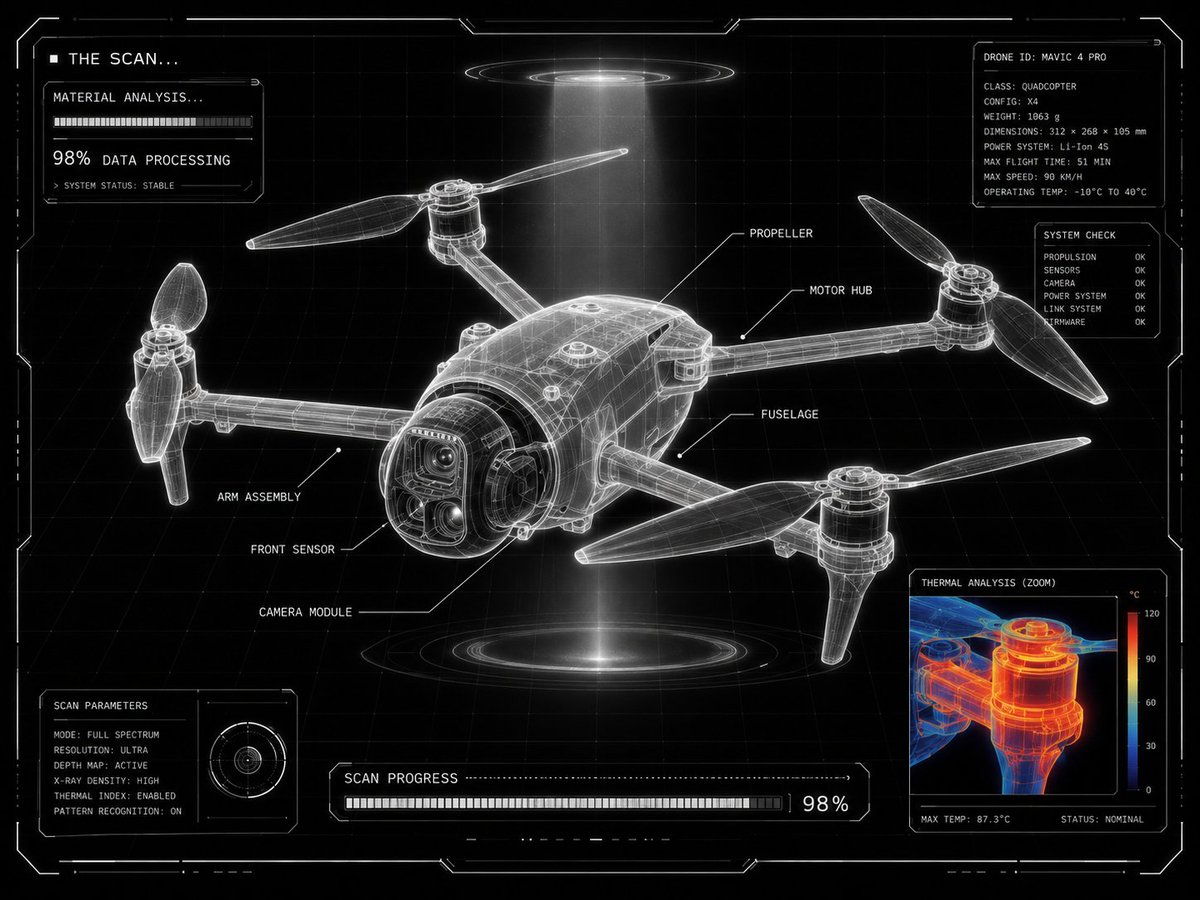
Futuristic Sci-Fi Laboratory Scan UI
A comprehensive JSON-structured prompt designed for GPT Image 2 to transform product images into technical sci-fi lab scans. It includes detailed instructions for HUD elements, thermal analysis views, and a high-contrast monochrome interface aesthetic.
This is a GPT Image 2 prompt case for Product & Commercial. Use the copy-ready prompt below to generate similar visuals, and review Awesome GPT Image 2 Prompts attribution plus commercial-use rights before reuse.
Free 1K preview
Generate one preview image instantly, no sign-up required.
Free text preview doesn’t preserve reference-image consistency.
Prompt
Copy-ready prompt
{
  "intent": "Transform a user-provided product image into a {argument name="visual theme" default="futuristic laboratory scan display"} with the same final visual result.",
  "source_asset": "uploaded product image",
  "presentation": {
    "frame": "centered product",
    "layout": "grid-locked interface composition",
    "density": "minimal yet highly technical",
    "panel": "one corner reserved for a scalable analysis window"
  },
  "surface_treatment": {
    "base": "black backdrop",
    "grid": "clean white drafting grid",
    "form": "luminous translucent X-ray frame model",
    "edges": "ultra-sharp white outlines",
    "ui": "minimal sci-fi HUD styling"
  },
  "scan_graphics": {
    "labels": "thin white callouts with leader lines naming product parts",
    "detail_view": "zoomed inspection window showing a close product fragment",
    "thermal_layer": "red, orange, and blue heat-map overlay inside the zoom view",
    "status_text": [
      "THE SCAN...",
      "MATERIAL ANALYSIS...",
      "98% DATA PROCESSING"
    ],
    "modules": "small loading panels and diagnostic UI blocks",
    "markers": "angular glowing frame markers around the image"
  },
  "design_language": {
    "engineering": "advanced technical drawing aesthetics",
    "environment": "futuristic lab scanning interface",
    "benchmark": "Apple-level product visualization",
    "purity": "ultra-clean composition",
    "contrast": "high-contrast monochrome interface"
  },
  "illumination": {
    "halo": "subtle white glow around the frame",
    "beam": "volumetric scanning light beam",
    "feel": "technical sci-fi visualization"
  },
  "deliverable": {
    "theme": "{argument name="interface theme" default="futuristic product scanning interface"}",
    "result": "technical diagnostics visualization screen",
    "finish": "{argument name="quality finish" default="ultra clean, ultra clear, 8K"}"
  }
}
Prompt variables
Editable argument placeholders found in the prompt, with their default values.
Best for
- - Product & Commercial visual exploration
- - Image generation and reference-image edits
- - Reusable briefs that keep source attribution visible
Change these parts
- - Subject, product, character, or scene
- - Aspect ratio, camera, lighting, and background
- - Brand, text, color, and output constraints
Recommended model and settings
- - Model: gpt-image-2
- - Input mode: Image to Image
- - Aspect ratio: source
- - Commercial status: review original source
How to use this prompt
- 1. Copy the prompt and preserve its structure for the first test.
- 2. Replace the subject, context, and publishing channel.
- 3. Change one camera, lighting, or style variable per iteration.
- 4. Inspect the output, source, text, and rights before reuse.
Limitations, source, and reuse cautions
- - Generated output is an editable draft, not factual, legal, or rights evidence.
- - Review the linked source, people, brands, logos, text, and third-party media before commercial use.
More cases in this category
Prioritized by category, input mode compatibility, quality, and lower risk.
Reuse and source notes
Use this prompt safely after previewing the case.
- 1.Copy the prompt or open it directly in Dovoo with the generation button.
- 2.Adjust variables, aspect ratio, and reference images for your own use case.
- 3.Before publishing or paid usage, verify source rights, attribution requirements, and brand or likeness risks.
Can I use this prompt commercially?
Commercial-use status is allowed. Review the original source, license, brand constraints, and legal requirements before paid usage.
Where does this case come from?
This case is imported from Awesome GPT Image 2 Prompts; keep attribution visible and check the source URL before reuse.