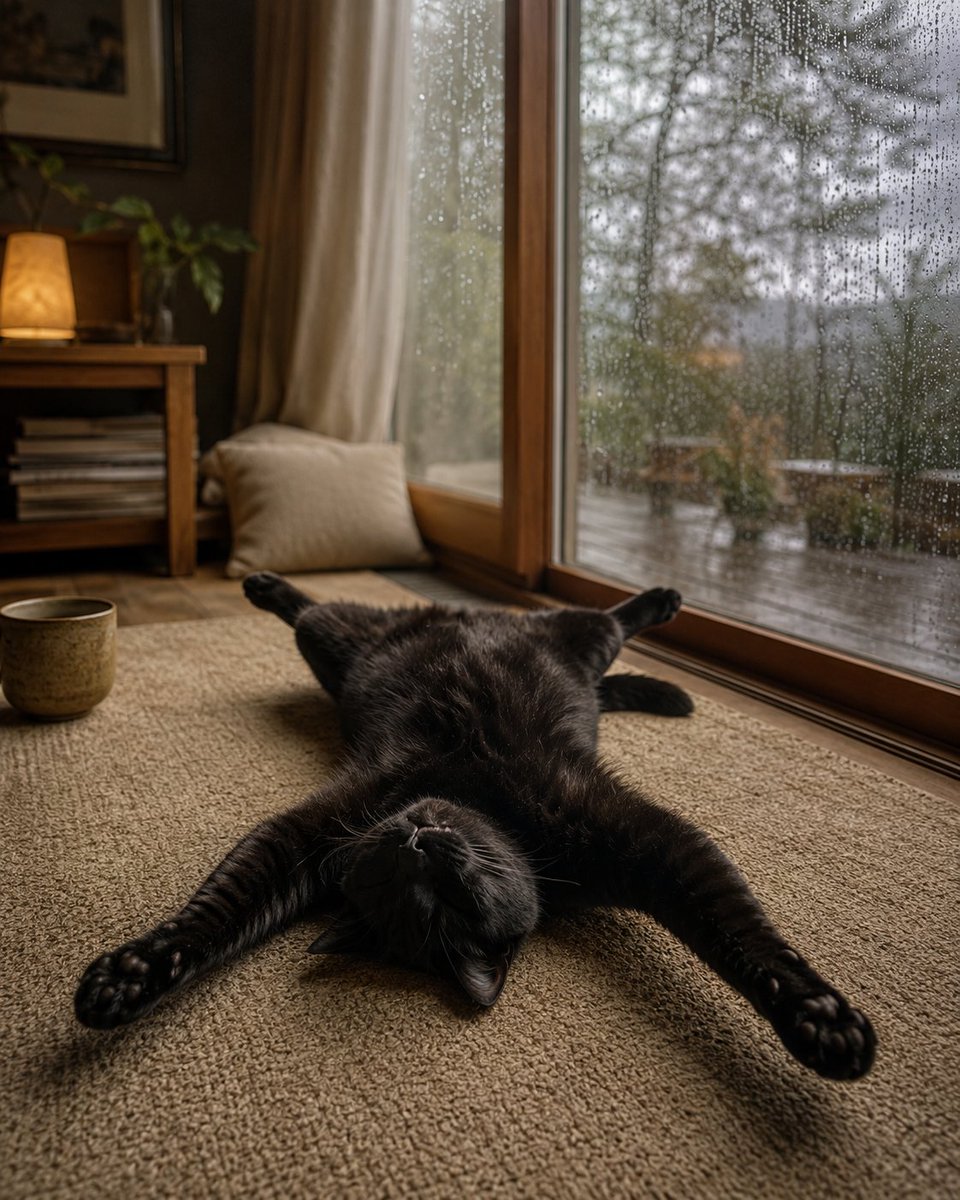
Rainy Day Relaxed Black Cat
A photorealistic cozy rainy-day room scene featuring a black cat sprawled upside down on a rug by a rain-covered window.
This is a GPT Image 2 prompt case for Portrait & Character. Use the copy-ready prompt below to generate similar visuals, and review Awesome GPT Image 2 Prompts attribution plus commercial-use rights before reuse.
Free 1K preview
Generate one preview image instantly, no sign-up required.
Prompt
Copy-ready prompt
Create a cozy photorealistic interior scene of a {argument name="cat color" default="black"} cat lying belly-up on a textured beige rug, completely relaxed with all four legs stretched outward in a starfish pose, head upside down toward the camera, eyes closed, tiny paws and whiskers visible. The cat is indoors beside a large wooden-framed floor-to-ceiling window covered in many raindrops, with a rainy garden or balcony softly blurred outside. Use a warm rainy-day atmosphere: soft natural gray light from the window mixed with a small amber table lamp glow in the background. Include exactly 5 main visible furnishing/background elements: 1 large rain-speckled window, 1 beige floor cushion leaning by the window, 1 low wooden side table or shelf with stacked books, 1 lit table lamp with a warm shade, and 1 ceramic mug on the rug near the cat. Add sheer cream curtains, wooden floor trim, muted brown walls, and shallow depth of field. Composition: vertical 4:5 photo, cat centered in the lower half, window filling the right side, cozy room details on the left, realistic fur texture, cinematic soft focus, no text, no people, no watermark.Prompt variables
Editable argument placeholders found in the prompt, with their default values.
Best for
- - Portrait & Character visual exploration
- - Image generation and reference-image edits
- - Reusable briefs that keep source attribution visible
Change these parts
- - Subject, product, character, or scene
- - Aspect ratio, camera, lighting, and background
- - Brand, text, color, and output constraints
Recommended model and settings
- - Model: gpt-image-2
- - Input mode: Text to Image
- - Aspect ratio: source
- - Commercial status: review original source
How to use this prompt
- 1. Copy the prompt and preserve its structure for the first test.
- 2. Replace the subject, context, and publishing channel.
- 3. Change one camera, lighting, or style variable per iteration.
- 4. Inspect the output, source, text, and rights before reuse.
Limitations, source, and reuse cautions
- - Generated output is an editable draft, not factual, legal, or rights evidence.
- - Review the linked source, people, brands, logos, text, and third-party media before commercial use.
More cases in this category
Prioritized by category, input mode compatibility, quality, and lower risk.

Reuse and source notes
Use this prompt safely after previewing the case.
- 1.Copy the prompt or open it directly in Dovoo with the generation button.
- 2.Adjust variables, aspect ratio, and reference images for your own use case.
- 3.Before publishing or paid usage, verify source rights, attribution requirements, and brand or likeness risks.
Can I use this prompt commercially?
Commercial-use status is allowed. Review the original source, license, brand constraints, and legal requirements before paid usage.
Where does this case come from?
This case is imported from Awesome GPT Image 2 Prompts; keep attribution visible and check the source URL before reuse.