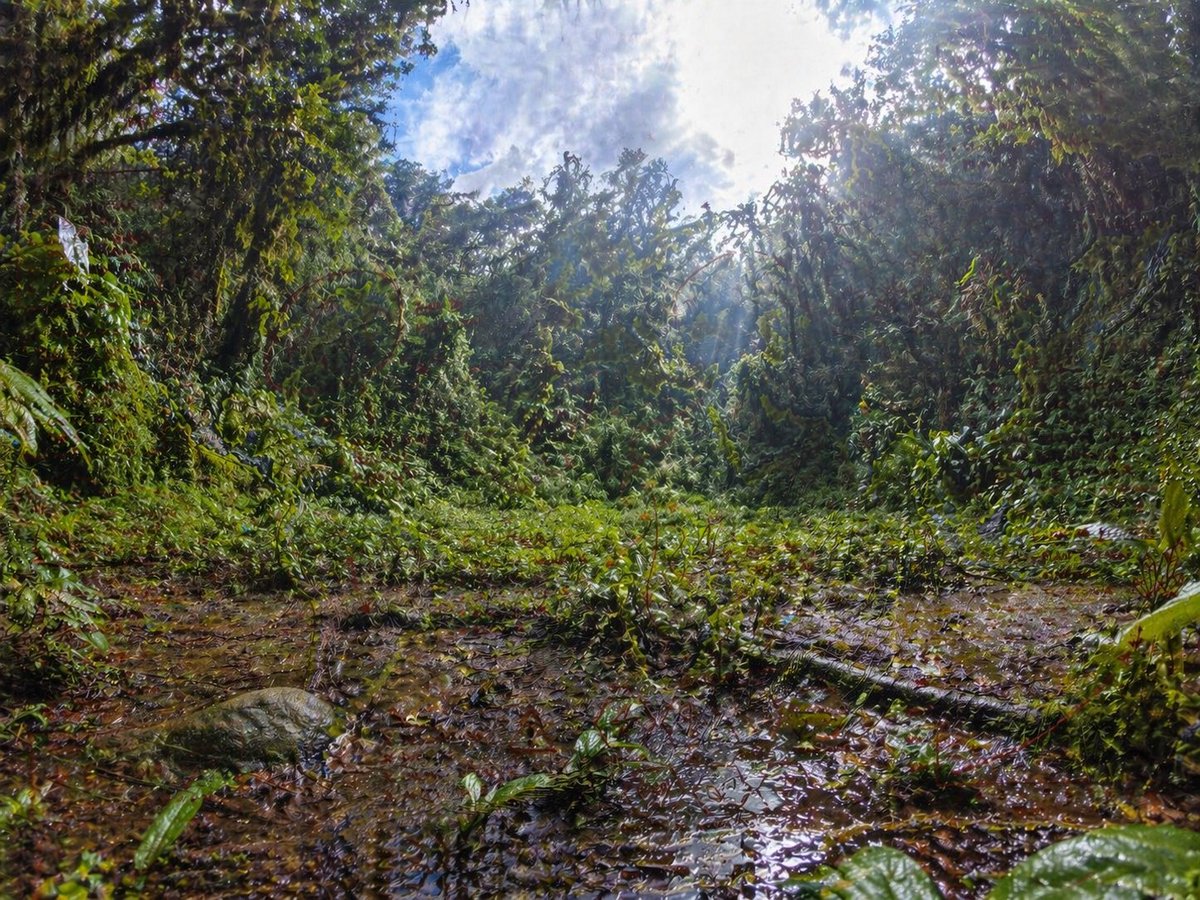
Rainforest Clearing with Speckle Artifacts
This prompt generates a photorealistic tropical jungle clearing scene with dramatic sunlight and intentional grid-like speckle artifacts, suitable for illustrating image quality issues in AI-generated nature photography.
This is a GPT Image 2 prompt case for Landscape & Nature. Use the copy-ready prompt below to generate similar visuals, and review Awesome GPT Image 2 Prompts attribution plus commercial-use rights before reuse.
Free 1K preview
Generate one preview image instantly, no sign-up required.
Prompt
Copy-ready prompt
An ultra-detailed wide-angle rainforest clearing photographed from a very low ground-level perspective, with the camera almost at the edge of a shallow muddy puddle. Dense tropical jungle vegetation forms a circular wall around the clearing, with tangled vines, broad wet leaves, shrubs, and tree trunks heavily covered in greenery. The foreground is slick with brown water, leaf litter, and reflective puddles, including a fallen branch stretching diagonally across the lower right area and a rounded mossy rock on the lower left. The center opens into a patch of low green plants, while the background rises into thick jungle canopy. Bright midday sunlight breaks through the treetops in the upper right, creating strong rays, haze, glowing highlights, and high contrast against a partly cloudy blue-and-white sky visible through the canopy. Use a dramatic fisheye or ultra-wide lens effect with subtle barrel distortion, immersive environmental scale, rich saturated greens, wet textures, realistic natural lighting, crisp foliage detail, and a photorealistic documentary nature-photography look. Include a faint, unnatural grid-like speckle noise artifact pattern across the image, especially visible in darker foliage and muddy ground, as if from an image-generation quality bug.
Best for
- - Landscape & Nature visual exploration
- - Image generation and reference-image edits
- - Reusable briefs that keep source attribution visible
Change these parts
- - Subject, product, character, or scene
- - Aspect ratio, camera, lighting, and background
- - Brand, text, color, and output constraints
Recommended model and settings
- - Model: gpt-image-2
- - Input mode: Text to Image
- - Aspect ratio: source
- - Commercial status: review original source
How to use this prompt
- 1. Copy the prompt and preserve its structure for the first test.
- 2. Replace the subject, context, and publishing channel.
- 3. Change one camera, lighting, or style variable per iteration.
- 4. Inspect the output, source, text, and rights before reuse.
Limitations, source, and reuse cautions
- - Generated output is an editable draft, not factual, legal, or rights evidence.
- - Review the linked source, people, brands, logos, text, and third-party media before commercial use.
More cases in this category
Prioritized by category, input mode compatibility, quality, and lower risk.
Reuse and source notes
Use this prompt safely after previewing the case.
- 1.Copy the prompt or open it directly in Dovoo with the generation button.
- 2.Adjust variables, aspect ratio, and reference images for your own use case.
- 3.Before publishing or paid usage, verify source rights, attribution requirements, and brand or likeness risks.
Can I use this prompt commercially?
Commercial-use status is allowed. Review the original source, license, brand constraints, and legal requirements before paid usage.
Where does this case come from?
This case is imported from Awesome GPT Image 2 Prompts; keep attribution visible and check the source URL before reuse.