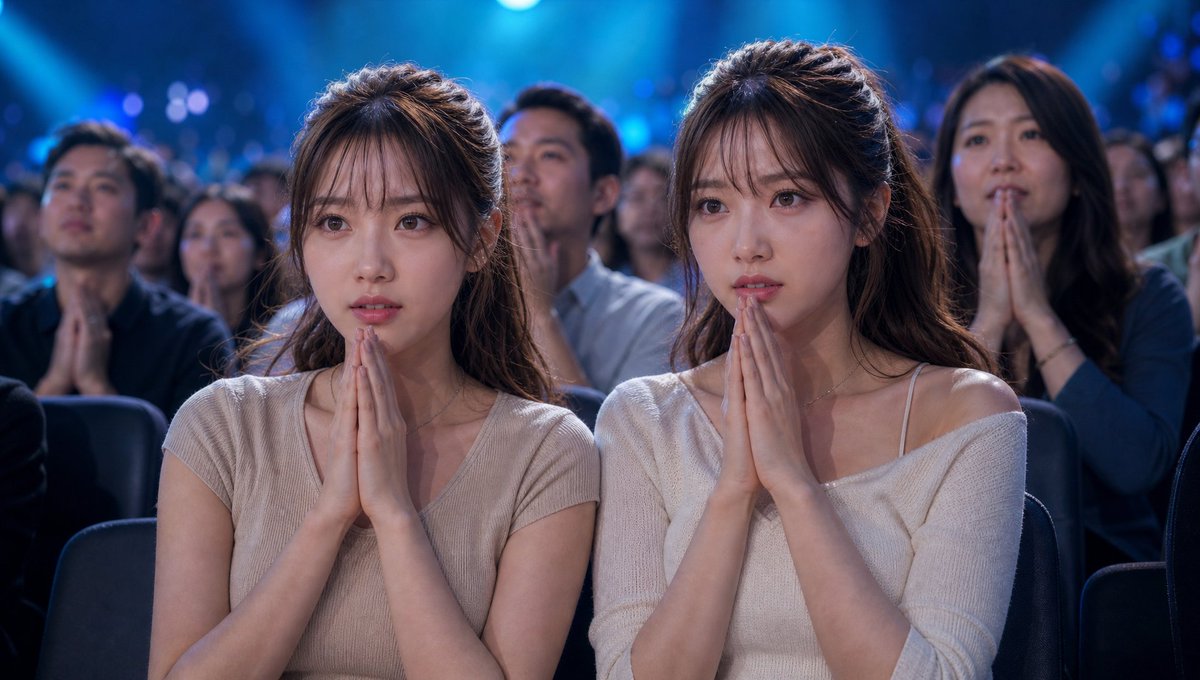
Cinematic Quiz Show Audience
A detailed prompt for creating a cinematic, realistic image of twins sitting in a tense atmosphere within a TV quiz show studio.
This is a GPT Image 2 prompt case for Portrait & Character. Use the copy-ready prompt below to generate similar visuals, and review Awesome GPT Image 2 Prompts attribution plus commercial-use rights before reuse.
Free 1K preview
Generate one preview image instantly, no sign-up required.
Free text preview doesn’t preserve reference-image consistency.
Prompt
Copy-ready prompt
Maintaining the {argument name="subject" default="twins"} from the reference image, changing their clothing to {argument name="clothing" default="casual stylish clothes"}, in a realistic live-action style, set in a massive TV quiz show studio audience. It captures a tense moment with high stakes prize money. The twins sit side-by-side in the front row VIP seats, hands clasped in prayer. Both have serious, anxious expressions, waiting breathlessly for the answer. The entire studio features grand, flashy lighting with light from large LED screens illuminating the audience. The surrounding crowd is silent, creating a breathtaking atmosphere. The host and contestants are out of frame; the camera focus is solely on the audience. Spotlights highlight the twins, emphasizing realistic skin textures, natural expressions, and a cinematic composition. Telephoto lens style, shallow depth of field, documentary-style TV footage, photorealistic, ultra-high definition, realistic movie quality. No corporate logos or text on clothing, signs, or TV screens.Prompt variables
Editable argument placeholders found in the prompt, with their default values.
Best for
- - Portrait & Character visual exploration
- - Image generation and reference-image edits
- - Reusable briefs that keep source attribution visible
Change these parts
- - Subject, product, character, or scene
- - Aspect ratio, camera, lighting, and background
- - Brand, text, color, and output constraints
Recommended model and settings
- - Model: gpt-image-2
- - Input mode: Image to Image
- - Aspect ratio: source
- - Commercial status: review original source
How to use this prompt
- 1. Copy the prompt and preserve its structure for the first test.
- 2. Replace the subject, context, and publishing channel.
- 3. Change one camera, lighting, or style variable per iteration.
- 4. Inspect the output, source, text, and rights before reuse.
Limitations, source, and reuse cautions
- - Generated output is an editable draft, not factual, legal, or rights evidence.
- - Review the linked source, people, brands, logos, text, and third-party media before commercial use.
More cases in this category
Prioritized by category, input mode compatibility, quality, and lower risk.
Reuse and source notes
Use this prompt safely after previewing the case.
- 1.Copy the prompt or open it directly in Dovoo with the generation button.
- 2.Adjust variables, aspect ratio, and reference images for your own use case.
- 3.Before publishing or paid usage, verify source rights, attribution requirements, and brand or likeness risks.
Can I use this prompt commercially?
Commercial-use status is allowed. Review the original source, license, brand constraints, and legal requirements before paid usage.
Where does this case come from?
This case is imported from Awesome GPT Image 2 Prompts; keep attribution visible and check the source URL before reuse.