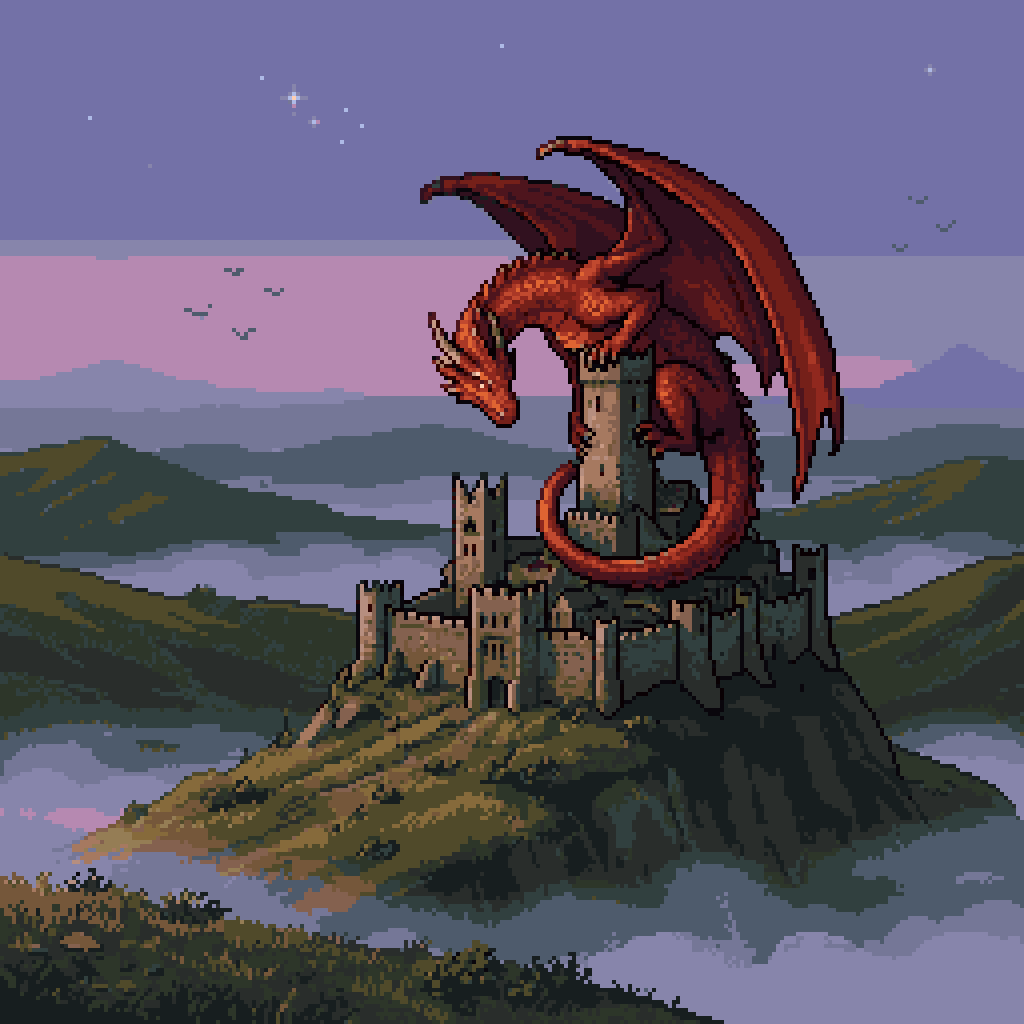
Pixel Art Dragon on Castle
This prompt generates a retro-style fantasy pixel art scene of a red dragon perched on a castle at dusk, ideal for game art comparisons, mockups, or nostalgic pixel illustration.
This is a GPT Image 2 prompt case for Anime & Game. Use the copy-ready prompt below to generate similar visuals, and review Awesome GPT Image 2 Prompts attribution plus commercial-use rights before reuse.
Free 1K preview
Generate one preview image instantly, no sign-up required.
Prompt
Copy-ready prompt
A retro fantasy pixel art scene in a 256x256 square composition, showing a huge red dragon perched protectively on the tallest central tower of an ancient stone castle. The dragon has a long curled tail wrapped around the tower, large spread batlike wings, a lowered horned head facing left, and a glowing fiery red-orange body with dark maroon shadows and crisp black pixel outlines. The castle is a weathered medieval fortress with multiple towers, crenellated walls, and small dark windows, sitting on top of a steep rocky hill. Surrounding the hill are rolling green and brown mountains partially covered by pale fog and low clouds, creating layered atmospheric depth. The sky is dusky twilight with a lavender and muted purple gradient, a few tiny white stars, and several distant birds as dark pixel silhouettes. Use classic 16-bit inspired sprite art, limited color palette, visible pixel grid, clean silhouette design, dramatic fantasy mood, side view landscape framing, and subtle old-game atmosphere.
Best for
- - Anime & Game visual exploration
- - Image generation and reference-image edits
- - Reusable briefs that keep source attribution visible
Change these parts
- - Subject, product, character, or scene
- - Aspect ratio, camera, lighting, and background
- - Brand, text, color, and output constraints
Recommended model and settings
- - Model: gpt-image-2
- - Input mode: Text to Image
- - Aspect ratio: source
- - Commercial status: review original source
How to use this prompt
- 1. Copy the prompt and preserve its structure for the first test.
- 2. Replace the subject, context, and publishing channel.
- 3. Change one camera, lighting, or style variable per iteration.
- 4. Inspect the output, source, text, and rights before reuse.
Limitations, source, and reuse cautions
- - Generated output is an editable draft, not factual, legal, or rights evidence.
- - Review the linked source, people, brands, logos, text, and third-party media before commercial use.
More cases in this category
Prioritized by category, input mode compatibility, quality, and lower risk.
Reuse and source notes
Use this prompt safely after previewing the case.
- 1.Copy the prompt or open it directly in Dovoo with the generation button.
- 2.Adjust variables, aspect ratio, and reference images for your own use case.
- 3.Before publishing or paid usage, verify source rights, attribution requirements, and brand or likeness risks.
Can I use this prompt commercially?
Commercial-use status is allowed. Review the original source, license, brand constraints, and legal requirements before paid usage.
Where does this case come from?
This case is imported from Awesome GPT Image 2 Prompts; keep attribution visible and check the source URL before reuse.