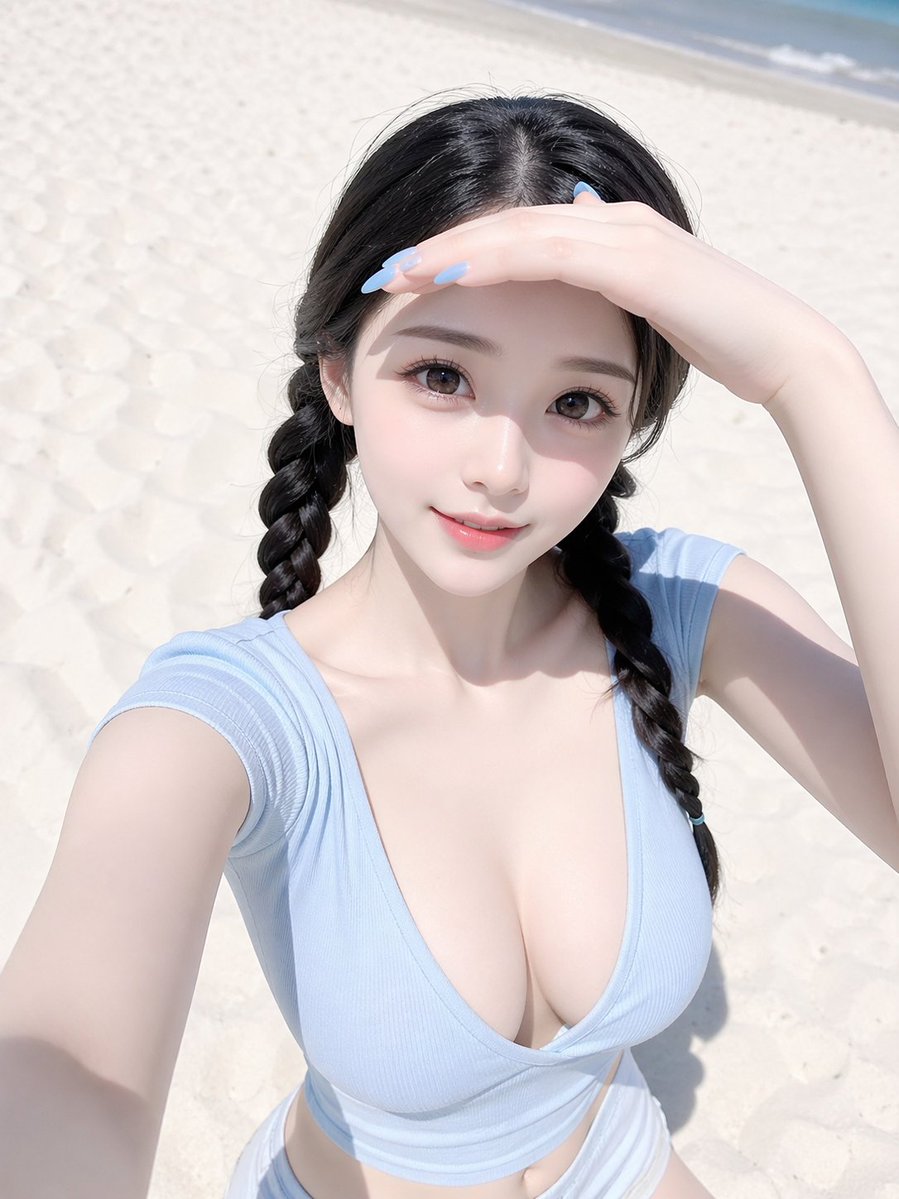
Pastel Beach Selfie Portrait
This prompt generates a realistic, softly lit beach selfie portrait with a youthful summer fashion aesthetic, useful for lifestyle, social media, or editorial-style image creation.
This is a GPT Image 2 prompt case for Portrait & Character. Use the copy-ready prompt below to generate similar visuals, and review Awesome GPT Image 2 Prompts attribution plus commercial-use rights before reuse.
Free 1K preview
Generate one preview image instantly, no sign-up required.
Prompt
Copy-ready prompt
A realistic high-angle beach selfie of a young woman standing on bright white sand under harsh midday sunlight, framed from just above the head to the upper thighs in a vertical smartphone composition. She has {argument name="hair color" default="black"} hair parted in the center and styled into 2 long braided pigtails, one on each side. Her face is mostly obscured by her raised hand shading her eyes from the sun, creating a candid, slightly anonymous look. She is wearing a fitted ribbed deep V-neck cap-sleeve crop top in {argument name="top color" default="pale baby blue"} and low-rise {argument name="bottom color" default="white"} bottoms visible at the waist. Her body is slim with a soft, glamorous fashion-photo look. One arm is extended toward the camera holding the phone for the selfie, while the other hand rests across her forehead to block the sunlight. The lighting is extremely bright and washed with soft pale tones, producing delicate skin highlights, gentle shadows, and a clean airy summer aesthetic. Background is a minimal sandy beach with a faint strip of shoreline and water near the top edge, no other people, no props, no buildings. Style should feel like a polished social-media beach selfie, realistic skin texture, subtle retouching, soft pastel color grading, high detail, natural pose, feminine and youthful summer mood.Prompt variables
Editable argument placeholders found in the prompt, with their default values.
Best for
- - Portrait & Character visual exploration
- - Image generation and reference-image edits
- - Reusable briefs that keep source attribution visible
Change these parts
- - Subject, product, character, or scene
- - Aspect ratio, camera, lighting, and background
- - Brand, text, color, and output constraints
Recommended model and settings
- - Model: gpt-image-2
- - Input mode: Text to Image
- - Aspect ratio: source
- - Commercial status: review original source
How to use this prompt
- 1. Copy the prompt and preserve its structure for the first test.
- 2. Replace the subject, context, and publishing channel.
- 3. Change one camera, lighting, or style variable per iteration.
- 4. Inspect the output, source, text, and rights before reuse.
Limitations, source, and reuse cautions
- - Generated output is an editable draft, not factual, legal, or rights evidence.
- - Review the linked source, people, brands, logos, text, and third-party media before commercial use.
More cases in this category
Prioritized by category, input mode compatibility, quality, and lower risk.
Reuse and source notes
Use this prompt safely after previewing the case.
- 1.Copy the prompt or open it directly in Dovoo with the generation button.
- 2.Adjust variables, aspect ratio, and reference images for your own use case.
- 3.Before publishing or paid usage, verify source rights, attribution requirements, and brand or likeness risks.
Can I use this prompt commercially?
Commercial-use status is allowed. Review the original source, license, brand constraints, and legal requirements before paid usage.
Where does this case come from?
This case is imported from Awesome GPT Image 2 Prompts; keep attribution visible and check the source URL before reuse.