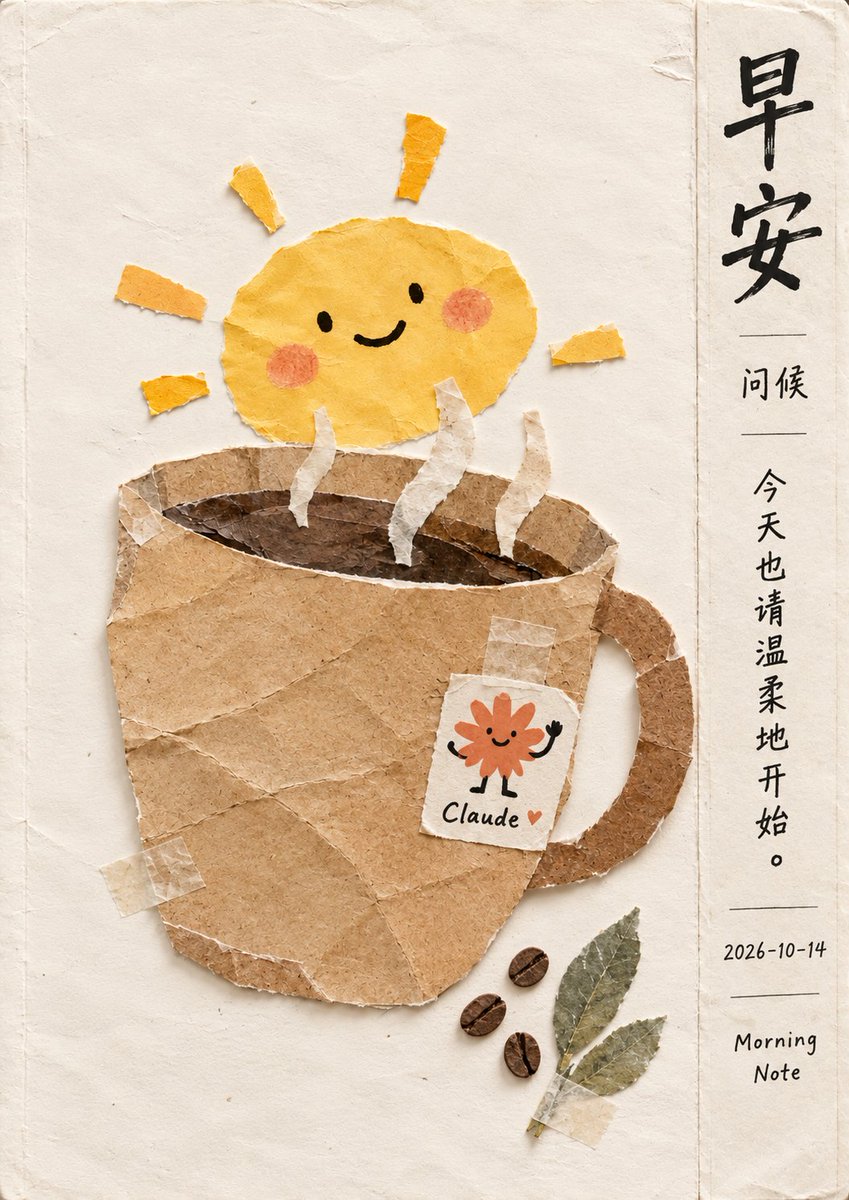
Handmade Paper Collage Morning Coffee Illustration
A prompt to generate a cozy, textured paper-cut style illustration featuring a smiling sun rising from a coffee mug, accompanied by Chinese morning greetings and a 'Claude' tea bag tag.
This is a GPT Image 2 prompt case for Illustration & Art. Use the copy-ready prompt below to generate similar visuals, and review Awesome GPT Image 2 Prompts attribution plus commercial-use rights before reuse.
Free 1K preview
Generate one preview image instantly, no sign-up required.
Prompt
Copy-ready prompt
Create a vertically composed digital collage illustration in a warm, handmade paper-cut style. The background is a cream-colored textured paper with subtle creases and torn edges. In the center of the image is a large coffee cup made of brown kraft paper, with visible tape marks on the surface. Three wavy white paper strips rise from the mouth of the cup, symbolizing steam. Above the cup sits a cheerful yellow sun character made of crumpled yellow paper, with simple black dot eyes, a curved smile, and pink circular cheeks. A white paper tea bag tag is attached to the side of the cup, featuring an orange floral doodle and the handwritten word “Claude.” In the lower right corner, three dark brown coffee beans and two green dried leaves are taped to the background. On the right side is a column of vertically written Chinese calligraphy: at the top is “Good Morning,” followed by the smaller “Greetings,” then the phrase “Please start the day gently.” Below that is the date “2026-10-14” and the English text “Morning Note.” The overall aesthetic should be comfortable, tactile, and artistic.
Best for
- - Illustration & Art visual exploration
- - Image generation and reference-image edits
- - Reusable briefs that keep source attribution visible
Change these parts
- - Subject, product, character, or scene
- - Aspect ratio, camera, lighting, and background
- - Brand, text, color, and output constraints
Recommended model and settings
- - Model: gpt-image-2
- - Input mode: Text to Image
- - Aspect ratio: source
- - Commercial status: review original source
How to use this prompt
- 1. Copy the prompt and preserve its structure for the first test.
- 2. Replace the subject, context, and publishing channel.
- 3. Change one camera, lighting, or style variable per iteration.
- 4. Inspect the output, source, text, and rights before reuse.
Limitations, source, and reuse cautions
- - Generated output is an editable draft, not factual, legal, or rights evidence.
- - Review the linked source, people, brands, logos, text, and third-party media before commercial use.
More cases in this category
Prioritized by category, input mode compatibility, quality, and lower risk.
Reuse and source notes
Use this prompt safely after previewing the case.
- 1.Copy the prompt or open it directly in Dovoo with the generation button.
- 2.Adjust variables, aspect ratio, and reference images for your own use case.
- 3.Before publishing or paid usage, verify source rights, attribution requirements, and brand or likeness risks.
Can I use this prompt commercially?
Commercial-use status is allowed. Review the original source, license, brand constraints, and legal requirements before paid usage.
Where does this case come from?
This case is imported from Awesome GPT Image 2 Prompts; keep attribution visible and check the source URL before reuse.