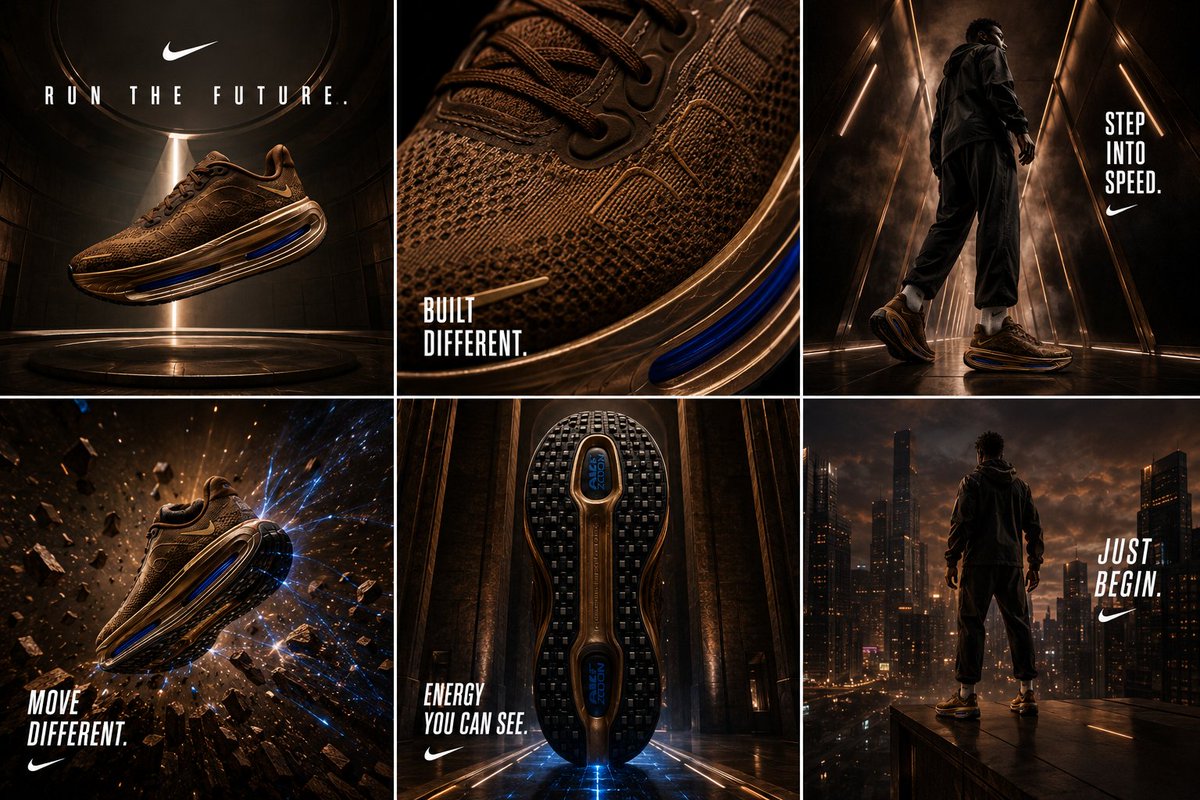
Nike Vomero Future Campaign Master Prompt
A comprehensive master prompt for creating a unified 6-grid editorial fashion campaign for sneakers, focusing on future movement and luxury performance.
This is a GPT Image 2 prompt case for Product & Commercial. Use the copy-ready prompt below to generate similar visuals, and review Awesome GPT Image 2 Prompts attribution plus commercial-use rights before reuse.
Free 1K preview
Generate one preview image instantly, no sign-up required.
Prompt
Copy-ready prompt
NIKE VOMERO — “RUN THE FUTURE”

ULTRA CREATIVE JUMBO MASTER PROMPT — FINAL MASTER LOCK

(HORIZONTAL 6–GRID CAMPAIGN • 2×3 • ONE CONNECTED WORLD • NIKE EDITORIAL SYSTEM)

Create a completely ORIGINAL premium Nike campaign for the attached {argument name="sneaker color" default="bronze"} Nike Vomero.

Design a visually unified horizontal 6-grid campaign (2 rows × 3 columns) that feels like entering one cinematic Nike universe—not six separate product images.

This campaign must feel:

future movement

premium engineering

editorial fashion

athletic mythology

object obsession

luxury performance

cinematic sport

architectural energy

speed as identity

Nike worldbuilding

This should NOT feel like:

running catalogue

sports ecommerce

fitness advertising

gym content

shoe review content

generic athlete campaign

streetwear drop

Amazon listing

performance comparison

It should feel like:

⚡ speed became architecture
⚡ luxury became movement
⚡ engineered obsession
⚡ impossible object energy
⚡ “I don’t run but I want these”
⚡ future nostalgia
⚡ premium athletic identity
Prompt variables
Editable argument placeholders found in the prompt, with their default values.
Best for
- - Product & Commercial visual exploration
- - Image generation and reference-image edits
- - Reusable briefs that keep source attribution visible
Change these parts
- - Subject, product, character, or scene
- - Aspect ratio, camera, lighting, and background
- - Brand, text, color, and output constraints
Recommended model and settings
- - Model: gpt-image-2
- - Input mode: Text to Image
- - Aspect ratio: source
- - Commercial status: review original source
How to use this prompt
- 1. Copy the prompt and preserve its structure for the first test.
- 2. Replace the subject, context, and publishing channel.
- 3. Change one camera, lighting, or style variable per iteration.
- 4. Inspect the output, source, text, and rights before reuse.
Limitations, source, and reuse cautions
- - Generated output is an editable draft, not factual, legal, or rights evidence.
- - Review the linked source, people, brands, logos, text, and third-party media before commercial use.
More cases in this category
Prioritized by category, input mode compatibility, quality, and lower risk.

Reuse and source notes
Use this prompt safely after previewing the case.
- 1.Copy the prompt or open it directly in Dovoo with the generation button.
- 2.Adjust variables, aspect ratio, and reference images for your own use case.
- 3.Before publishing or paid usage, verify source rights, attribution requirements, and brand or likeness risks.
Can I use this prompt commercially?
Commercial-use status is allowed. Review the original source, license, brand constraints, and legal requirements before paid usage.
Where does this case come from?
This case is imported from Awesome GPT Image 2 Prompts; keep attribution visible and check the source URL before reuse.