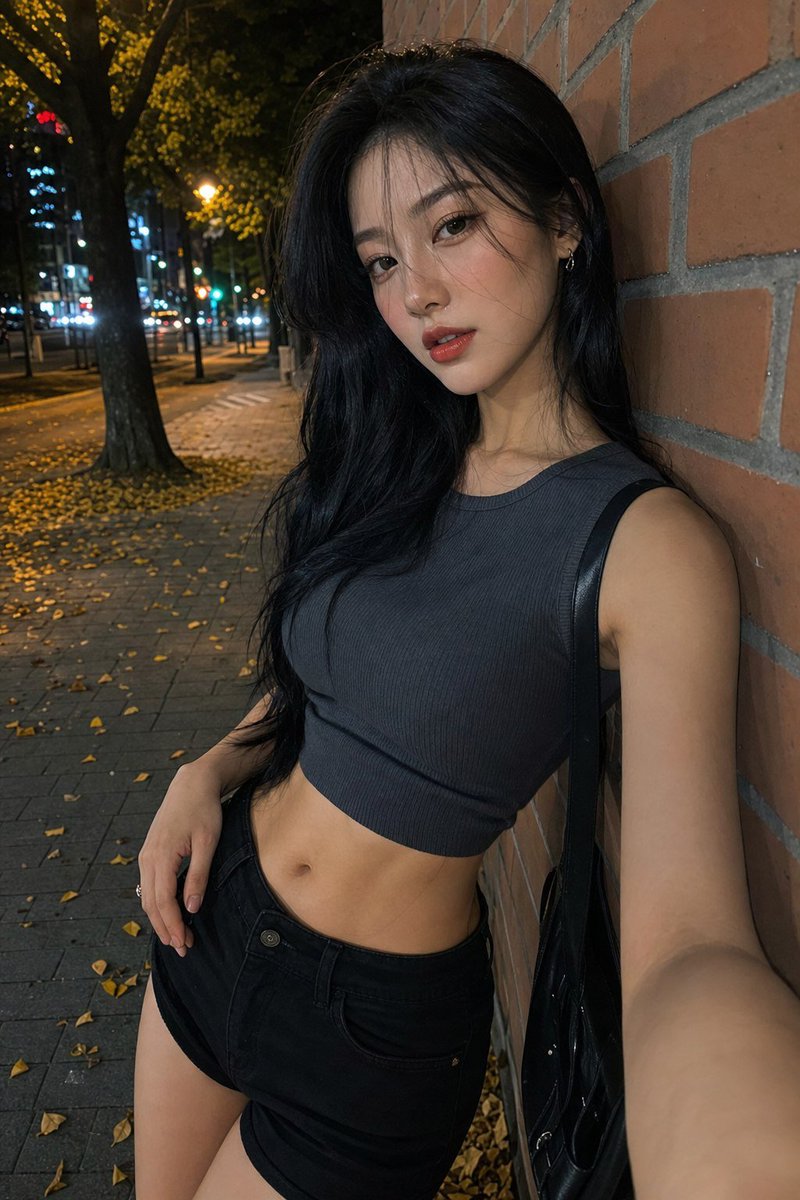
Night Street Fashion Selfie
Generates a realistic vertical nighttime street-fashion selfie with an anonymized face block, ideal for recreating candid urban outfit photography.
This is a GPT Image 2 prompt case for 人像角色. Use the copy-ready prompt below to generate similar visuals, and review Awesome GPT Image 2 Prompts attribution plus commercial-use rights before reuse.
Prompt
Copy-ready prompt
创作一张逼真的夜间手机自拍照片,画面中一位成年女性靠在城市人行道的红砖墙上,正值秋季。她留着黑色长波浪卷发,肤色中等偏白,身材苗条,面部被一个位于正中央的深棕色不透明方形隐私遮挡块刻意遮盖。她身穿深炭灰色罗纹无袖短款背心,搭配黑色高腰牛仔短裤,单肩背着一个亮面黑色单肩包。让她以略微倾斜的角度站立,一只手臂伸向镜头,仿佛正在自拍,另一只手放在短裤口袋附近,画面截取范围从头部上方到大腿中部。背景展现了夜间的城市街道,有高大的树木、人行道上散落的黄色落叶、温暖的路灯、模糊的车前灯以及远处景深较浅的城市灯光。使用逼真的手机闪光灯照明、自然的阴影、细腻的砖块纹理,营造出抓拍的街头时尚氛围,采用 2:3 竖版构图,无文字,无水印。可自定义上衣颜色为 {argument name="top color" default="dark charcoal"},发型为 {argument name="hair style" default="long wavy black hair"},场景为 {argument name="street setting" default="autumn nighttime city sidewalk"},以及隐私遮挡块颜色为 {argument name="face block color" default="dark brown skin-tone"}。Prompt variables
Editable argument placeholders found in the prompt, with their default values.
More cases in this category
Prioritized by category, input mode compatibility, quality, and lower risk.

Reuse and source notes
Use this prompt safely after previewing the case.
- 1.Copy the prompt or open it directly in Dovoo with the generation button.
- 2.Adjust variables, aspect ratio, and reference images for your own use case.
- 3.Before publishing or paid usage, verify source rights, attribution requirements, and brand or likeness risks.
Can I use this prompt commercially?
Commercial-use status is allowed. Review the original source, license, brand constraints, and legal requirements before paid usage.
Where does this case come from?
This case is imported from Awesome GPT Image 2 Prompts; keep attribution visible and check the source URL before reuse.