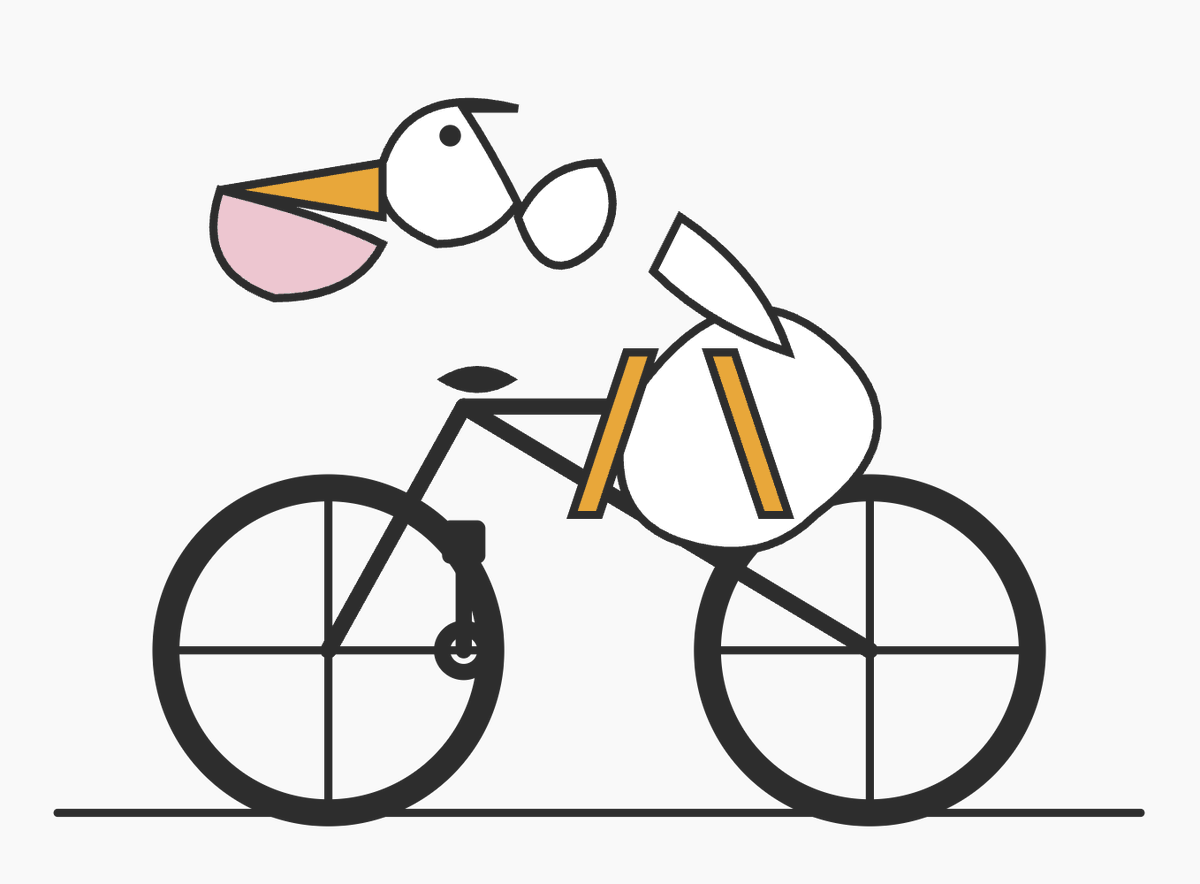
Minimal SVG Pelican on Bicycle
This generates a simple geometric vector-style pelican riding a bicycle, useful for SVG demo art, code-themed visuals, or playful minimalist illustrations.
This is a GPT Image 2 prompt case for Illustration & Art. Use the copy-ready prompt below to generate similar visuals, and review Awesome GPT Image 2 Prompts attribution plus commercial-use rights before reuse.
Free 1K preview
Generate one preview image instantly, no sign-up required.
Prompt
Copy-ready prompt
A minimalist flat vector illustration on a light gray background showing a stylized pelican riding a bicycle, composed from simple geometric SVG-like shapes with thick dark charcoal outlines and sparse details. The bicycle is shown in side view with 2 large wheels, each with a circular rim and a simple cross of 4 spokes, a black frame, seat, crank, and handlebars, resting on a single thin horizontal ground line near the bottom. The pelican is abstract and slightly awkward, built from clean outlined shapes: a white circular-oval body positioned over the bike, 2 narrow orange-yellow leg shapes hanging down toward the pedals, a white neck and head extending forward, 1 small black eye, a long triangular orange-yellow upper beak, and 1 large pale pink lower pouch. Add a separate white wing shape angled upward above the body. Keep the composition intentionally simple and a little imperfect, as if it were an SVG demo drawing generated from code in a code editor screenshot, but render only the artwork itself with no interface, no text, no shadows, and no extra scenery.
Best for
- - Illustration & Art visual exploration
- - Image generation and reference-image edits
- - Reusable briefs that keep source attribution visible
Change these parts
- - Subject, product, character, or scene
- - Aspect ratio, camera, lighting, and background
- - Brand, text, color, and output constraints
Recommended model and settings
- - Model: gpt-image-2
- - Input mode: Text to Image
- - Aspect ratio: source
- - Commercial status: review original source
How to use this prompt
- 1. Copy the prompt and preserve its structure for the first test.
- 2. Replace the subject, context, and publishing channel.
- 3. Change one camera, lighting, or style variable per iteration.
- 4. Inspect the output, source, text, and rights before reuse.
Limitations, source, and reuse cautions
- - Generated output is an editable draft, not factual, legal, or rights evidence.
- - Review the linked source, people, brands, logos, text, and third-party media before commercial use.
More cases in this category
Prioritized by category, input mode compatibility, quality, and lower risk.





Reuse and source notes
Use this prompt safely after previewing the case.
- 1.Copy the prompt or open it directly in Dovoo with the generation button.
- 2.Adjust variables, aspect ratio, and reference images for your own use case.
- 3.Before publishing or paid usage, verify source rights, attribution requirements, and brand or likeness risks.
Can I use this prompt commercially?
Commercial-use status is allowed. Review the original source, license, brand constraints, and legal requirements before paid usage.
Where does this case come from?
This case is imported from Awesome GPT Image 2 Prompts; keep attribution visible and check the source URL before reuse.