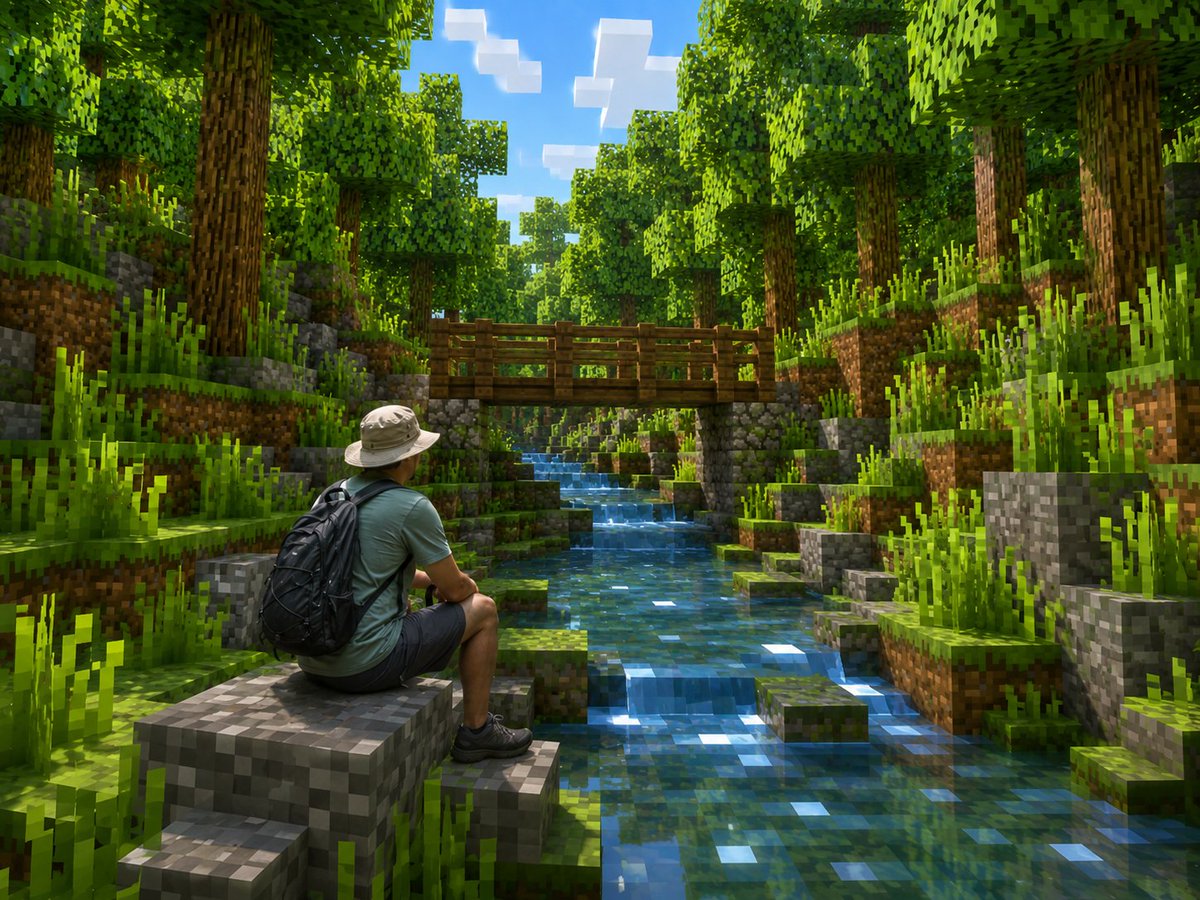
Real Hiker in Minecraft Forest
Generates a realistic person placed inside a lush Minecraft-inspired voxel forest scene with a stream and wooden bridge.
This is a GPT Image 2 prompt case for Landscape & Nature. Use the copy-ready prompt below to generate similar visuals, and review Awesome GPT Image 2 Prompts attribution plus commercial-use rights before reuse.
Free 1K preview
Generate one preview image instantly, no sign-up required.
Prompt
Copy-ready prompt
Create a photorealistic Minecraft-style screenshot of {argument name="character description" default="a real adult male hiker seen from behind, wearing a beige bucket hat, muted teal T-shirt, dark shorts, black hiking shoes, and a large black backpack"} sitting on a blocky gray stone ledge in the lower-left foreground, looking into a lush voxel forest valley. Keep the person realistic and natural while transforming the entire environment into Minecraft-like cubic blocks. The scene should show a clear shallow stream running from the foreground center into the distance, made of transparent blue pixelated water with bright square sunlight reflections. On both sides of the stream are stepped cube terrain blocks: grass blocks with dirt sides, mossy gray stone blocks, small square platforms, and many tall blocky grass tufts. In the midground, place a simple wooden plank bridge crossing the stream horizontally, supported by stone-block pillars. Surround the stream with dense blocky trees: many tall brown pixelated trunks and cubic leafy green canopies forming a bright forest corridor. The sky is visible through the treetops as vivid blue with a few rectangular white Minecraft-style clouds. Use {argument name="lighting style" default="warm midday sunlight with dappled forest shadows"}, vibrant greens, crisp voxel geometry, high detail, cinematic depth, and realistic global illumination. Camera angle: wide landscape composition, eye-level to slightly low, looking upstream toward the bridge, with the hiker occupying the lower-left third and the stream leading the eye to the center. No text, no UI, no watermark, no extra characters.Prompt variables
Editable argument placeholders found in the prompt, with their default values.
Best for
- - Landscape & Nature visual exploration
- - Image generation and reference-image edits
- - Reusable briefs that keep source attribution visible
Change these parts
- - Subject, product, character, or scene
- - Aspect ratio, camera, lighting, and background
- - Brand, text, color, and output constraints
Recommended model and settings
- - Model: gpt-image-2
- - Input mode: Text to Image
- - Aspect ratio: source
- - Commercial status: review original source
How to use this prompt
- 1. Copy the prompt and preserve its structure for the first test.
- 2. Replace the subject, context, and publishing channel.
- 3. Change one camera, lighting, or style variable per iteration.
- 4. Inspect the output, source, text, and rights before reuse.
Limitations, source, and reuse cautions
- - Generated output is an editable draft, not factual, legal, or rights evidence.
- - Review the linked source, people, brands, logos, text, and third-party media before commercial use.
More cases in this category
Prioritized by category, input mode compatibility, quality, and lower risk.
Reuse and source notes
Use this prompt safely after previewing the case.
- 1.Copy the prompt or open it directly in Dovoo with the generation button.
- 2.Adjust variables, aspect ratio, and reference images for your own use case.
- 3.Before publishing or paid usage, verify source rights, attribution requirements, and brand or likeness risks.
Can I use this prompt commercially?
Commercial-use status is allowed. Review the original source, license, brand constraints, and legal requirements before paid usage.
Where does this case come from?
This case is imported from Awesome GPT Image 2 Prompts; keep attribution visible and check the source URL before reuse.