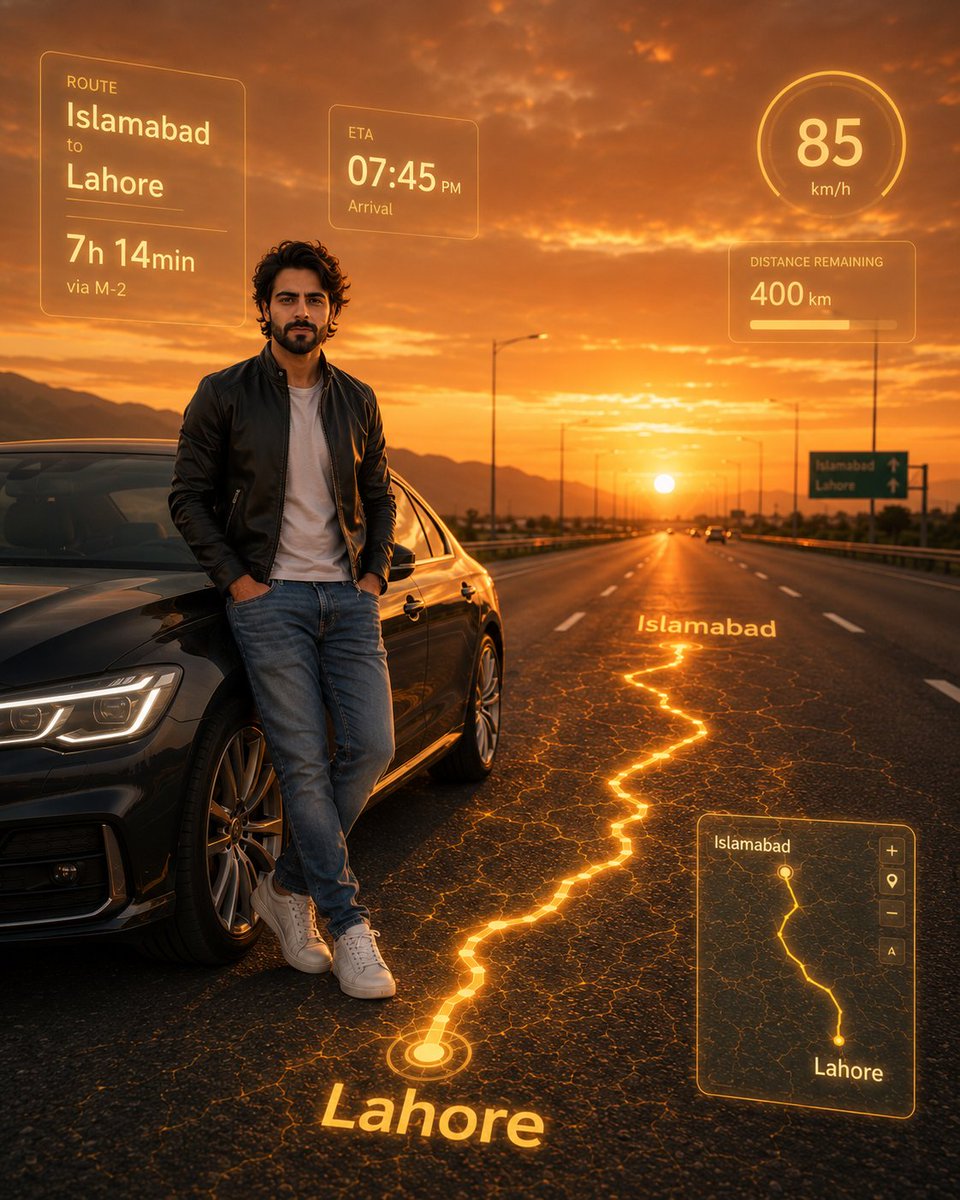
Photorealistic Man with HUD Navigation on Highway
A cinematic prompt generating a photorealistic young man standing by a modern car on a highway, featuring a futuristic neon yellow navigation route projected onto the asphalt during golden hour.
This is a GPT Image 2 prompt case for 人像角色. Use the copy-ready prompt below to generate similar visuals, and review Awesome GPT Image 2 Prompts attribution plus commercial-use rights before reuse.
Free 1K preview
Generate one preview image instantly, no sign-up required.
2 free previews per device every 30 days
Prompt
Copy-ready prompt
黄金时刻,一名年轻男子站在宽阔高速公路旁的一辆时尚现代汽车边,身穿合身夹克、牛仔裤和运动鞋,呈现电影般的橙色和琥珀色光影。柏油路面上投射出类似地图的霓虹黄色导航路线,从 {argument name="start city" default="Islamabad"} 到 {argument name="end city" default="Lahore"},并带有发光的 3D 城市名称。未来感全息 UI 面板显示预计到达时间、{argument name="duration" default="7h 14min"} 的路线时长、85 km/h 的速度、400 km 的剩余里程以及迷你地图显示。Prompt variables
Editable argument placeholders found in the prompt, with their default values.
Best for
- - 人像角色 visual exploration
- - Image generation and reference-image edits
- - Reusable briefs that keep source attribution visible
Change these parts
- - Subject, product, character, or scene
- - Aspect ratio, camera, lighting, and background
- - Brand, text, color, and output constraints
Recommended model and settings
- - Model: gpt-image-2
- - Input mode: Text to Image
- - Aspect ratio: source
- - Commercial status: review original source
How to use this prompt
- 1. Copy the prompt and preserve its structure for the first test.
- 2. Replace the subject, context, and publishing channel.
- 3. Change one camera, lighting, or style variable per iteration.
- 4. Inspect the output, source, text, and rights before reuse.
Limitations, source, and reuse cautions
- - Generated output is an editable draft, not factual, legal, or rights evidence.
- - Review the linked source, people, brands, logos, text, and third-party media before commercial use.
More cases in this category
Prioritized by category, input mode compatibility, quality, and lower risk.

Reuse and source notes
Use this prompt safely after previewing the case.
- 1.Copy the prompt or open it directly in Dovoo with the generation button.
- 2.Adjust variables, aspect ratio, and reference images for your own use case.
- 3.Before publishing or paid usage, verify source rights, attribution requirements, and brand or likeness risks.
Can I use this prompt commercially?
Commercial-use status is allowed. Review the original source, license, brand constraints, and legal requirements before paid usage.
Where does this case come from?
This case is imported from Awesome GPT Image 2 Prompts; keep attribution visible and check the source URL before reuse.