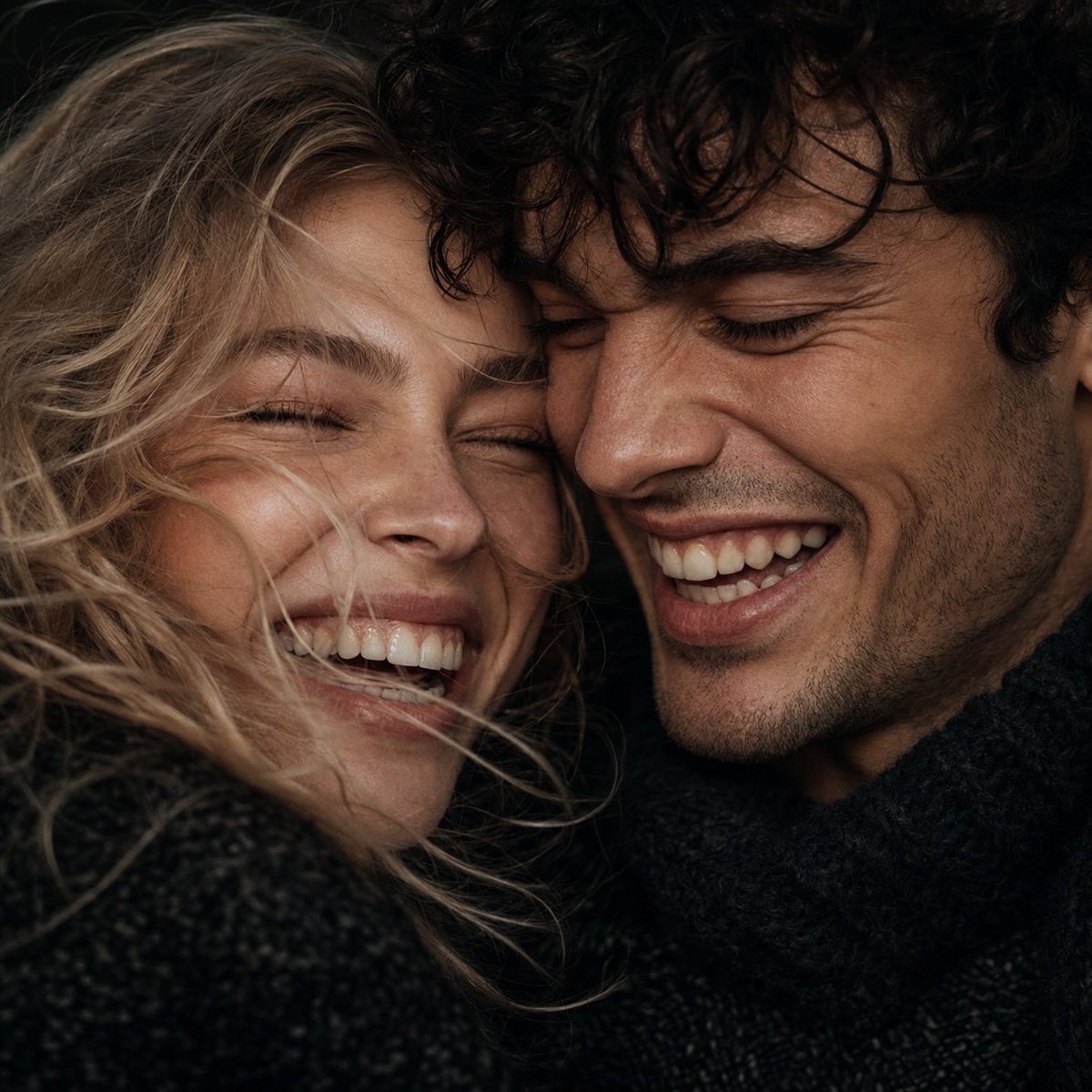
Macro Candid Couple Portrait
A hyper-realistic extreme close-up of a couple laughing together, showing detailed skin textures and authentic emotions.
This is a GPT Image 2 prompt case for 人像角色. Use the copy-ready prompt below to generate similar visuals, and review Awesome GPT Image 2 Prompts attribution plus commercial-use rights before reuse.
Need the full prompt set? Use the 人像角色 topic hub for more related examples, or open the GPT Image 2 prompt library for the full example index, reusable structures, and source attribution.
Prompt
Copy-ready prompt
请完全使用参考图片中的情侣,面部特征需保持完全一致。这是一张极近距离的微距肖像,拍摄 {argument name="subjects" default="一对年轻男女"} 开怀大笑的瞬间,他们的脸紧贴在一起,背景为 {argument name="background" default="深色极简背景"}。采用抓拍风格的超写实摄影,呈现高保真的皮肤纹理,清晰可见细微毛孔、淡淡雀斑以及脸颊自然的红晕。他们笑得眼角弯弯、双眼微闭,流露出真挚的快乐,牙齿细节真实,带有轻微的自然瑕疵和细致的牙龈纹理。凌乱细碎的 {argument name="hair" default="浅棕色头发"} 拂过脸颊,柔和而富有戏剧性的定向主光勾勒出鼻梁和眉骨的轮廓。色调处理呈现出电影般的忧郁质感,深沉且低饱和度,将温暖原始的肤色与颈部深色针织毛衣的质感形成鲜明对比。使用 35mm 胶片拍摄,浅景深,焦点精准聚焦于面部中心,情感真实,高对比度,原始摄影风格,荣获大奖的编辑风格。 --ar 1:1 --v 6.0Prompt variables
Editable argument placeholders found in the prompt, with their default values.
Variable
subjects
Default
A young couple
Variable
background
Default
Dark minimalist background
Variable
hair
Default
Light brown hair
More cases in this category
Prioritized by category, input mode compatibility, quality, and lower risk.




Reuse and source notes
Use this prompt safely after previewing the case.
- 1.Copy the prompt or open it directly in Dovoo with the generation button.
- 2.Adjust variables, aspect ratio, and reference images for your own use case.
- 3.Before publishing or paid usage, verify source rights, attribution requirements, and brand or likeness risks.
Can I use this prompt commercially?
Commercial-use status is allowed. Review the original source, license, brand constraints, and legal requirements before paid usage.
Where does this case come from?
This case is imported from Awesome GPT Image 2 Prompts; keep attribution visible and check the source URL before reuse.