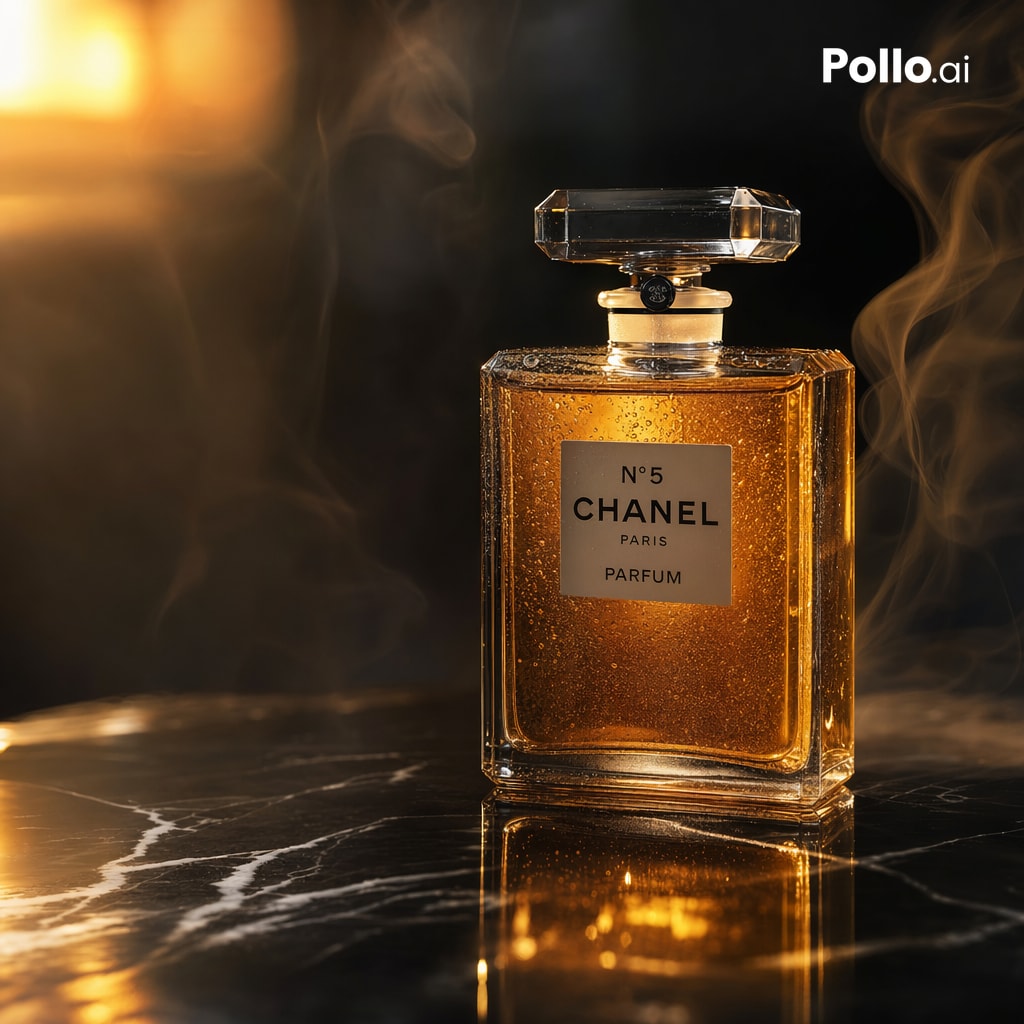
Luxury Perfume Ad Shot
This prompt generates a moody high-end perfume product advertisement image, ideal for luxury branding, ecommerce hero banners, and social media ads.
This is a GPT Image 2 prompt case for Product & Commercial. Use the copy-ready prompt below to generate similar visuals, and review Awesome GPT Image 2 Prompts attribution plus commercial-use rights before reuse.
Free 1K preview
Generate one preview image instantly, no sign-up required.
Prompt
Copy-ready prompt
A luxurious cinematic product photograph of a classic rectangular perfume bottle inspired by {argument name="brand label" default="N°5 CHANEL PARIS PARFUM"}, standing upright on a glossy black marble surface with white veining and a warm golden reflection. The bottle is centered slightly to the right, made of thick clear glass with sharp beveled edges, filled with rich amber-gold perfume, covered in tiny condensation droplets, and topped with a faceted transparent crystal stopper. Use dramatic low-key lighting with a dark black background, strong warm highlights from the upper left, glowing amber reflections on the tabletop, and soft rim light along the bottle edges. Add elegant wisps of translucent smoke curling upward around both sides of the bottle, creating a sensual luxury-ad aesthetic. The label is a simple cream rectangle with black typography on the front. In the top-right corner, place 1 small white logo reading {argument name="corner logo" default="Pollo.ai"}. Ultra-detailed commercial studio photography, premium fragrance campaign style, shallow depth of field, crisp focus on the bottle, moody atmosphere, high contrast, realistic glass caustics, refined reflections, square composition.Prompt variables
Editable argument placeholders found in the prompt, with their default values.
Best for
- - Product & Commercial visual exploration
- - Image generation and reference-image edits
- - Reusable briefs that keep source attribution visible
Change these parts
- - Subject, product, character, or scene
- - Aspect ratio, camera, lighting, and background
- - Brand, text, color, and output constraints
Recommended model and settings
- - Model: gpt-image-2
- - Input mode: Text to Image
- - Aspect ratio: source
- - Commercial status: review original source
How to use this prompt
- 1. Copy the prompt and preserve its structure for the first test.
- 2. Replace the subject, context, and publishing channel.
- 3. Change one camera, lighting, or style variable per iteration.
- 4. Inspect the output, source, text, and rights before reuse.
Limitations, source, and reuse cautions
- - Generated output is an editable draft, not factual, legal, or rights evidence.
- - Review the linked source, people, brands, logos, text, and third-party media before commercial use.
More cases in this category
Prioritized by category, input mode compatibility, quality, and lower risk.




Reuse and source notes
Use this prompt safely after previewing the case.
- 1.Copy the prompt or open it directly in Dovoo with the generation button.
- 2.Adjust variables, aspect ratio, and reference images for your own use case.
- 3.Before publishing or paid usage, verify source rights, attribution requirements, and brand or likeness risks.
Can I use this prompt commercially?
Commercial-use status is allowed. Review the original source, license, brand constraints, and legal requirements before paid usage.
Where does this case come from?
This case is imported from Awesome GPT Image 2 Prompts; keep attribution visible and check the source URL before reuse.