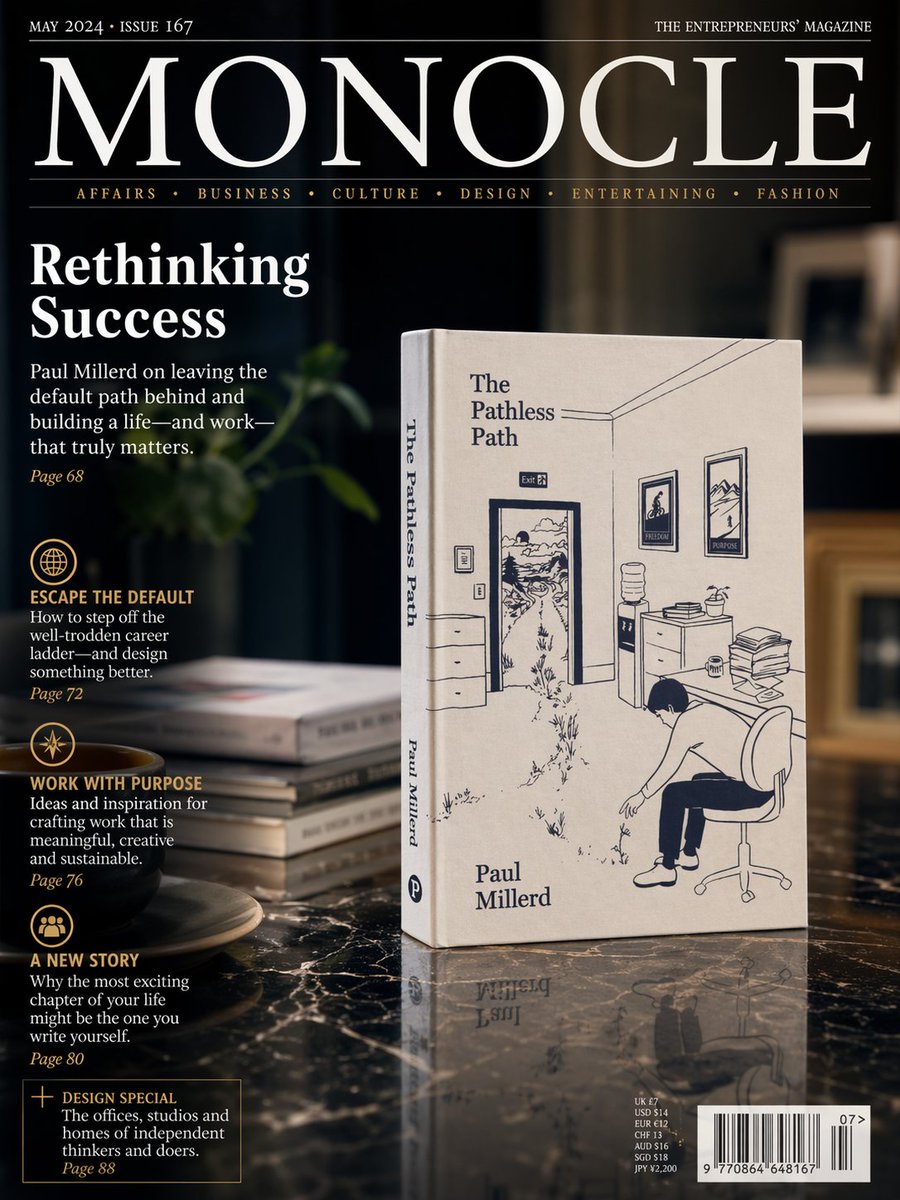
Luxury Magazine Cover With Featured Book
This prompt generates a photorealistic premium magazine cover mockup featuring a prominently displayed nonfiction book in an elegant editorial interior, ideal for publishing, branding, or promotional visuals.
This is a GPT Image 2 prompt case for Graphic & Poster. Use the copy-ready prompt below to generate similar visuals, and review Awesome GPT Image 2 Prompts attribution plus commercial-use rights before reuse.
Free 1K preview
Generate one preview image instantly, no sign-up required.
Prompt
Copy-ready prompt
A photorealistic premium magazine cover in the style of an international design and business publication, shot as a sophisticated editorial still life. The cover features a dark, moody interior with shallow depth of field and warm ambient lighting. Center-right, standing upright on a glossy black marble table, is a cream-colored paperback book titled {argument name="book title" default="The Pathless Path"} by {argument name="author name" default="Paul Millerd"}. The book is angled slightly to the left so both the front cover and spine are visible. The cover illustration is minimalist navy-blue line art showing an office interior with an open door leading into a winding outdoor path, framed pictures on the wall, a water cooler, a desk with stacked papers, and a person slumped in an office chair. The author’s name appears near the lower left of the front cover, and the title also runs vertically on the spine. To the left of the book on the marble surface is a small stack of 4 books, softly out of focus, and in the lower-left foreground sits 1 dark coffee cup on a saucer. Behind them is a dim, elegant room with blurred shelving and a soft green plant shape in the background. The magazine masthead dominates the top: {argument name="magazine title" default="MONOCLE"} in very large white serif letters across the width, with small white issue text at top left reading {argument name="issue text" default="MAY 2024 • ISSUE 167"} and small white tagline text at top right reading “THE ENTREPRENEURS’ MAGAZINE”. Beneath the masthead is a thin rule and a category line in small gold serif text with 6 categories separated by dots: “AFFAIRS • BUSINESS • CULTURE • DESIGN • ENTERTAINING • FASHION”. On the left side, large white serif cover headline text reads “Rethinking Success”. Below it is a white serif subheadline about leaving the default path behind and building a life and work that matters, followed by a small gold page number. Further down the left column are 4 editorial teaser blocks, each with a gold circular icon and gold uppercase heading, white descriptive text, and a gold page number. The 4 headings are “ESCAPE THE DEFAULT”, “WORK WITH PURPOSE”, “A NEW STORY”, and a boxed teaser “DESIGN SPECIAL”. At the bottom right is a realistic barcode block with small pricing text above it and a small issue number beside it. The overall layout should feel like a real luxury magazine cover mockup: crisp typography, elegant serif fonts, black, white, cream, and gold palette, glossy reflections on the marble, cinematic shadows, subtle product reflection beneath the book, and high-end editorial photography styling.Prompt variables
Editable argument placeholders found in the prompt, with their default values.
Best for
- - Graphic & Poster visual exploration
- - Image generation and reference-image edits
- - Reusable briefs that keep source attribution visible
Change these parts
- - Subject, product, character, or scene
- - Aspect ratio, camera, lighting, and background
- - Brand, text, color, and output constraints
Recommended model and settings
- - Model: gpt-image-2
- - Input mode: Text to Image
- - Aspect ratio: source
- - Commercial status: review original source
How to use this prompt
- 1. Copy the prompt and preserve its structure for the first test.
- 2. Replace the subject, context, and publishing channel.
- 3. Change one camera, lighting, or style variable per iteration.
- 4. Inspect the output, source, text, and rights before reuse.
Limitations, source, and reuse cautions
- - Generated output is an editable draft, not factual, legal, or rights evidence.
- - Review the linked source, people, brands, logos, text, and third-party media before commercial use.
More cases in this category
Prioritized by category, input mode compatibility, quality, and lower risk.






Reuse and source notes
Use this prompt safely after previewing the case.
- 1.Copy the prompt or open it directly in Dovoo with the generation button.
- 2.Adjust variables, aspect ratio, and reference images for your own use case.
- 3.Before publishing or paid usage, verify source rights, attribution requirements, and brand or likeness risks.
Can I use this prompt commercially?
Commercial-use status is allowed. Review the original source, license, brand constraints, and legal requirements before paid usage.
Where does this case come from?
This case is imported from Awesome GPT Image 2 Prompts; keep attribution visible and check the source URL before reuse.