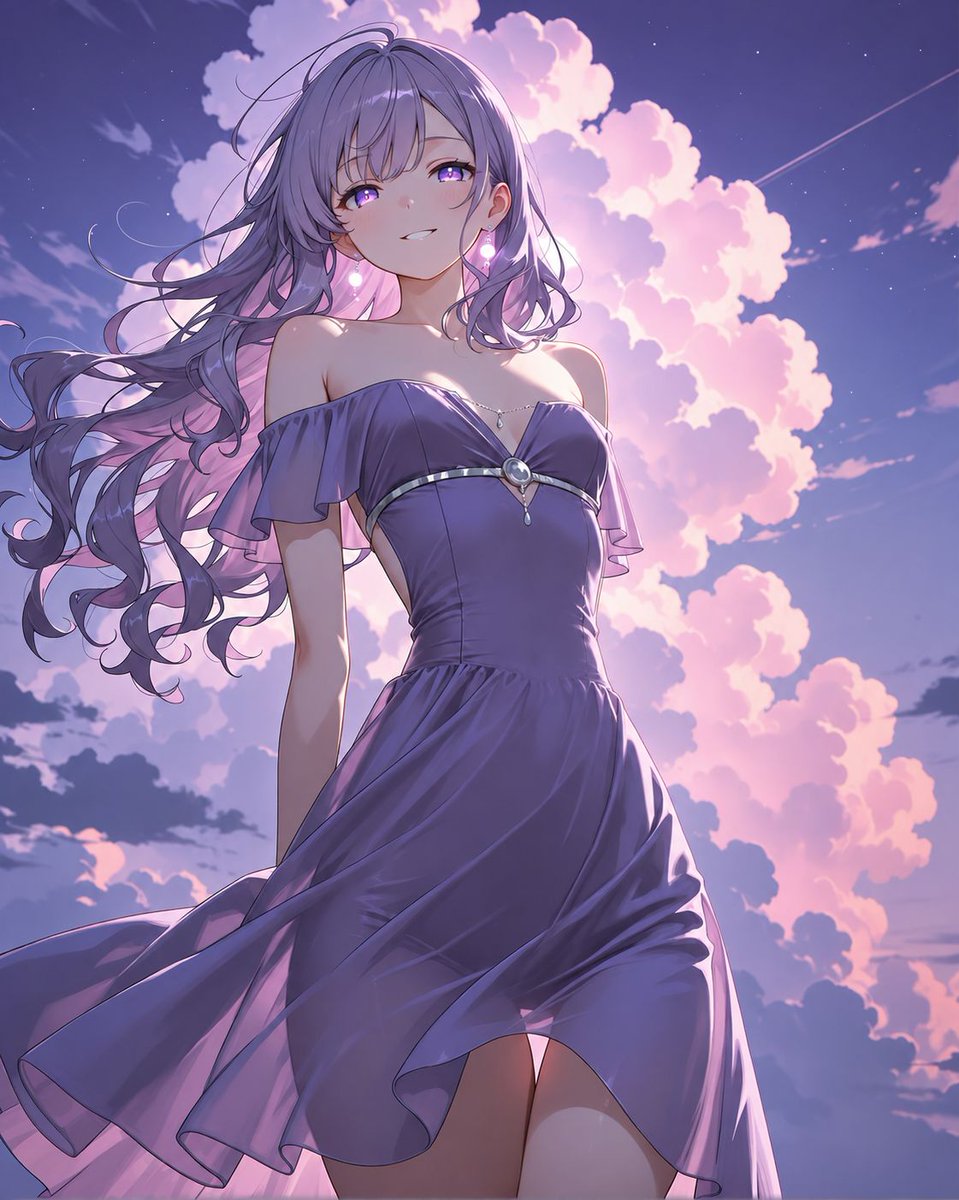
Lavender Anime Woman at Twilight
Generates a cinematic anime portrait of an elegant woman in a flowing violet dress against glowing sunset clouds.
This is a GPT Image 2 prompt case for Anime & Game. Use the copy-ready prompt below to generate similar visuals, and review Awesome GPT Image 2 Prompts attribution plus commercial-use rights before reuse.
Free 1K preview
Generate one preview image instantly, no sign-up required.
Prompt
Copy-ready prompt
Create a polished anime-style portrait of a single elegant young woman viewed from a low angle, standing against a dramatic twilight sky filled with glowing pink cumulus clouds and tiny stars. She has long flowing {argument name="hair color" default="lavender-purple"} hair with loose curls and windblown strands, soft bangs partly covering one eye, bright violet eyes, fair skin, and a gentle confident smile. She wears a romantic off-shoulder {argument name="dress color" default="deep violet"} evening dress with a fitted bodice and a flowing skirt caught by the wind; include exactly 5 visible outfit and accessory details: 1 off-shoulder ruffled sleeves, 2 a thin silver band across the bust, 3 a central oval gemstone brooch, 4 a delicate necklace with a small teardrop pendant, and 5 two glowing pink dangling earrings. The composition should be vertical and slightly cropped at the thighs, with her upper body centered and the skirt sweeping diagonally across the lower frame. Use luminous backlighting from the sunset clouds, soft rim light along her hair and shoulders, glossy fabric highlights, delicate line art, subtle blush, dreamy purple-pink color grading, high-detail anime rendering, cinematic atmosphere, and no text or watermark.Prompt variables
Editable argument placeholders found in the prompt, with their default values.
Best for
- - Anime & Game visual exploration
- - Image generation and reference-image edits
- - Reusable briefs that keep source attribution visible
Change these parts
- - Subject, product, character, or scene
- - Aspect ratio, camera, lighting, and background
- - Brand, text, color, and output constraints
Recommended model and settings
- - Model: gpt-image-2
- - Input mode: Text to Image
- - Aspect ratio: source
- - Commercial status: review original source
How to use this prompt
- 1. Copy the prompt and preserve its structure for the first test.
- 2. Replace the subject, context, and publishing channel.
- 3. Change one camera, lighting, or style variable per iteration.
- 4. Inspect the output, source, text, and rights before reuse.
Limitations, source, and reuse cautions
- - Generated output is an editable draft, not factual, legal, or rights evidence.
- - Review the linked source, people, brands, logos, text, and third-party media before commercial use.
More cases in this category
Prioritized by category, input mode compatibility, quality, and lower risk.
Reuse and source notes
Use this prompt safely after previewing the case.
- 1.Copy the prompt or open it directly in Dovoo with the generation button.
- 2.Adjust variables, aspect ratio, and reference images for your own use case.
- 3.Before publishing or paid usage, verify source rights, attribution requirements, and brand or likeness risks.
Can I use this prompt commercially?
Commercial-use status is allowed. Review the original source, license, brand constraints, and legal requirements before paid usage.
Where does this case come from?
This case is imported from Awesome GPT Image 2 Prompts; keep attribution visible and check the source URL before reuse.