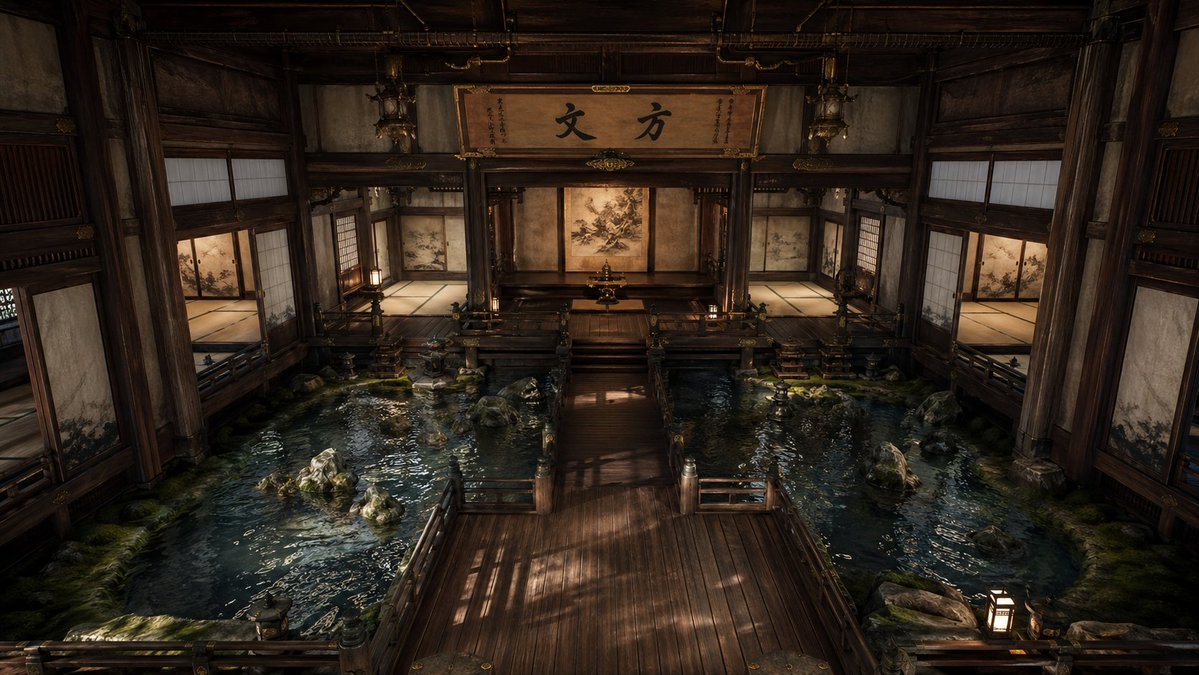
Cinematic Japanese Temple Hall
A photorealistic prompt for generating a serene traditional Japanese interior with indoor pools, wooden walkways, and dramatic atmospheric lighting.
This is a GPT Image 2 prompt case for Interior & Architecture. Use the copy-ready prompt below to generate similar visuals, and review Awesome GPT Image 2 Prompts attribution plus commercial-use rights before reuse.
Free 1K preview
Generate one preview image instantly, no sign-up required.
Prompt
Copy-ready prompt
A grand, cinematic interior of a traditional Japanese temple or palace hall built almost entirely of dark aged wood, viewed from a slightly elevated centered perspective with perfect near-symmetry. The scene features a broad polished wooden walkway in the foreground leading straight toward a raised central dais and an inner shrine-like alcove at the back. On both the left and right sides of the walkway are shallow indoor reflecting pools filled with dark blue-green water, scattered natural rocks, patches of moss, and subtle ripples catching warm light. The architecture is intricate and stately: thick timber pillars, carved beams, railings, tatami-floored side rooms, sliding shoji screens, painted fusuma panels with delicate nature motifs, and hanging lanterns. At the rear center, above the alcove, a large wooden signboard displays bold Japanese calligraphy reading {argument name="calligraphy text" default="Fangzhang"}. The back wall includes a central painted screen or mural in muted sepia tones, with additional painted panels in the side chambers. Lighting is low, warm, and dramatic, with soft amber lantern glow and shafts of natural light creating reflections on the water and long shadows across the wood floor. The mood is serene, sacred, contemplative, and slightly mysterious, with ultra-detailed textures, realistic materials, cinematic depth, and a high-end photorealistic style.Prompt variables
Editable argument placeholders found in the prompt, with their default values.
Best for
- - Interior & Architecture visual exploration
- - Image generation and reference-image edits
- - Reusable briefs that keep source attribution visible
Change these parts
- - Subject, product, character, or scene
- - Aspect ratio, camera, lighting, and background
- - Brand, text, color, and output constraints
Recommended model and settings
- - Model: gpt-image-2
- - Input mode: Text to Image
- - Aspect ratio: source
- - Commercial status: review original source
How to use this prompt
- 1. Copy the prompt and preserve its structure for the first test.
- 2. Replace the subject, context, and publishing channel.
- 3. Change one camera, lighting, or style variable per iteration.
- 4. Inspect the output, source, text, and rights before reuse.
Limitations, source, and reuse cautions
- - Generated output is an editable draft, not factual, legal, or rights evidence.
- - Review the linked source, people, brands, logos, text, and third-party media before commercial use.
More cases in this category
Prioritized by category, input mode compatibility, quality, and lower risk.
Reuse and source notes
Use this prompt safely after previewing the case.
- 1.Copy the prompt or open it directly in Dovoo with the generation button.
- 2.Adjust variables, aspect ratio, and reference images for your own use case.
- 3.Before publishing or paid usage, verify source rights, attribution requirements, and brand or likeness risks.
Can I use this prompt commercially?
Commercial-use status is allowed. Review the original source, license, brand constraints, and legal requirements before paid usage.
Where does this case come from?
This case is imported from Awesome GPT Image 2 Prompts; keep attribution visible and check the source URL before reuse.