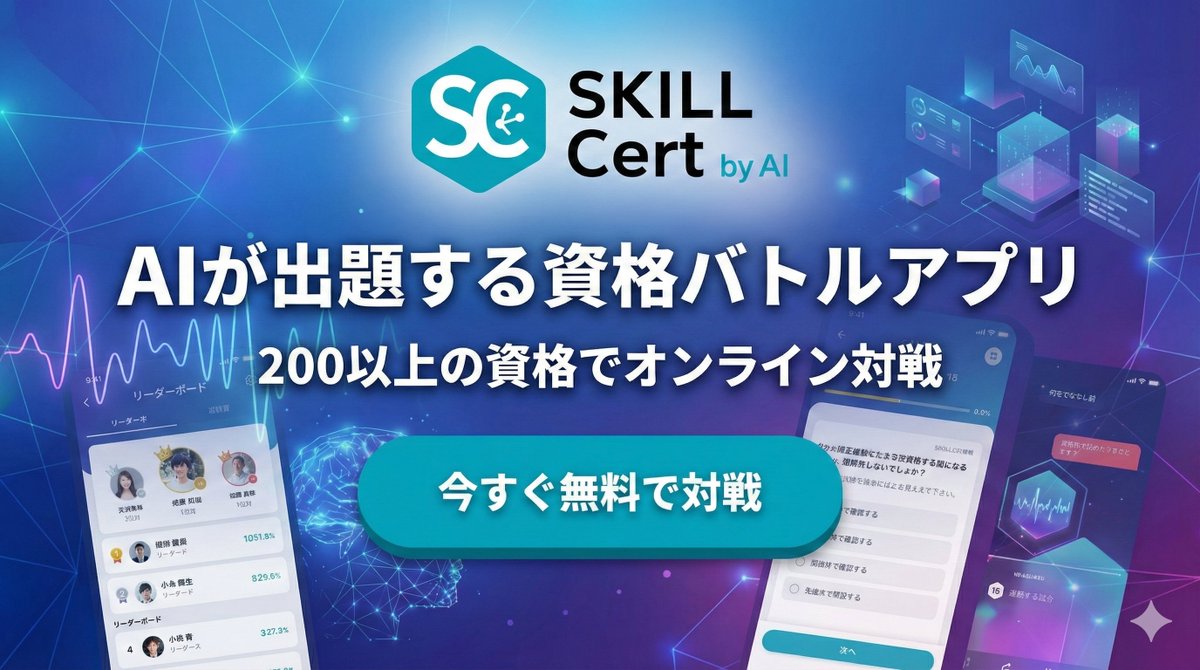
Japanese AI App Promo Banner
A futuristic Japanese marketing banner for an AI-powered certification battle app, suitable for app ads, landing pages, and social media promotions.
This is a GPT Image 2 prompt case for Graphic & Poster. Use the copy-ready prompt below to generate similar visuals, and review Awesome GPT Image 2 Prompts attribution plus commercial-use rights before reuse.
Free 1K preview
Generate one preview image instantly, no sign-up required.
Prompt
Copy-ready prompt
Create a polished Japanese tech advertising banner for a mobile app, widescreen 16:9, with a futuristic blue-to-purple gradient background filled with glowing network lines, connection nodes, soft lens flares, and subtle digital particles. At the top center, place a modern app logo: a cyan hexagon icon with large white letters “SC” and a small circuit symbol inside the C, followed by the brand text “SKILL Cert by AI” in a clean sans-serif font, with “SKILL” large and black, “Cert” below it in black, and “by AI” smaller in cyan. Center the composition around a bold Japanese headline in very large white text with a dark navy outline and soft drop shadow: {argument name="headline text" default="AIが出題する資格バトルアプリ"}. Directly below, add a second line of medium-large white Japanese text with the same outline and shadow: {argument name="subheadline text" default="200以上の資格でオンライン対戦"}. In the middle foreground, place one large glossy rounded rectangular call-to-action button in bright cyan with subtle gradient, bevel, and shadow, containing bold white Japanese text: {argument name="button text" default="今すぐ無料で対戦"}. Show exactly 3 smartphone mockups arranged around the center: 1 on the lower left, tilted slightly right, showing a leaderboard app screen with a line graph at the top, small profile avatars, ranking rows, and Japanese UI labels; 1 large phone on the lower right, tilted slightly left, showing a multiple-choice quiz screen with Japanese question text and radio-button answers plus a cyan bottom button; 1 smaller phone on the far right edge, angled inward, showing a darker dashboard-style screen with charts and Japanese text. Add exactly 4 floating UI graphic clusters in the background: 1 analytics line-chart panel near the upper left, 1 holographic cube/dashboard cluster near the upper right, 1 glowing wireframe brain or neural sphere near the lower left-center behind the button, and 1 hexagon chart/card element near the right-center. Use a sleek AI, SaaS, and edtech marketing aesthetic, high contrast, crisp typography, layered depth, neon glow accents, and premium app-promo lighting.Prompt variables
Editable argument placeholders found in the prompt, with their default values.
Best for
- - Graphic & Poster visual exploration
- - Image generation and reference-image edits
- - Reusable briefs that keep source attribution visible
Change these parts
- - Subject, product, character, or scene
- - Aspect ratio, camera, lighting, and background
- - Brand, text, color, and output constraints
Recommended model and settings
- - Model: gpt-image-2
- - Input mode: Text to Image
- - Aspect ratio: source
- - Commercial status: review original source
How to use this prompt
- 1. Copy the prompt and preserve its structure for the first test.
- 2. Replace the subject, context, and publishing channel.
- 3. Change one camera, lighting, or style variable per iteration.
- 4. Inspect the output, source, text, and rights before reuse.
Limitations, source, and reuse cautions
- - Generated output is an editable draft, not factual, legal, or rights evidence.
- - Review the linked source, people, brands, logos, text, and third-party media before commercial use.
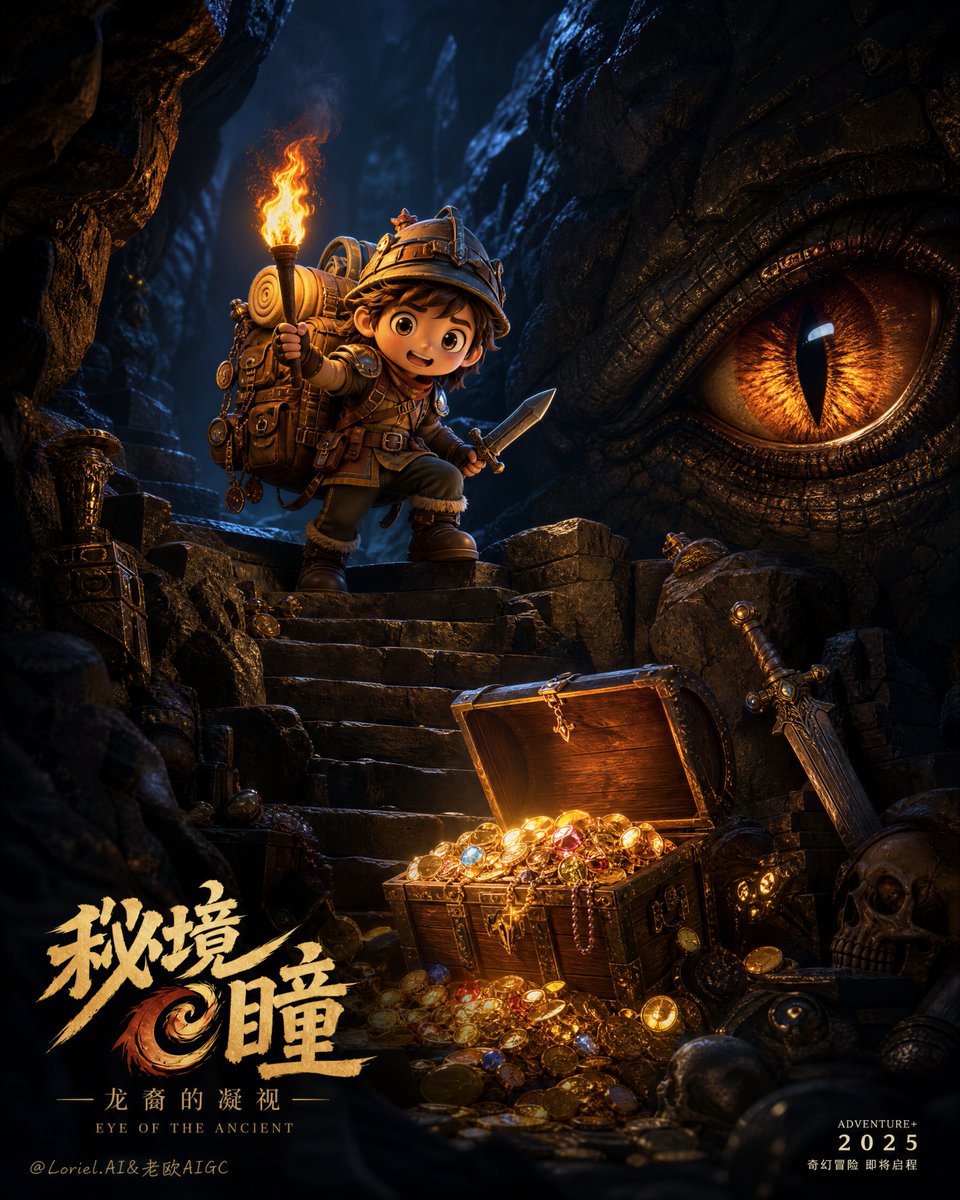
More cases in this category
Prioritized by category, input mode compatibility, quality, and lower risk.





Reuse and source notes
Use this prompt safely after previewing the case.
- 1.Copy the prompt or open it directly in Dovoo with the generation button.
- 2.Adjust variables, aspect ratio, and reference images for your own use case.
- 3.Before publishing or paid usage, verify source rights, attribution requirements, and brand or likeness risks.
Can I use this prompt commercially?
Commercial-use status is allowed. Review the original source, license, brand constraints, and legal requirements before paid usage.
Where does this case come from?
This case is imported from Awesome GPT Image 2 Prompts; keep attribution visible and check the source URL before reuse.