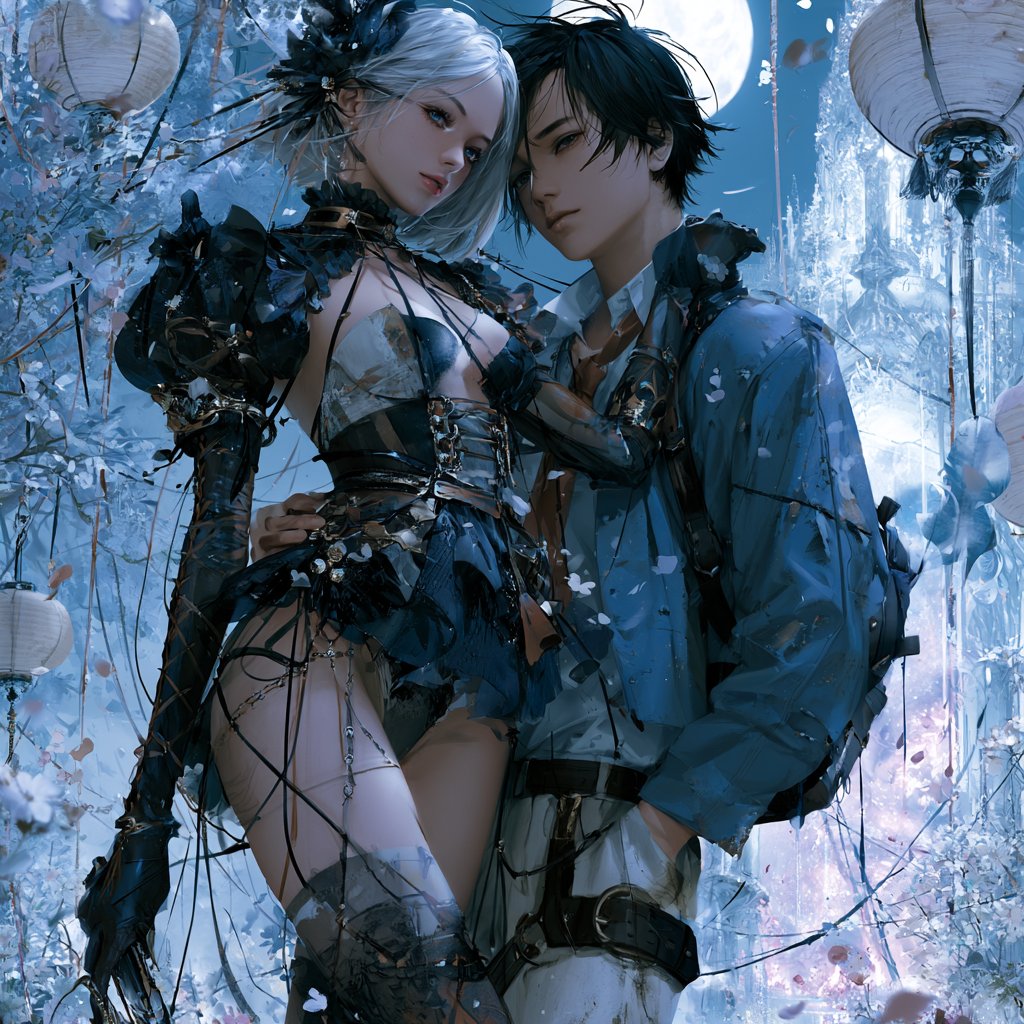
Moonlit Isekai Couple Cover
A square anime-style isekai light novel cover featuring a silver-haired knight heroine and modern schoolboy in a glowing moonlit fantasy garden.
This is a GPT Image 2 prompt case for 动漫游戏. Use the copy-ready prompt below to generate similar visuals, and review Awesome GPT Image 2 Prompts attribution plus commercial-use rights before reuse.
Free 1K preview
Generate one preview image instantly, no sign-up required.
2 free previews per device every 30 days
Prompt
Copy-ready prompt
创作一张方形浪漫日式异世界轻小说封面插画,画面中心展示两位紧紧站在一起的角色:一位高挑的银发女骑士和一位现代男高中生。女主角拥有 {argument name="hair color" default="silver-white"} 的头发,梳着精致的奇幻盘发,佩戴深色花卉饰品,皮肤白皙,身穿华丽的暗黑奇幻风格骑士装,包含黑色盔甲部件、皮带、紧身胸衣式上衣、不对称裙摆细节、过膝袜元素、手套、链条、丝带以及精致的魔法配饰。男孩留着凌乱的黑发,身穿现代蓝色校服风格夹克,内搭领口微敞的白衬衫,配有深色系带和腰带细节,背着类似书包的轮廓,与她并肩站立,神情显得既保护欲十足又略带羞涩。他们的面部被上部中心柔和的方形马赛克模糊处理,而身体和服装则保持高度细节化。背景设定在月光照耀下的奇幻花园,布满冰蓝色的植被、悬挂的纸灯笼、飘落的花瓣、发光的薄雾,远处可见水晶宫殿建筑,身后是一轮巨大的满月。采用冷蓝色、银色、黑色和淡紫色的色调,带有发光的轮廓光、柔和的魔法氛围、复杂的动漫奇幻细节、戏剧性的绘画渲染效果,构图符合浪漫轻小说封面要求,画面中不包含任何标题文字,在顶部留出微妙的空白区域以便未来添加标题。长宽比 1:1,高度精致,优雅,电影感,空灵,带有轻微的装饰性细节,无水印。Prompt variables
Editable argument placeholders found in the prompt, with their default values.
Best for
- - 动漫游戏 visual exploration
- - Image generation and reference-image edits
- - Reusable briefs that keep source attribution visible
Change these parts
- - Subject, product, character, or scene
- - Aspect ratio, camera, lighting, and background
- - Brand, text, color, and output constraints
Recommended model and settings
- - Model: gpt-image-2
- - Input mode: Text to Image
- - Aspect ratio: source
- - Commercial status: review original source
How to use this prompt
- 1. Copy the prompt and preserve its structure for the first test.
- 2. Replace the subject, context, and publishing channel.
- 3. Change one camera, lighting, or style variable per iteration.
- 4. Inspect the output, source, text, and rights before reuse.
Limitations, source, and reuse cautions
- - Generated output is an editable draft, not factual, legal, or rights evidence.
- - Review the linked source, people, brands, logos, text, and third-party media before commercial use.
More cases in this category
Prioritized by category, input mode compatibility, quality, and lower risk.
Reuse and source notes
Use this prompt safely after previewing the case.
- 1.Copy the prompt or open it directly in Dovoo with the generation button.
- 2.Adjust variables, aspect ratio, and reference images for your own use case.
- 3.Before publishing or paid usage, verify source rights, attribution requirements, and brand or likeness risks.
Can I use this prompt commercially?
Commercial-use status is allowed. Review the original source, license, brand constraints, and legal requirements before paid usage.
Where does this case come from?
This case is imported from Awesome GPT Image 2 Prompts; keep attribution visible and check the source URL before reuse.