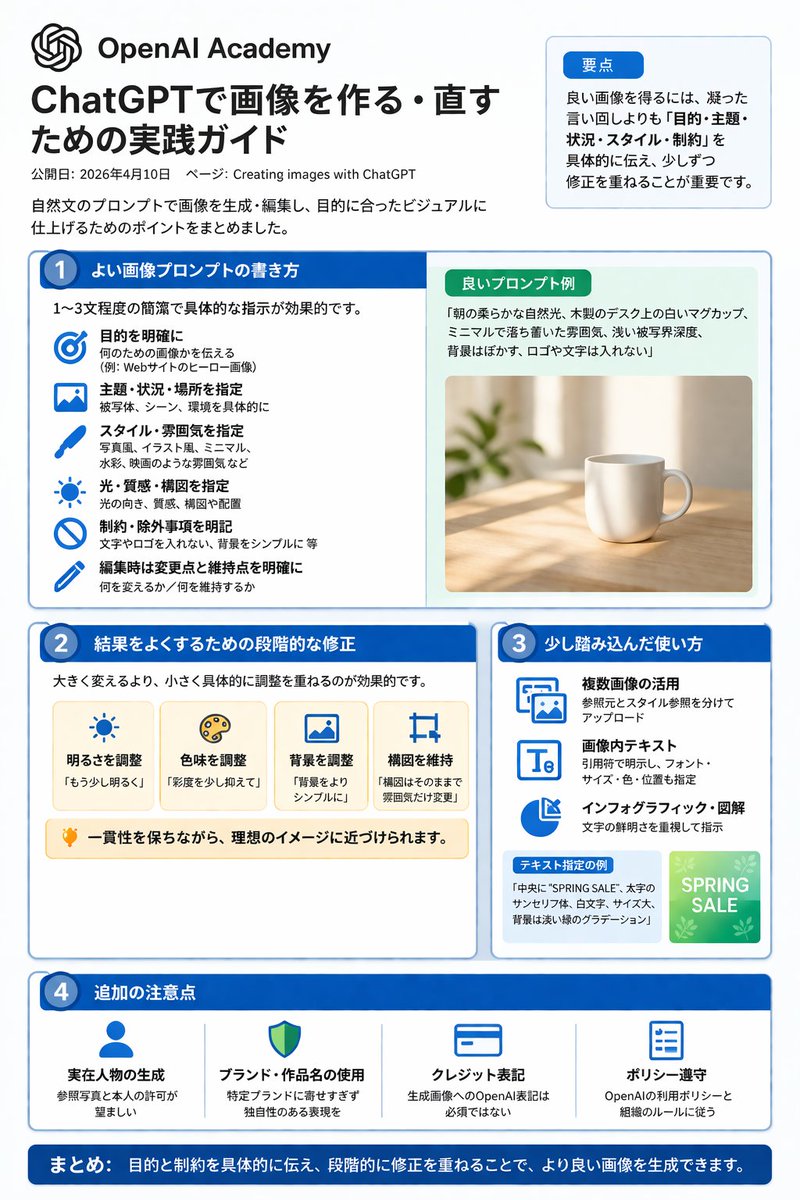
ChatGPT Image Generation Guide Infographic
A structured, multi-section infographic outlining best practices for generating and editing images, featuring icons, example graphics, and step-by-step tips.
This is a GPT Image 2 prompt case for 平面海报. Use the copy-ready prompt below to generate similar visuals, and review Awesome GPT Image 2 Prompts attribution plus commercial-use rights before reuse.
This prompt is designed for multiple reference images. We will open Dovoo with the prompt and the available preview image; add the remaining references in Dovoo before generating.
Prompt
Copy-ready prompt
{"type":"infographic","style":"Simple, corporate style, flat design, soft color accents, dark blue main color","header":{"logo":"swirl icon","academy_name":"}}{argument name="academy name" default="OpenAI Academy"} ","main_title":"{argument name="main title" default="ChatGPT Image Generation and Editing Practice Guide"} ","metadata":"Date and page information","summary_box":{"title":"Key points","content":"Paragraphs about key points"}},"layout":{"sections":[{"number":1,"title":"{argument name="section 1 title" default="How to write high-quality image prompts"} ","layout":"Double Columns","left_column":{"count":6,"items":[{"icon":"target","label":"Specific Target"},{"icon":"landscape","label":"Specify Theme, Scene, and Location"},{"icon":"brush","label":"Specify Style and Atmosphere"},{"icon":"sun","label":"Specify Lighting, Texture, and Composition"},{"icon":"prohibition","label":"Specific Constraints and Exclusions"},{"icon":"pencil","label":"Specify Changes and Retention Points During Editing"}]},"right_column":{"box_title":"Example of High-Quality Hints","image":"{argument name="example image subject" default="White mug on the wooden table"} {"number":2,"title":"Step-by-step correction method for optimization results","cards":{"count":4,"items":[{"icon":"sun","label":"Adjust brightness"},{"icon":"palette","label":"Adjust hue"},{"icon":"landscape","label":"Adjust background"},{"icon":"crop","label":"Maintain composition"}]},"bottom_banner":"Light bulb icon and text"},{"number":3,"title":"Advanced usage tips","list":{"count":3,"items":[{"icon":"multiple images","label":"Utilizing multiple images"},{"icon":"text 'Te'","label":"Text within image"},{"icon":"pie chart","label":"Infographic and diagrams"}]},"example_box":{"title":"Example with specified text","graphic":"With 'SPRING SALE' The green box"}},{"number":4,"title":"Other Notes","items":{"count":4,"items":[{"icon":"person","label":"Generate Real Person"},{"icon":"shield","label":"Usage of Brand and Work Names"},{"icon":"id card","label":"Copyright Label"},{"icon":"checklist","label":"Policy Compliance"}]}}],"footer":{"style":"Dark Blue Banner","text":"{argument name="footer summary" default="In summary, by clearly communicating the objectives and constraints and making step-by-step corrections, higher quality images can be generated."} "}}Prompt variables
Editable argument placeholders found in the prompt, with their default values.
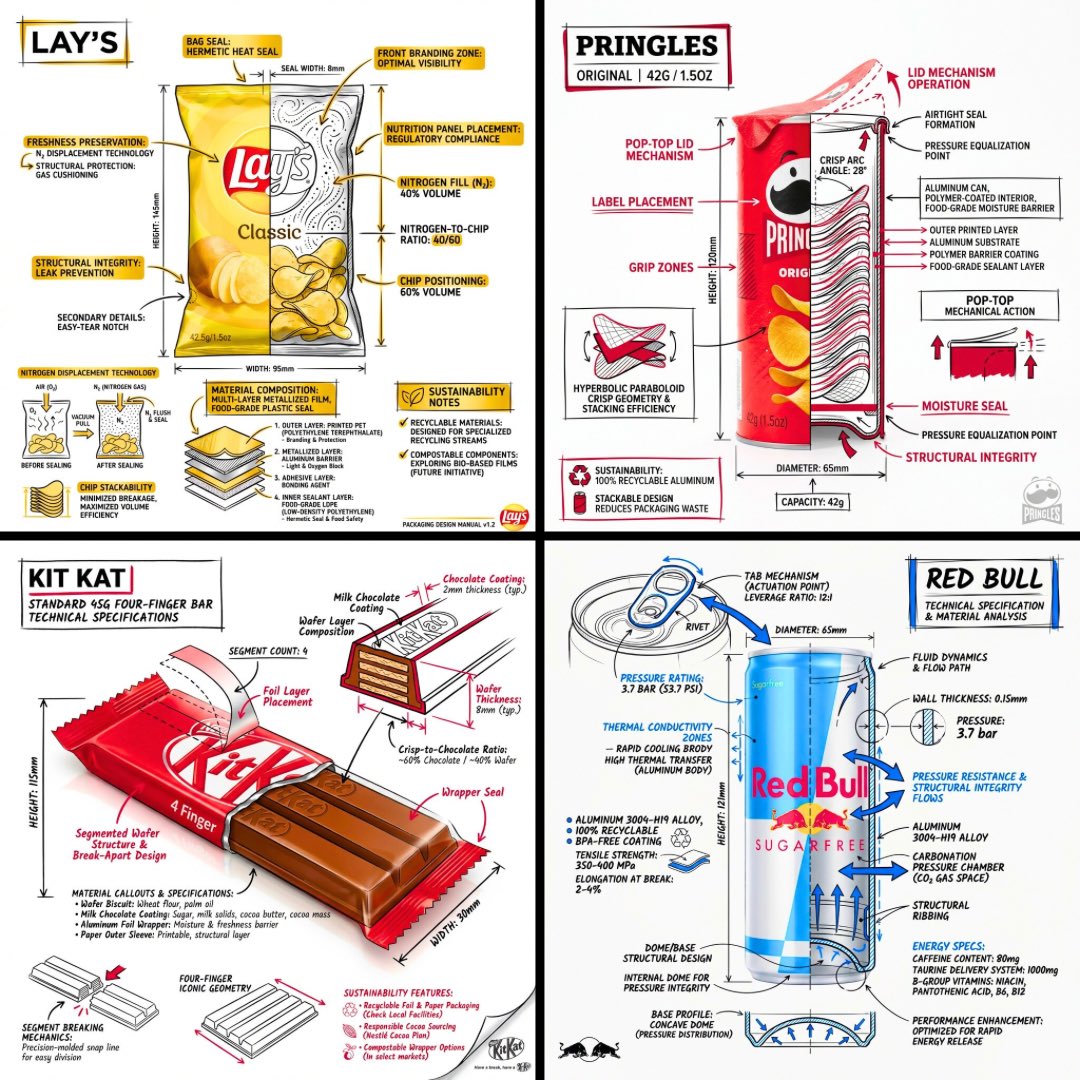
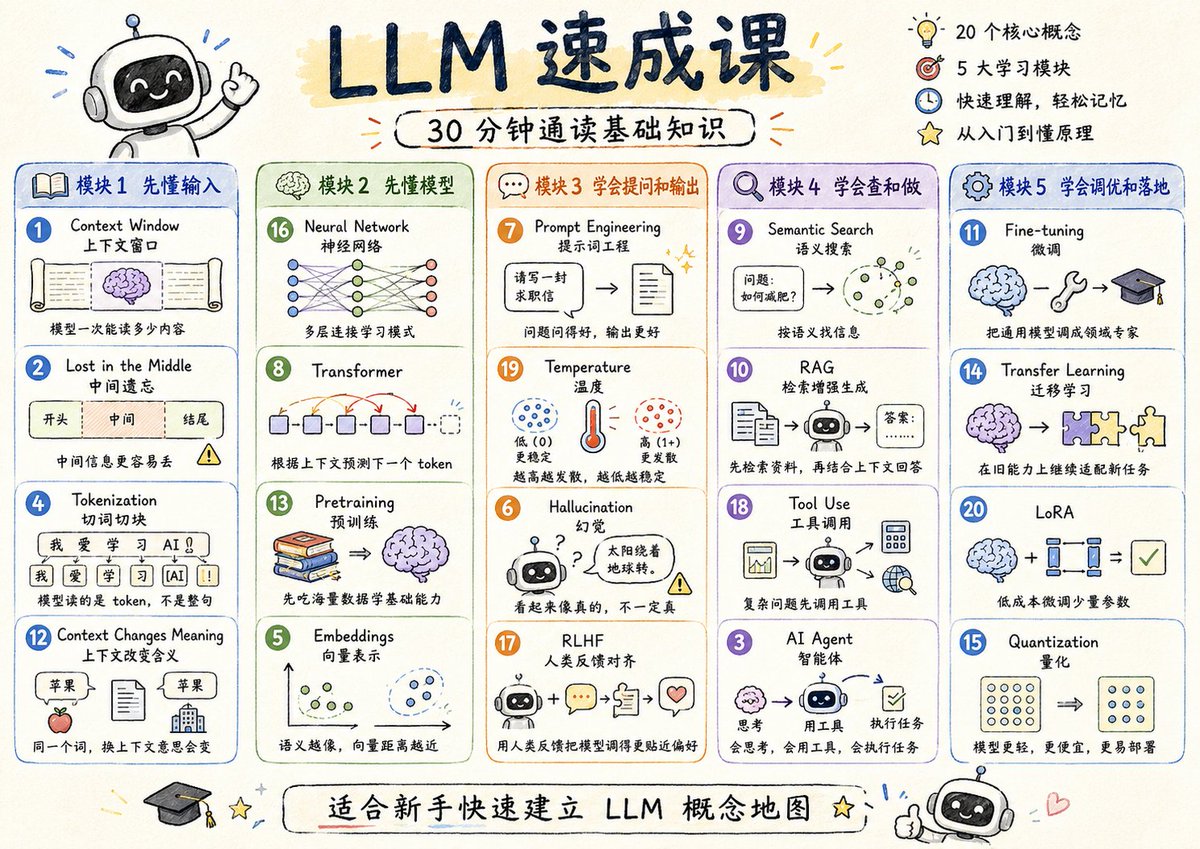
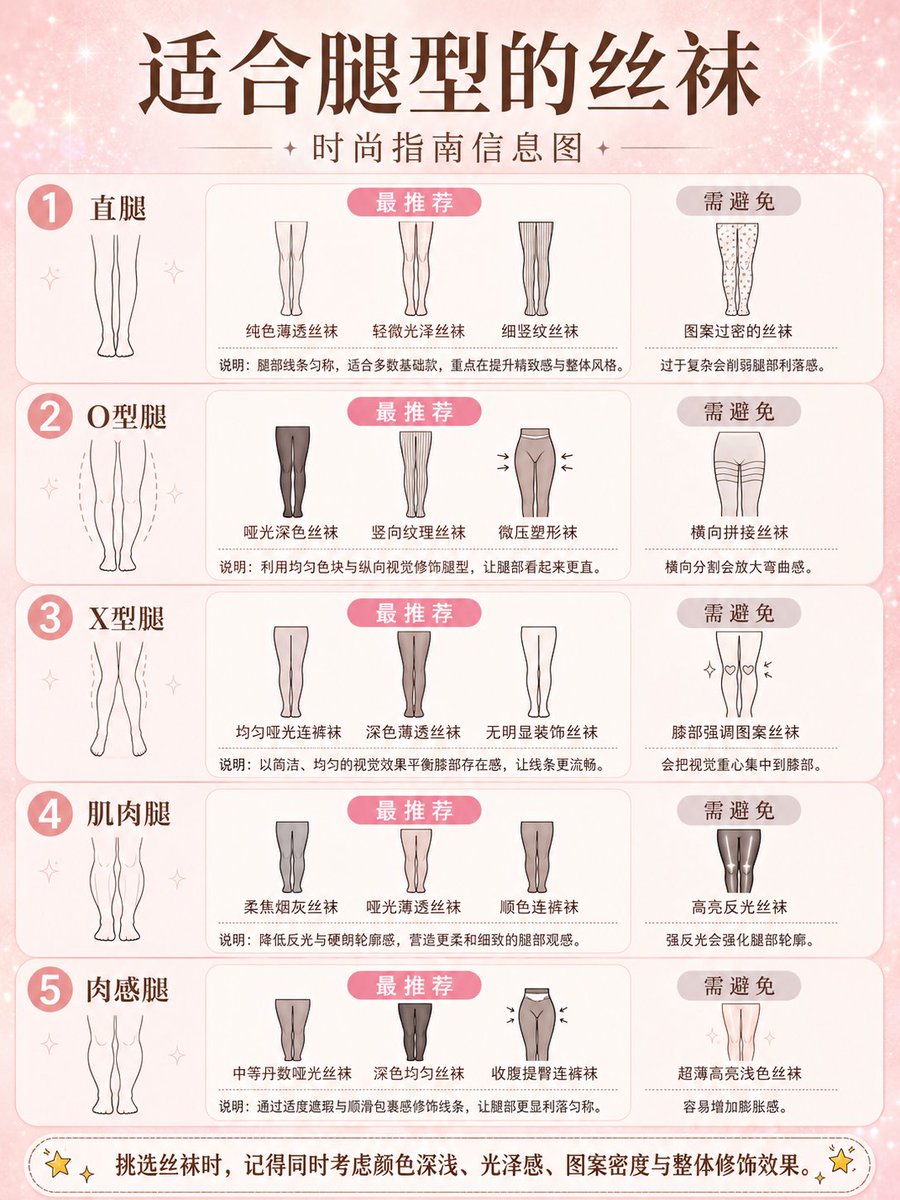
More cases in this category
Prioritized by category, input mode compatibility, quality, and lower risk.



Reuse and source notes
Use this prompt safely after previewing the case.
- 1.Copy the prompt or open it directly in Dovoo with the generation button.
- 2.Adjust variables, aspect ratio, and reference images for your own use case.
- 3.Before publishing or paid usage, verify source rights, attribution requirements, and brand or likeness risks.
Can I use this prompt commercially?
Commercial-use status is allowed. Review the original source, license, brand constraints, and legal requirements before paid usage.
Where does this case come from?
This case is imported from Awesome GPT Image 2 Prompts; keep attribution visible and check the source URL before reuse.