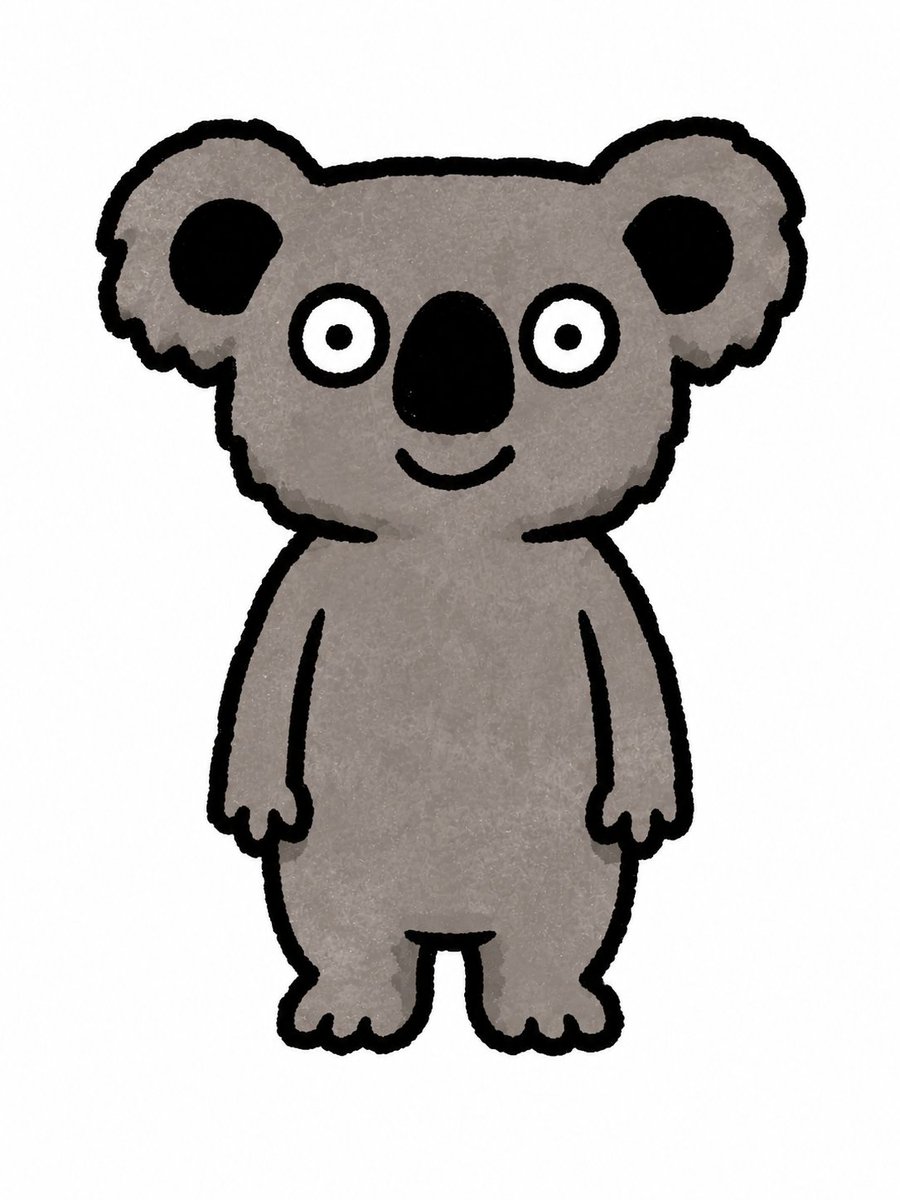
Cute Crayon Koala Character
Generates a simple hand-drawn koala mascot illustration suitable for children's books, stickers, or icon concepts.
This is a GPT Image 2 prompt case for Portrait & Character. Use the copy-ready prompt below to generate similar visuals, and review Awesome GPT Image 2 Prompts attribution plus commercial-use rights before reuse.
Free 1K preview
Generate one preview image instantly, no sign-up required.
Prompt
Copy-ready prompt
创作一张简约的儿童读物风格插图,主体为一个可爱的全身 {argument name="animal" default="warm gray"} 角色,背景为纯白色。采用手绘蜡笔或粗记号笔风格,线条为粗糙、略带抖动的黑色轮廓,填充色为质感柔和的灰色。角色正面对着前方,呈站立姿势,拥有圆润的大头、圆滚滚的身体、垂在两侧的短手臂以及短腿。头部两侧各有一只大圆耳,每只耳朵内侧有黑色斑块,不含粉色内耳颜色。面部特征包括:2 只宽大的白色圆形眼睛,瞳孔为小黑点;眼睛正下方有 1 个大型垂直椭圆形黑色鼻子;鼻子下方有 1 张小巧弯曲的笑嘴。身体颜色为 {argument name="body color" default="暖中灰色"},轮廓颜色为 {argument name="outline color" default="Black"},整体氛围友好、天真且充满幼儿感。构图保持简洁,不含任何文字、阴影、道具、背景或额外角色。Prompt variables
Editable argument placeholders found in the prompt, with their default values.
Best for
- - Portrait & Character visual exploration
- - Image generation and reference-image edits
- - Reusable briefs that keep source attribution visible
Change these parts
- - Subject, product, character, or scene
- - Aspect ratio, camera, lighting, and background
- - Brand, text, color, and output constraints
Recommended model and settings
- - Model: gpt-image-2
- - Input mode: Text to Image
- - Aspect ratio: source
- - Commercial status: review original source
How to use this prompt
- 1. Copy the prompt and preserve its structure for the first test.
- 2. Replace the subject, context, and publishing channel.
- 3. Change one camera, lighting, or style variable per iteration.
- 4. Inspect the output, source, text, and rights before reuse.
Limitations, source, and reuse cautions
- - Generated output is an editable draft, not factual, legal, or rights evidence.
- - Review the linked source, people, brands, logos, text, and third-party media before commercial use.
More cases in this category
Prioritized by category, input mode compatibility, quality, and lower risk.
Reuse and source notes
Use this prompt safely after previewing the case.
- 1.Copy the prompt or open it directly in Dovoo with the generation button.
- 2.Adjust variables, aspect ratio, and reference images for your own use case.
- 3.Before publishing or paid usage, verify source rights, attribution requirements, and brand or likeness risks.
Can I use this prompt commercially?
Commercial-use status is allowed. Review the original source, license, brand constraints, and legal requirements before paid usage.
Where does this case come from?
This case is imported from Awesome GPT Image 2 Prompts; keep attribution visible and check the source URL before reuse.