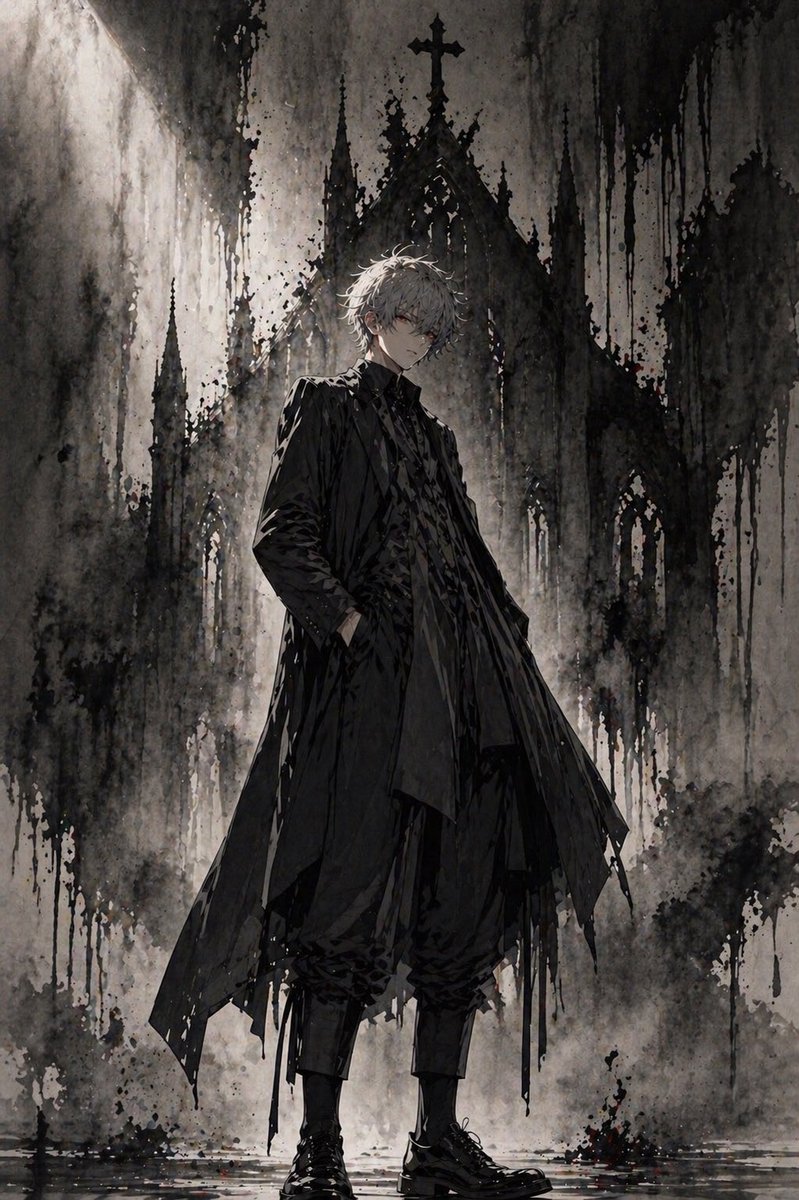
Gothic Anime Figure Before Cathedral
This prompt generates a moody full-body dark fantasy character portrait, ideal for gothic anime key art, concept illustration, or dramatic cover imagery.
This is a GPT Image 2 prompt case for Anime & Game. Use the copy-ready prompt below to generate similar visuals, and review Awesome GPT Image 2 Prompts attribution plus commercial-use rights before reuse.
Free 1K preview
Generate one preview image instantly, no sign-up required.
Prompt
Copy-ready prompt
A full-body dark gothic anime illustration of a slender young man standing confidently in front of a towering ruined cathedral, centered in a vertical composition. He has messy, slightly wavy short hair in {argument name="hair color" default="silver white"}, pale skin, and an androgynous elegant presence. His expression is shadowed and understated, Show every face clearly with natural, detailed facial features. He wears an all-black layered outfit: a long tattered overcoat with sharp asymmetrical panels, a high-collared inner jacket, a textured dark shirt, loose cropped trousers gathered at the calves, and polished black lace-up boots. One hand is in his coat pocket while the other arm hangs naturally, giving him a calm, aloof, aristocratic stance. Behind him rises a massive gothic church facade with 5 visible spires including a central cross-topped peak, rendered as if painted in black ink and watercolor washes. The environment is monochrome charcoal, ash gray, and black, with subtle muted brown undertones, heavy paint drips, splattered ink textures, foggy haze, and wet reflective ground at his feet. Use strong backlighting from the upper left to create a halo-like glow around the figure and silhouette the cathedral. The mood is bleak, solemn, mysterious, and cinematic, combining gothic fashion editorial, dark fantasy, and ink wash concept art. Highly detailed fabric folds, painterly brushwork, dramatic contrast, textured grunge background, elegant composition, no text, no extra characters.Prompt variables
Editable argument placeholders found in the prompt, with their default values.
Best for
- - Anime & Game visual exploration
- - Image generation and reference-image edits
- - Reusable briefs that keep source attribution visible
Change these parts
- - Subject, product, character, or scene
- - Aspect ratio, camera, lighting, and background
- - Brand, text, color, and output constraints
Recommended model and settings
- - Model: gpt-image-2
- - Input mode: Text to Image
- - Aspect ratio: source
- - Commercial status: review original source
How to use this prompt
- 1. Copy the prompt and preserve its structure for the first test.
- 2. Replace the subject, context, and publishing channel.
- 3. Change one camera, lighting, or style variable per iteration.
- 4. Inspect the output, source, text, and rights before reuse.
Limitations, source, and reuse cautions
- - Generated output is an editable draft, not factual, legal, or rights evidence.
- - Review the linked source, people, brands, logos, text, and third-party media before commercial use.
More cases in this category
Prioritized by category, input mode compatibility, quality, and lower risk.




Reuse and source notes
Use this prompt safely after previewing the case.
- 1.Copy the prompt or open it directly in Dovoo with the generation button.
- 2.Adjust variables, aspect ratio, and reference images for your own use case.
- 3.Before publishing or paid usage, verify source rights, attribution requirements, and brand or likeness risks.
Can I use this prompt commercially?
Commercial-use status is allowed. Review the original source, license, brand constraints, and legal requirements before paid usage.
Where does this case come from?
This case is imported from Awesome GPT Image 2 Prompts; keep attribution visible and check the source URL before reuse.