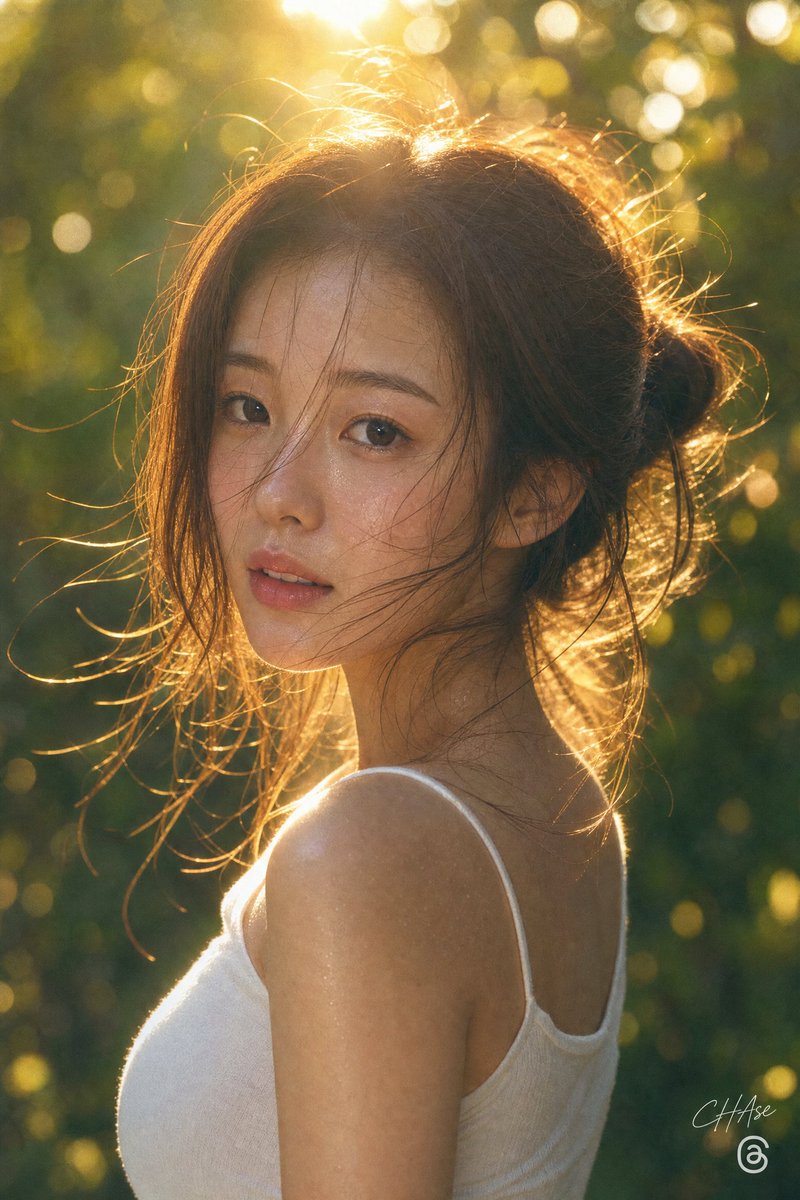
Golden Hour Privacy Portrait
A warm backlit outdoor portrait of a woman with her face hidden by a privacy block, useful for anonymized lifestyle photography concepts.
This is a GPT Image 2 prompt case for 人像角色. Use the copy-ready prompt below to generate similar visuals, and review Awesome GPT Image 2 Prompts attribution plus commercial-use rights before reuse.
Prompt
Copy-ready prompt
创作一张竖构图的黄金时刻肖像摄影作品,拍摄对象为 {argument name="subject" default="A young woman"},背景位于郁郁葱葱的森林或花园中。画面展示其肩部以上、向左侧的侧面轮廓,面部被一个不透明的深棕色方形隐私遮挡块刻意遮盖。她留着 {argument name="hair color" default="Light brown"} 头发,在脑后盘成一个松散凌乱的发髻,许多细碎的发丝在强烈的背光下闪闪发光。她穿着一件简单的 {argument name="top color" default="White"} 细肩带背心,露出肩膀和上背部。场景由她脑后的低角度阳光照亮,营造出明亮的轮廓光、温暖的琥珀色高光、镜头光晕,以及在柔和模糊的绿色背景中呈现的圆形光斑。采用写实的单反相机视觉效果,具有浅景深、可见颈部和肩部的自然皮肤纹理、温暖的电影级调色以及真实亲密的氛围。构图:竖向构图,主体略微偏右,头部位于上方三分之一处,肩部和躯干填充下半部分。在右下角附近添加一个细微的签名式水印,并在其下方添加一个小的圆形社交媒体风格图标。避免出现额外的人员、文字或道具。Prompt variables
Editable argument placeholders found in the prompt, with their default values.
More cases in this category
Prioritized by category, input mode compatibility, quality, and lower risk.

Reuse and source notes
Use this prompt safely after previewing the case.
- 1.Copy the prompt or open it directly in Dovoo with the generation button.
- 2.Adjust variables, aspect ratio, and reference images for your own use case.
- 3.Before publishing or paid usage, verify source rights, attribution requirements, and brand or likeness risks.
Can I use this prompt commercially?
Commercial-use status is allowed. Review the original source, license, brand constraints, and legal requirements before paid usage.
Where does this case come from?
This case is imported from Awesome GPT Image 2 Prompts; keep attribution visible and check the source URL before reuse.