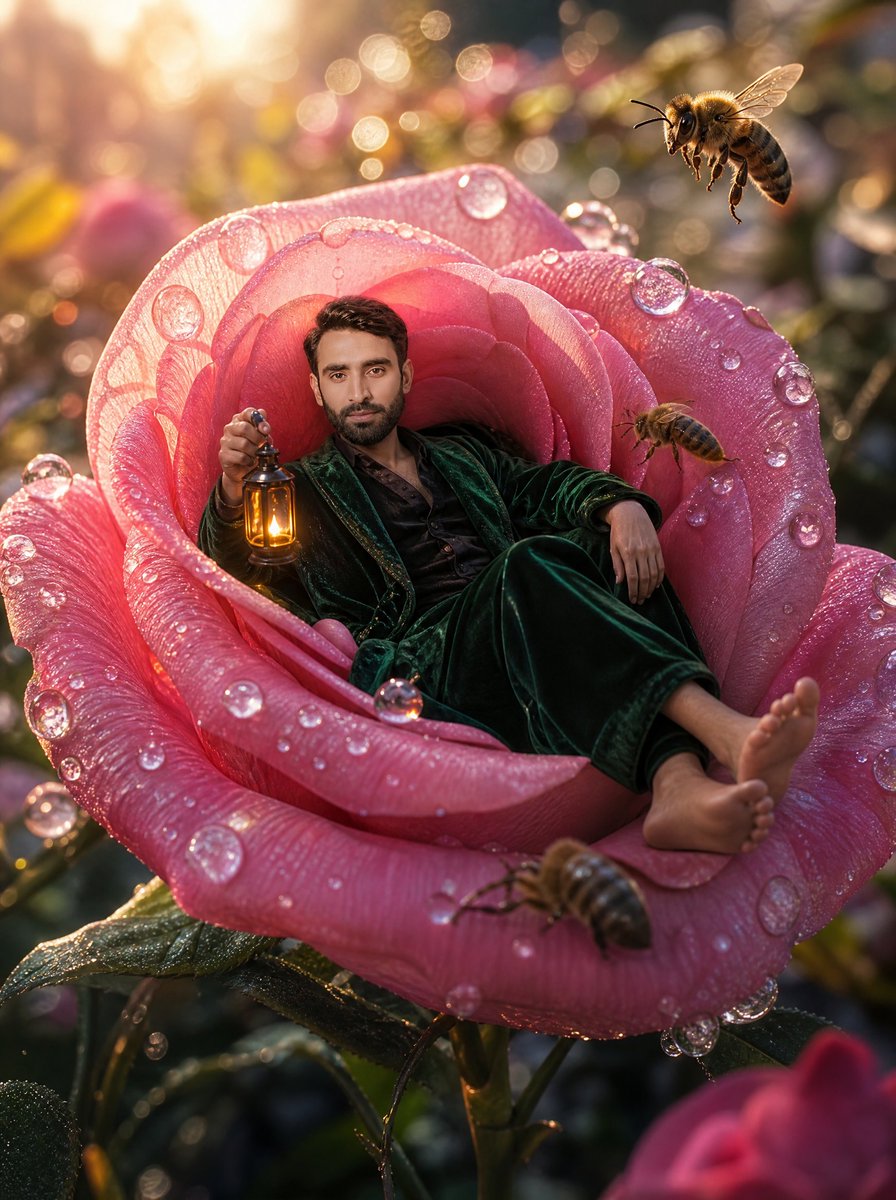
Tiny Man Lounging in Giant Rose
A surreal cinematic garden portrait prompt for placing a person inside a dew-covered giant rose with bees and golden sunrise lighting.
This is a GPT Image 2 prompt case for 插画艺术. Use the copy-ready prompt below to generate similar visuals, and review Awesome GPT Image 2 Prompts attribution plus commercial-use rights before reuse.
Prompt
Copy-ready prompt
创作一张电影级微距奇幻写实照片,画面中 {argument name="character description" default="一位留着深色短发、神态放松的成年男性"} 正躺在一朵巨大的粉色玫瑰花中心,仿佛那是他的天鹅绒扶手椅。他身穿深祖母绿色的天鹅绒长袍或睡衣套装,内搭黑色衬衫,赤脚伸向前方花瓣,一只手臂随意地搭在玫瑰上,另一只手拿着一盏散发着温暖琥珀色光芒的复古黄铜灯笼。这朵玫瑰巨大且细节丰富,覆盖着闪烁的晨露:半透明的露珠附着在花瓣上,像玻璃珠一样捕捉着阳光。画面中需包含 4 只清晰可见的蜜蜂:右上角有一只焦点清晰的大蜜蜂,右侧内花瓣附近有一只较小的蜜蜂,前下方花瓣上有一只正在爬行或悬停的蜜蜂,最右侧边缘有一只模糊的蜜蜂局部。场景设定在日出的魔法花园中,带有金色背光、温暖的镜头光晕、浅景深、圆形焦外成像,背景是模糊的花朵和叶片,营造出梦幻般的迷人氛围。采用 3:4 竖构图,低机位微距视角,呈现花瓣、露珠、天鹅绒织物、蜜蜂翅膀和灯笼金属的超精细纹理。整体氛围应显得异想天开、奢华、舒适且超现实,并带有温暖的高光和柔和的粉金调色。除非被 {argument name="face source" default="用户上传的面部图像"} 替换,否则请保持面部自然且清晰可见;请勿添加任何文字、边框、徽标或额外的人物。Prompt variables
Editable argument placeholders found in the prompt, with their default values.
More cases in this category
Prioritized by category, input mode compatibility, quality, and lower risk.

Reuse and source notes
Use this prompt safely after previewing the case.
- 1.Copy the prompt or open it directly in Dovoo with the generation button.
- 2.Adjust variables, aspect ratio, and reference images for your own use case.
- 3.Before publishing or paid usage, verify source rights, attribution requirements, and brand or likeness risks.
Can I use this prompt commercially?
Commercial-use status is allowed. Review the original source, license, brand constraints, and legal requirements before paid usage.
Where does this case come from?
This case is imported from Awesome GPT Image 2 Prompts; keep attribution visible and check the source URL before reuse.