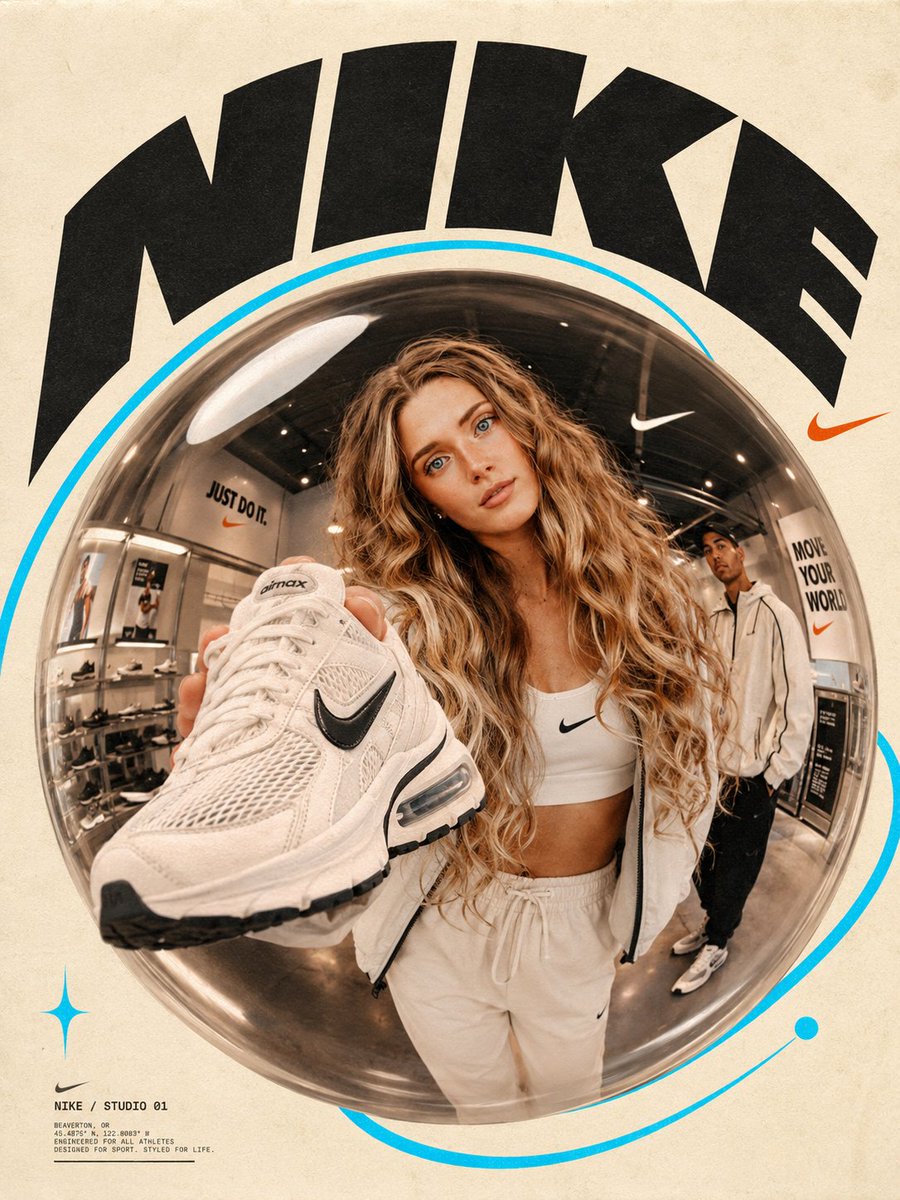
Fisheye Lens Branded Universe Poster
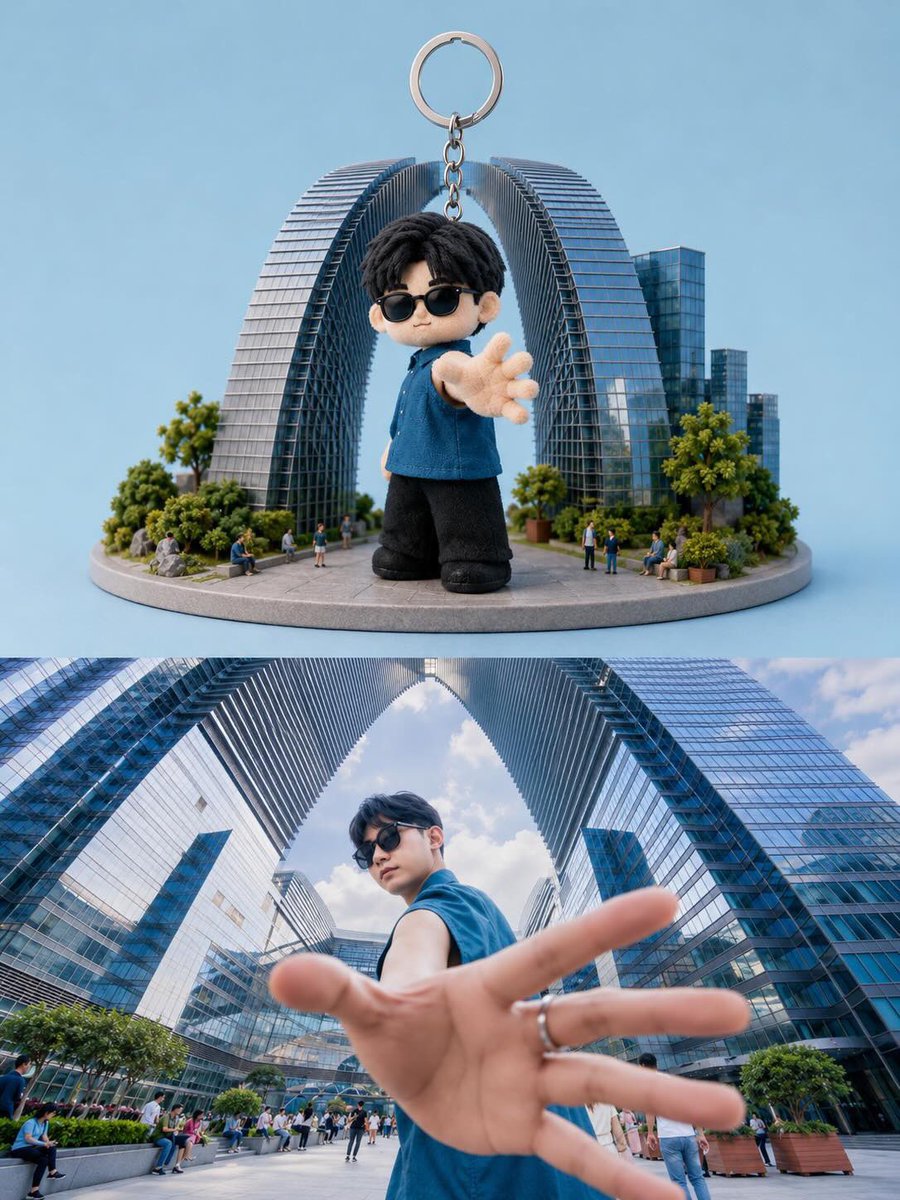
A sophisticated prompt using a fisheye lens effect to create an immersive branded environment around a specific identity.
This is a GPT Image 2 prompt case for 产品商业. Use the copy-ready prompt below to generate similar visuals, and review Awesome GPT Image 2 Prompts attribution plus commercial-use rights before reuse.
Need the full prompt set? Use the 产品商业 topic hub for more related examples, or open the GPT Image 2 prompt library for the full example index, reusable structures, and source attribution.
Prompt
Copy-ready prompt
将上传的主体自然地置于 {argument name="lens effect" default="玻璃鱼眼气泡"} 构成的画面中心,采用低角度近景拍摄,使周围环境产生扭曲和弧度,形成一种大胆且具沉浸感的构图。场景应呈现为一个完全围绕 {argument name="brand name" default="[Brand Name]"} 构建的品牌宇宙——无论是时尚的工作空间、充满活力的零售环境、创意工作室,还是体验式快闪店——旨在反映 [品牌名称] 的精神与身份。画面中捕捉了一到两位自信的年轻人,他们正处于动作之中,将与品牌相关的物品直接伸向或展示给鱼眼镜头,在主体与观众之间建立起亲密且动态的接触点。场景中的环境、道具以及每一个视觉元素都必须完全呼应 [品牌名称]。排版在构图中占据主导地位,巨大的 [品牌名称] 单词或短语以醒目的弧线掠过画面边缘。背景始终保持温暖的 {argument name="background style" default="奶油纸色调"},赋予图像一种触感十足的印刷质感。一个生动的 {argument name="accent color" default="青色轨道环"} 或轨迹在中心气泡周围或后方延伸。Prompt variables
Editable argument placeholders found in the prompt, with their default values.
Variable
lens effect
Default
Glass fisheye bubbles
Variable
brand name
Default
[Brand Name]
Variable
background style
Default
Cream paper color
Variable
accent color
Default
Cyan track ring
More cases in this category
Prioritized by category, input mode compatibility, quality, and lower risk.
Reuse and source notes
Use this prompt safely after previewing the case.
- 1.Copy the prompt or open it directly in Dovoo with the generation button.
- 2.Adjust variables, aspect ratio, and reference images for your own use case.
- 3.Before publishing or paid usage, verify source rights, attribution requirements, and brand or likeness risks.
Can I use this prompt commercially?
Commercial-use status is allowed. Review the original source, license, brand constraints, and legal requirements before paid usage.
Where does this case come from?
This case is imported from Awesome GPT Image 2 Prompts; keep attribution visible and check the source URL before reuse.