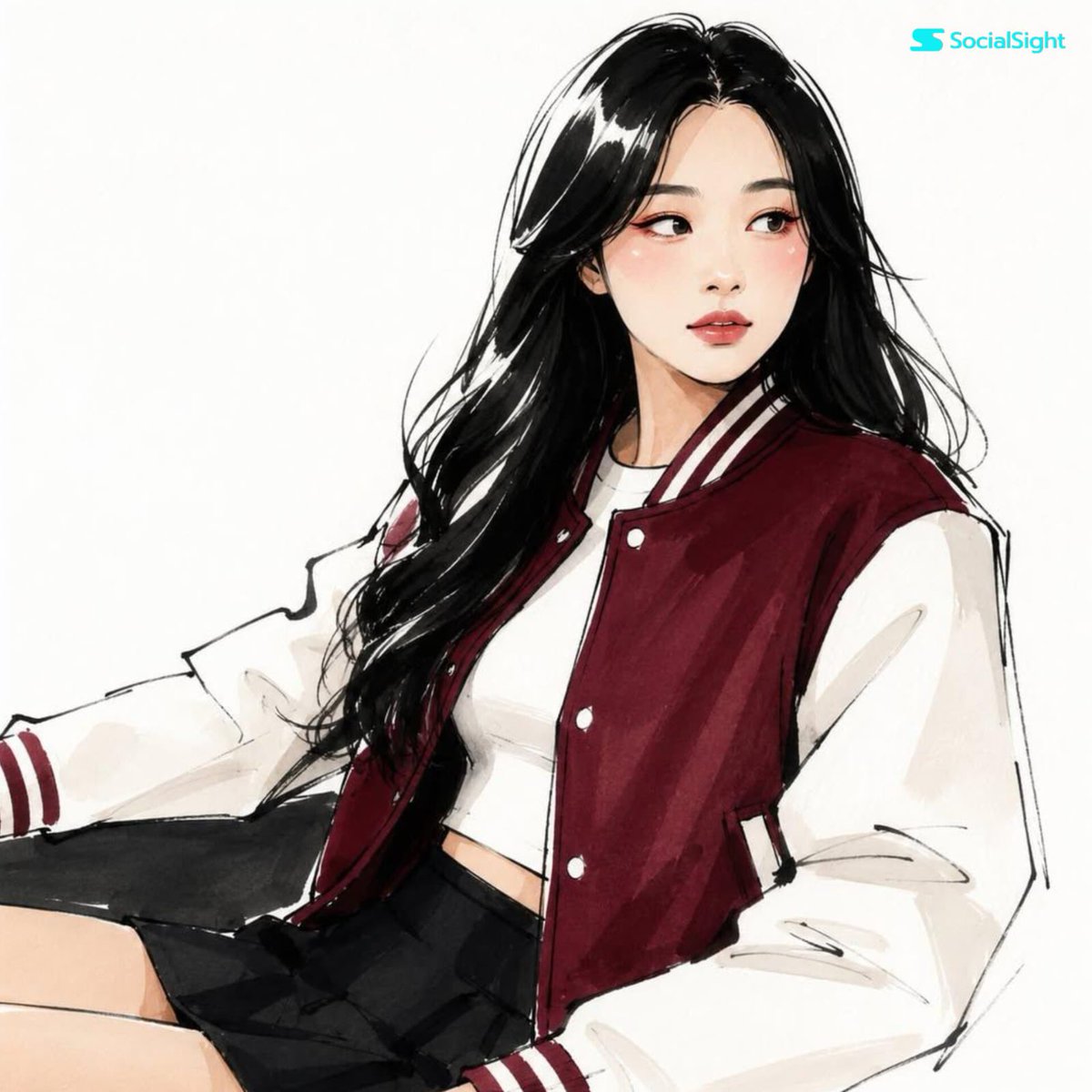
Fashion Editorial Illustration Sketch
A specialized prompt to transform portrait photos into minimalist high-fashion ink sketches while maintaining subject identity.
This is a GPT Image 2 prompt case for 时尚美妆. Use the copy-ready prompt below to generate similar visuals, and review Awesome GPT Image 2 Prompts attribution plus commercial-use rights before reuse.
Prompt
Copy-ready prompt
将此照片转换为 {argument name="illustration style" default="富有表现力的高级时尚编辑插画"},同时保留人物的身份、面部结构、发型及可识别的特征。将人像转换为具有优雅修长比例的 {argument name="drawing style" default="极简主义手绘时尚草图"}。使用粗犷的黑色墨水轮廓线、洒脱自信的笔触、略显不完美且不对称的手绘线条、简化的面部解剖结构、风格化的杏仁眼、极简的鼻部细节以及富有表现力的图形化嘴唇。应用扁平的马克笔色彩渲染,搭配有限且高级的调色板、眼下艺术化的抽象腮红斑块、微妙的彩色眼妆点缀以及半抽象的图形阴影。将头发渲染为具有明显白色高光间隙的粗犷表现力墨块。将服装简化为具有编辑时尚插画风格的大型几何色块。干净的白色背景,扫描的马克笔纸面质感,{argument name="publication aesthetic" default="现代 Vogue"} 风格。Prompt variables
Editable argument placeholders found in the prompt, with their default values.
More cases in this category
Prioritized by category, input mode compatibility, quality, and lower risk.


Reuse and source notes
Use this prompt safely after previewing the case.
- 1.Copy the prompt or open it directly in Dovoo with the generation button.
- 2.Adjust variables, aspect ratio, and reference images for your own use case.
- 3.Before publishing or paid usage, verify source rights, attribution requirements, and brand or likeness risks.
Can I use this prompt commercially?
Commercial-use status is allowed. Review the original source, license, brand constraints, and legal requirements before paid usage.
Where does this case come from?
This case is imported from Awesome GPT Image 2 Prompts; keep attribution visible and check the source URL before reuse.