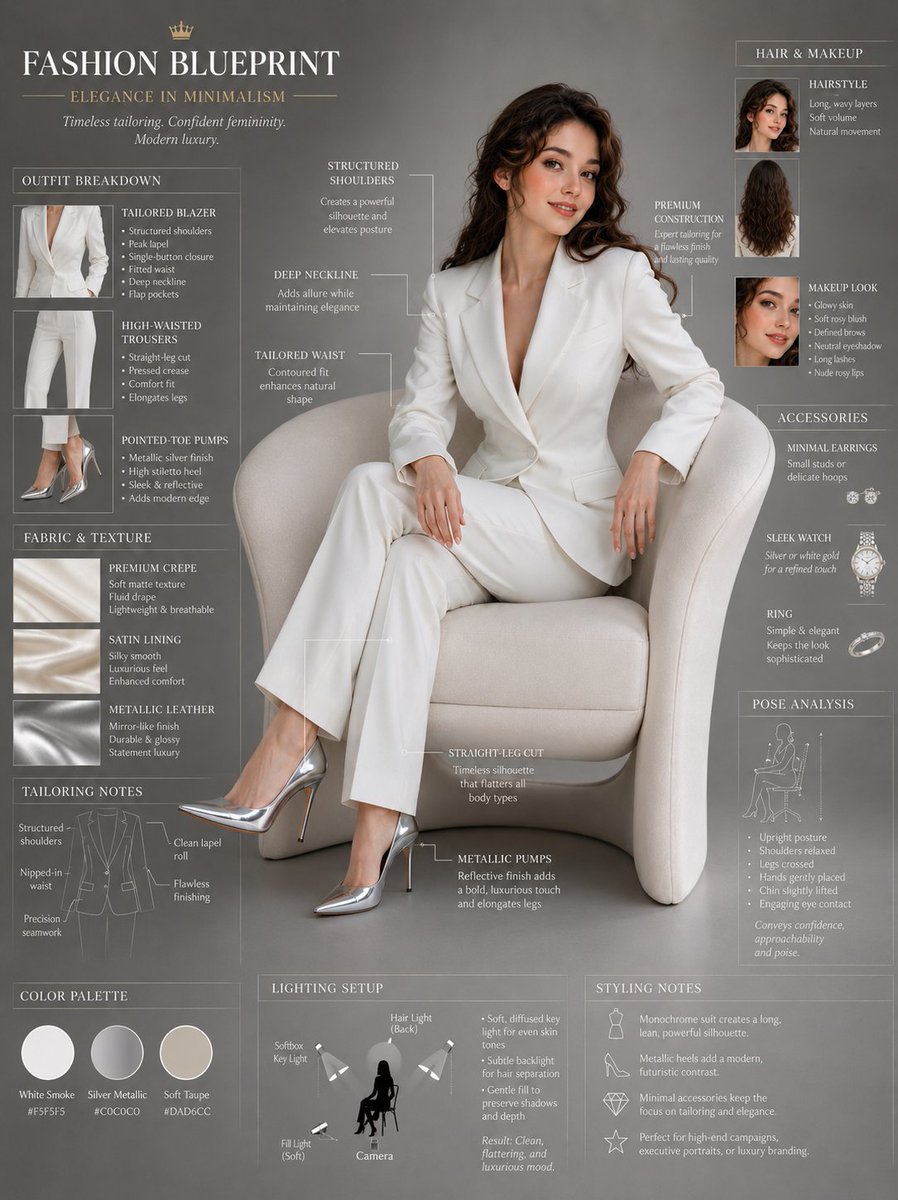
Professional Fashion Blueprint Editorial Sheet
Generates a professional fashion blueprint sheet featuring an elegant model with detailed outfit annotations, fabric descriptions, and a minimalist luxury aesthetic.
This is a GPT Image 2 prompt case for 时尚美妆. Use the copy-ready prompt below to generate similar visuals, and review Awesome GPT Image 2 Prompts attribution plus commercial-use rights before reuse.
Prompt
Copy-ready prompt
时尚蓝图页,主体为 {argument name="model description" default="一位坐在现代奶油色休闲椅上的优雅年轻女性"},全身编辑视角,配有详细的服装注释和奢华造型标注。长波浪棕发,柔和的自然感精致妆容,自信放松的微笑,{argument name="clothing" default="剪裁考究的白色西装外套,深 V 领口,结构感肩部设计,搭配同色系高腰直筒长裤"},银色金属质感尖头高跟鞋,优雅的二郎腿坐姿,极简奢华时尚美学。模特周围环绕着时尚信息图元素、剪裁笔记、面料质感描述、姿势分析、发型解析、奢华造型标注,电影感柔和摄影棚灯光,{argument name="background" default="干净的灰色背景"},高端女装编辑美学,超精细,专业时尚概念页,8k,1744x2336Prompt variables
Editable argument placeholders found in the prompt, with their default values.
More cases in this category
Prioritized by category, input mode compatibility, quality, and lower risk.
Reuse and source notes
Use this prompt safely after previewing the case.
- 1.Copy the prompt or open it directly in Dovoo with the generation button.
- 2.Adjust variables, aspect ratio, and reference images for your own use case.
- 3.Before publishing or paid usage, verify source rights, attribution requirements, and brand or likeness risks.
Can I use this prompt commercially?
Commercial-use status is allowed. Review the original source, license, brand constraints, and legal requirements before paid usage.
Where does this case come from?
This case is imported from Awesome GPT Image 2 Prompts; keep attribution visible and check the source URL before reuse.