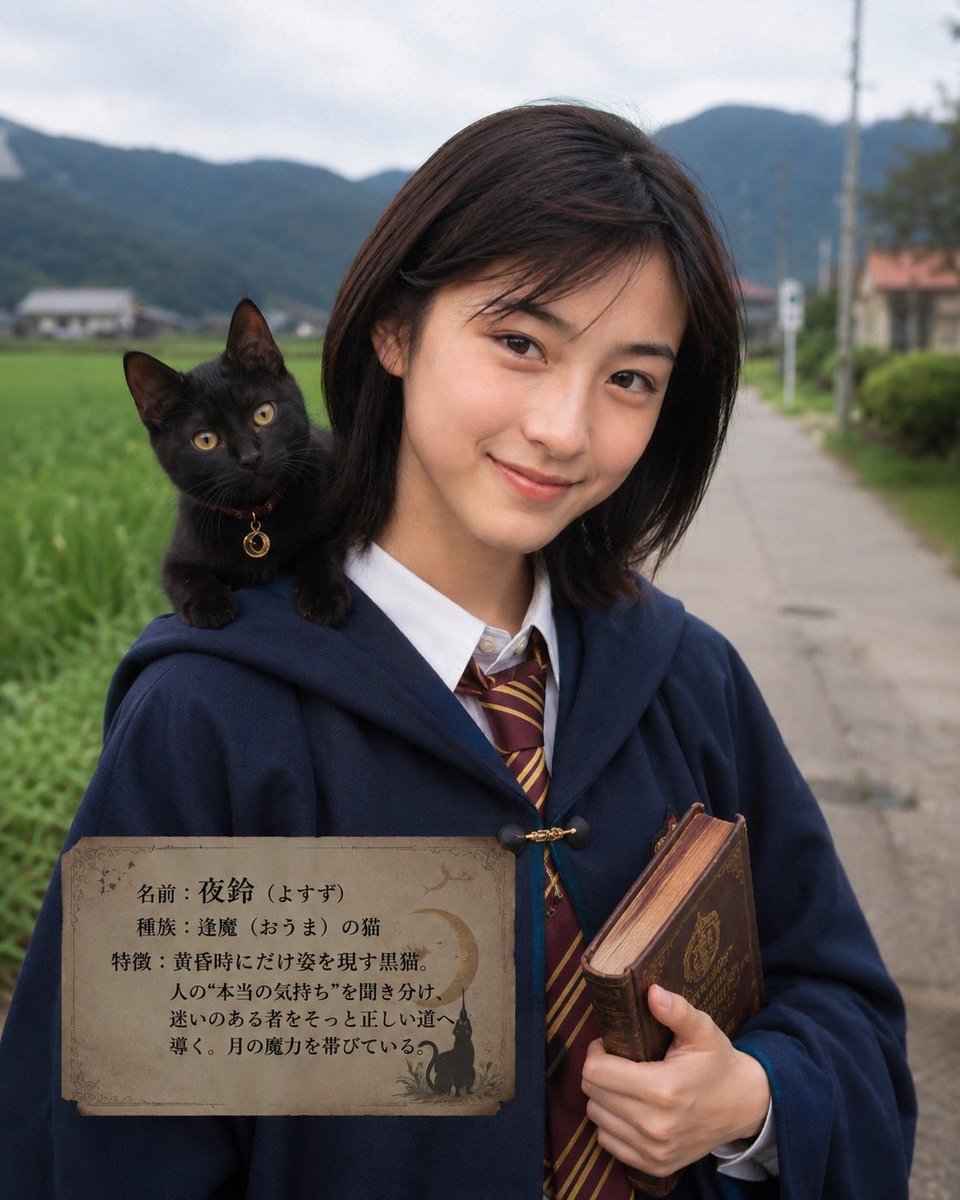
Character Familiar Selection Logic
A complex prompt instruction to analyze a reference character's traits and environment to generate a matching familiar creature in a realistic smartphone-photo style.
This is a GPT Image 2 prompt case for 人像角色. Use the copy-ready prompt below to generate similar visuals, and review Awesome GPT Image 2 Prompts attribution plus commercial-use rights before reuse.
Prompt
Copy-ready prompt
请根据参考图像中的人物、服饰、面部表情、随身物品、光影、场景及氛围,推断出该角色最可能选择的灵兽。目标是营造出一种“这孩子确实会选择这只灵兽”的必然感。但请避免简单、刻板的联想。即使在氛围相似的情况下,也应对比相似的动物、相近的理念、竞争对手的产物以及其他国家的类似文化,从中选出最能触动该角色的灵兽。我希望基于这一基本理念来选择灵兽。灵兽不仅限于 {argument name="familiar type" default="生物(动物、鸟类、昆虫、植物)"},还包括精灵、神明、恶魔、鬼怪等各种虚构生物。Chappy 可以发挥想象力。请以智能手机拍摄的写实风格,通过调整服饰和背景,直观地展现主体与灵兽之间的关系,并为两者拍摄一张最佳照片。灵兽应与参考图像的风格保持一致,确保毫无违和感。请在照片中写明灵兽的名称及其特征。并根据照片的主题,统一整张照片的氛围。Prompt variables
Editable argument placeholders found in the prompt, with their default values.
More cases in this category
Prioritized by category, input mode compatibility, quality, and lower risk.






Reuse and source notes
Use this prompt safely after previewing the case.
- 1.Copy the prompt or open it directly in Dovoo with the generation button.
- 2.Adjust variables, aspect ratio, and reference images for your own use case.
- 3.Before publishing or paid usage, verify source rights, attribution requirements, and brand or likeness risks.
Can I use this prompt commercially?
Commercial-use status is allowed. Review the original source, license, brand constraints, and legal requirements before paid usage.
Where does this case come from?
This case is imported from Awesome GPT Image 2 Prompts; keep attribution visible and check the source URL before reuse.