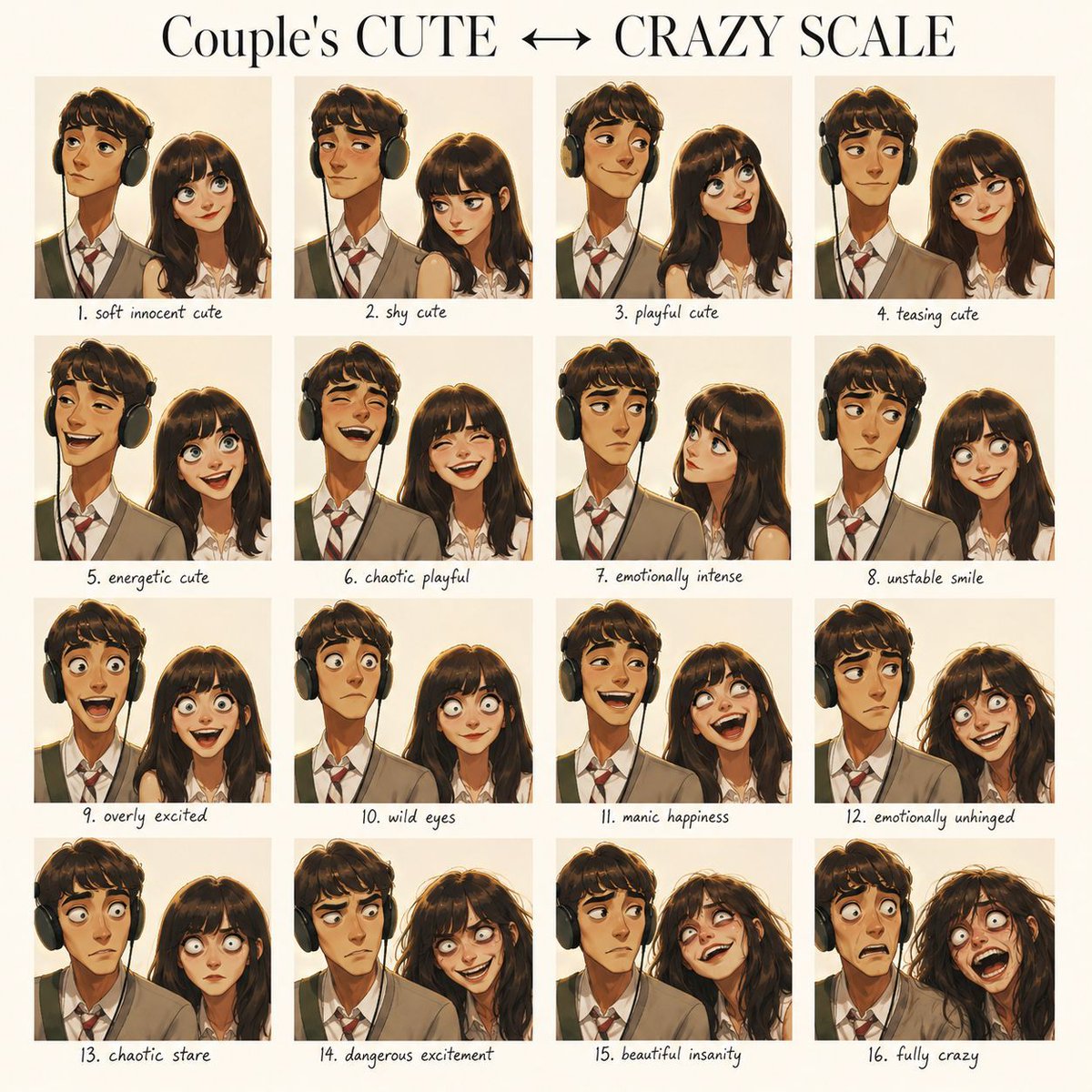
Emotional Expression Performance Grid
Creates a structured 4x4 grid showcasing a consistent character's progression from soft innocence to chaotic insanity.
This is a GPT Image 2 prompt case for 人像角色. Use the copy-ready prompt below to generate similar visuals, and review Awesome GPT Image 2 Prompts attribution plus commercial-use rights before reuse.
Need the full prompt set? Use the 人像角色 topic hub for more related examples, or open the GPT Image 2 prompt library for the full example index, reusable structures, and source attribution.
Prompt
Copy-ready prompt
Using the provided characters as fixed identity references, create a clean 4x4 grid of emotional expressions. Visual style: a clean, modern flat design layout. A title in an elegant serif font at the top, with a soft gray-white background and even spacing, and a small, easy-to-read, handwritten-style label centered below each panel. Title text: “Couple's CUTE ↔ CRAZY SCALE”. Maintain strict consistency in facial features across all 16 panels. Follow a precise order of emotional evolution from top left to bottom right. Do not randomly arrange expressions or intensities. Grid order: Row 1: 1. Gentle and innocent 2. Shy and cute 3. Playful and cute 4. Teaseous and cute; Row 2: 5. Energetic and cute 6. Chaotic and playful 7. Intense emotion 8. Unstable smile; Row 3: 9. Overly excited 10. Wild eyes 11. Manic joy 12. Emotional breakdown; Row 4: 13. Chaotic gaze 14. Dangerous excitement 15. Beautiful madness 16. Utter madness. Format: 4x4 grid, cinematic portrait photography style, neutral background, tight close-up composition, shallow depth of field, no watermark.
More cases in this category
Prioritized by category, input mode compatibility, quality, and lower risk.



Reuse and source notes
Use this prompt safely after previewing the case.
- 1.Copy the prompt or open it directly in Dovoo with the generation button.
- 2.Adjust variables, aspect ratio, and reference images for your own use case.
- 3.Before publishing or paid usage, verify source rights, attribution requirements, and brand or likeness risks.
Can I use this prompt commercially?
Commercial-use status is allowed. Review the original source, license, brand constraints, and legal requirements before paid usage.
Where does this case come from?
This case is imported from Awesome GPT Image 2 Prompts; keep attribution visible and check the source URL before reuse.