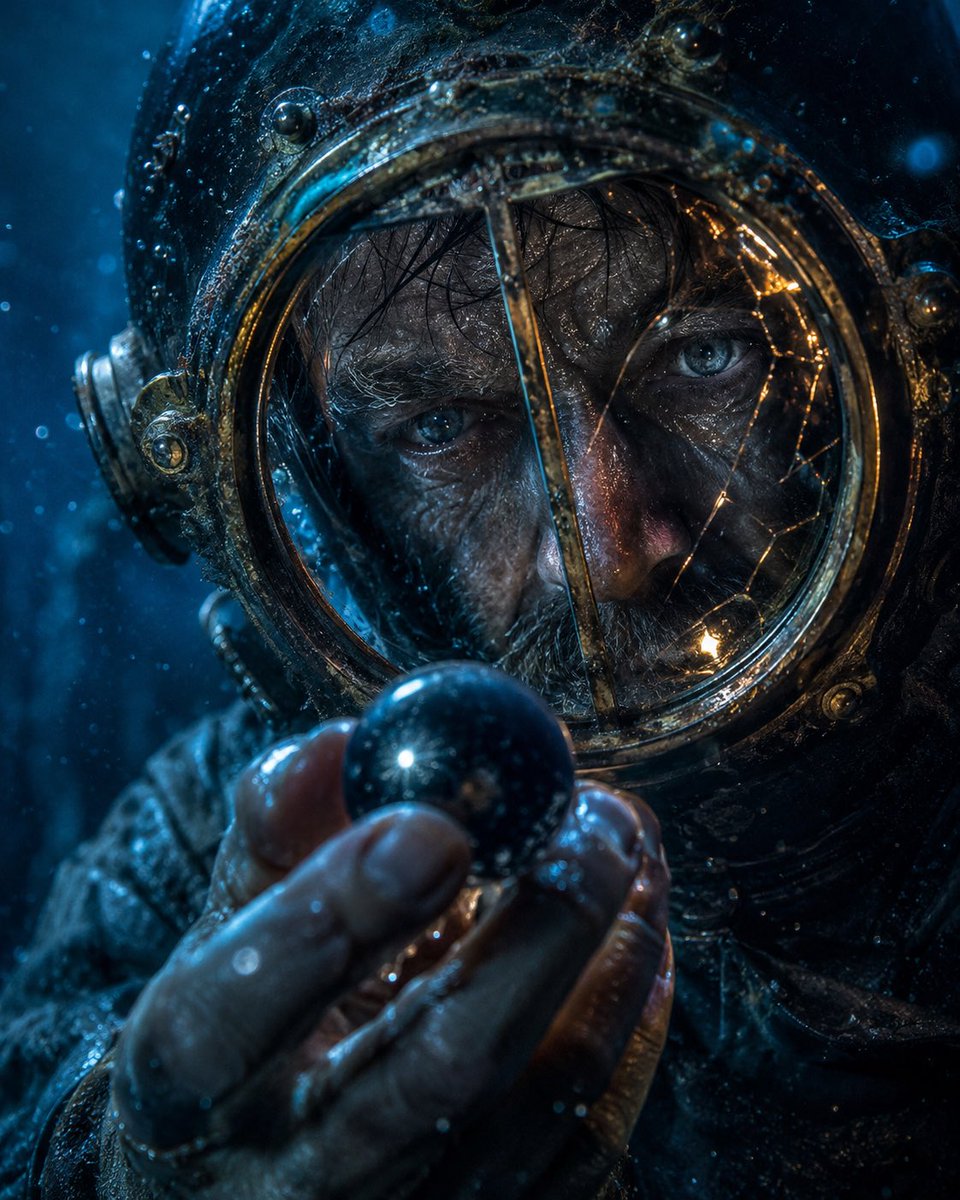
Deep-Sea Diver Artifact Close-Up
A cinematic hyperreal prompt for generating a moody underwater close-up of an antique diver gripping a mysterious dark square artifact.
This is a GPT Image 2 prompt case for Portrait & Character. Use the copy-ready prompt below to generate similar visuals, and review Awesome GPT Image 2 Prompts attribution plus commercial-use rights before reuse.
Free 1K preview
Generate one preview image instantly, no sign-up required.
Prompt
Copy-ready prompt
Cinematic hyperreal close-up portrait of {argument name="character" default="an antique deep-sea diver in a weathered brass diving helmet"} holding {argument name="object" default="a dark mysterious square artifact"} directly in front of the face with intent. The object is centered and blocks most of the visor, appearing as a flat near-black charcoal square with a subtle vertical gradient, sharp clean edges, and no markings. Show the diver’s wet gloved hands at the bottom foreground, fingers curled around the artifact, with realistic skin/leather texture, droplets, grime, and specular highlights. The helmet fills the frame: aged bronze and blackened metal, round rivets, ornate circular side fittings, corroded seams, scratches, algae-like residue, and a glass porthole rim barely visible around the square. Illuminate the scene with {argument name="lighting" default="cold blue underwater light from the left with warm amber reflections along the brass rim"}. Add {argument name="atmospheric elements" default="suspended bubbles, drifting particles, and murky underwater haze"} throughout the frame. The mood is tense and enigmatic; any visible eyes behind the glass should convey {argument name="emotion" default="focused obsession and dread"}. Use shallow depth of field, macro-level detail, cinematic contrast, teal-blue color grading, glossy wet surfaces, volumetric underwater ambience, no text, no watermark, vertical 4:5 composition.Prompt variables
Editable argument placeholders found in the prompt, with their default values.
Best for
- - Portrait & Character visual exploration
- - Image generation and reference-image edits
- - Reusable briefs that keep source attribution visible
Change these parts
- - Subject, product, character, or scene
- - Aspect ratio, camera, lighting, and background
- - Brand, text, color, and output constraints
Recommended model and settings
- - Model: gpt-image-2
- - Input mode: Text to Image
- - Aspect ratio: source
- - Commercial status: review original source
How to use this prompt
- 1. Copy the prompt and preserve its structure for the first test.
- 2. Replace the subject, context, and publishing channel.
- 3. Change one camera, lighting, or style variable per iteration.
- 4. Inspect the output, source, text, and rights before reuse.
Limitations, source, and reuse cautions
- - Generated output is an editable draft, not factual, legal, or rights evidence.
- - Review the linked source, people, brands, logos, text, and third-party media before commercial use.
More cases in this category
Prioritized by category, input mode compatibility, quality, and lower risk.

Reuse and source notes
Use this prompt safely after previewing the case.
- 1.Copy the prompt or open it directly in Dovoo with the generation button.
- 2.Adjust variables, aspect ratio, and reference images for your own use case.
- 3.Before publishing or paid usage, verify source rights, attribution requirements, and brand or likeness risks.
Can I use this prompt commercially?
Commercial-use status is allowed. Review the original source, license, brand constraints, and legal requirements before paid usage.
Where does this case come from?
This case is imported from Awesome GPT Image 2 Prompts; keep attribution visible and check the source URL before reuse.