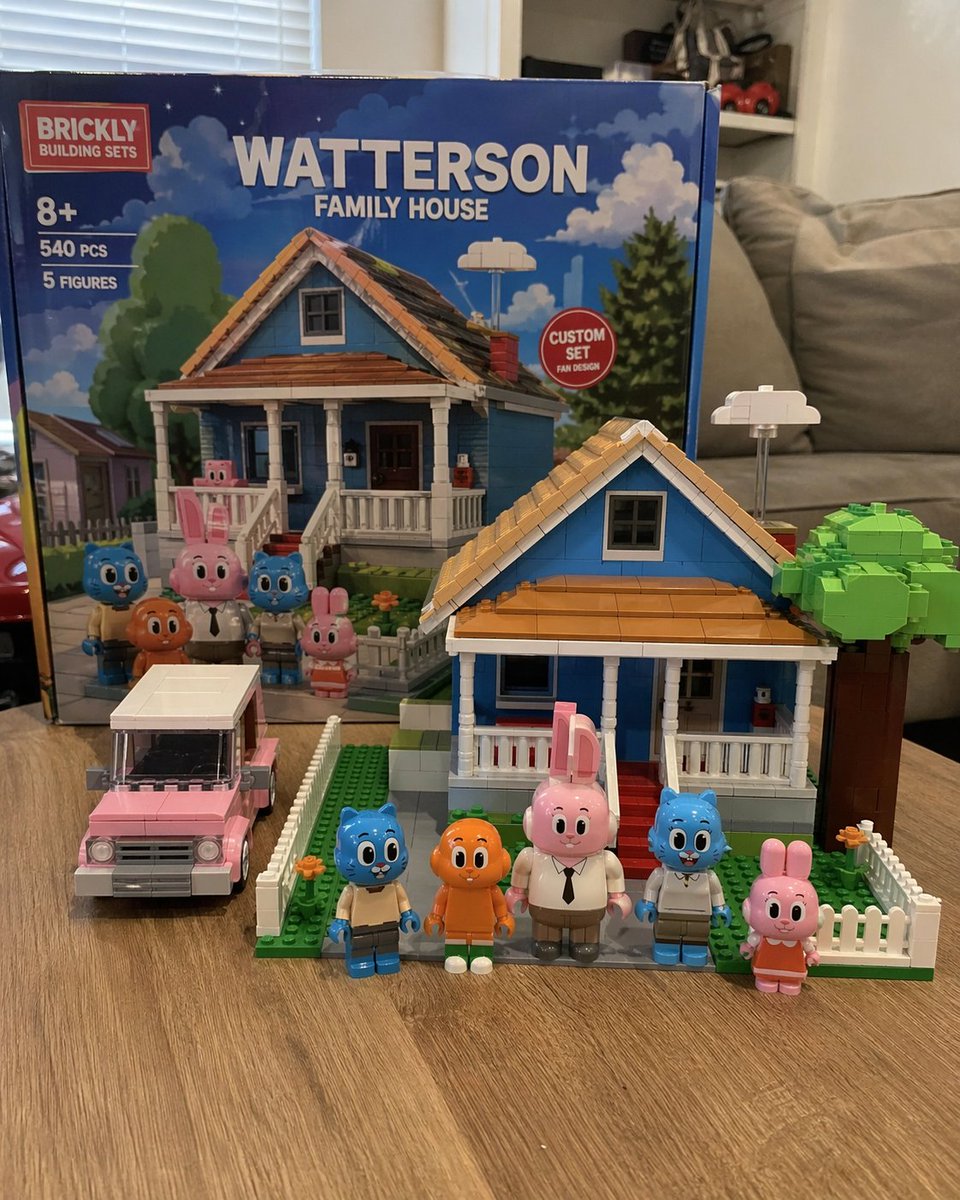
Custom Building Block Set Photography
Generates a photorealistic image of a custom toy building set with its box, assembled house, vehicle, and minifigures on a table.
This is a GPT Image 2 prompt case for 产品商业. Use the copy-ready prompt below to generate similar visuals, and review Awesome GPT Image 2 Prompts attribution plus commercial-use rights before reuse.
Prompt
Copy-ready prompt
A realistic amateur photograph showcases a custom-made building block set placed on a light-colored wood-grain table in a living room. A large product box stands in the background, bearing a red logo and the words "...".{argument name="brand name" default="BRICKLY"} The packaging box is printed with "8+", "540 PCS", "5 FIGURES", and a prominent title.{argument name="set title" default="WATTERSON FAMILY HOUSE"} The box has a red circular badge that reads "CUSTOM SET FAN DESIGN," and the box cover depicts houses and characters under a blue sky. The assembled kit is displayed in the foreground.{argument name="house color" default="blue"} A two-story suburban house model made of building blocks, featuring a brown roof, white porch, red steps, white picket fence, and a green tree made of building blocks. To the left of the house is an assembled vehicle.{argument name="car color" default="pink"} A station wagon model. In front of the house are five custom-made minifigures neatly arranged: a blue cat in tan pants, a long-legged orange fish, a tall pink rabbit in a white shirt and tie, another blue cat in a white shirt, and a small pink rabbit in an orange dress. The background is a slightly blurred living room with a gray sofa and white blinds.Prompt variables
Editable argument placeholders found in the prompt, with their default values.
More cases in this category
Prioritized by category, input mode compatibility, quality, and lower risk.
Reuse and source notes
Use this prompt safely after previewing the case.
- 1.Copy the prompt or open it directly in Dovoo with the generation button.
- 2.Adjust variables, aspect ratio, and reference images for your own use case.
- 3.Before publishing or paid usage, verify source rights, attribution requirements, and brand or likeness risks.
Can I use this prompt commercially?
Commercial-use status is allowed. Review the original source, license, brand constraints, and legal requirements before paid usage.
Where does this case come from?
This case is imported from Awesome GPT Image 2 Prompts; keep attribution visible and check the source URL before reuse.