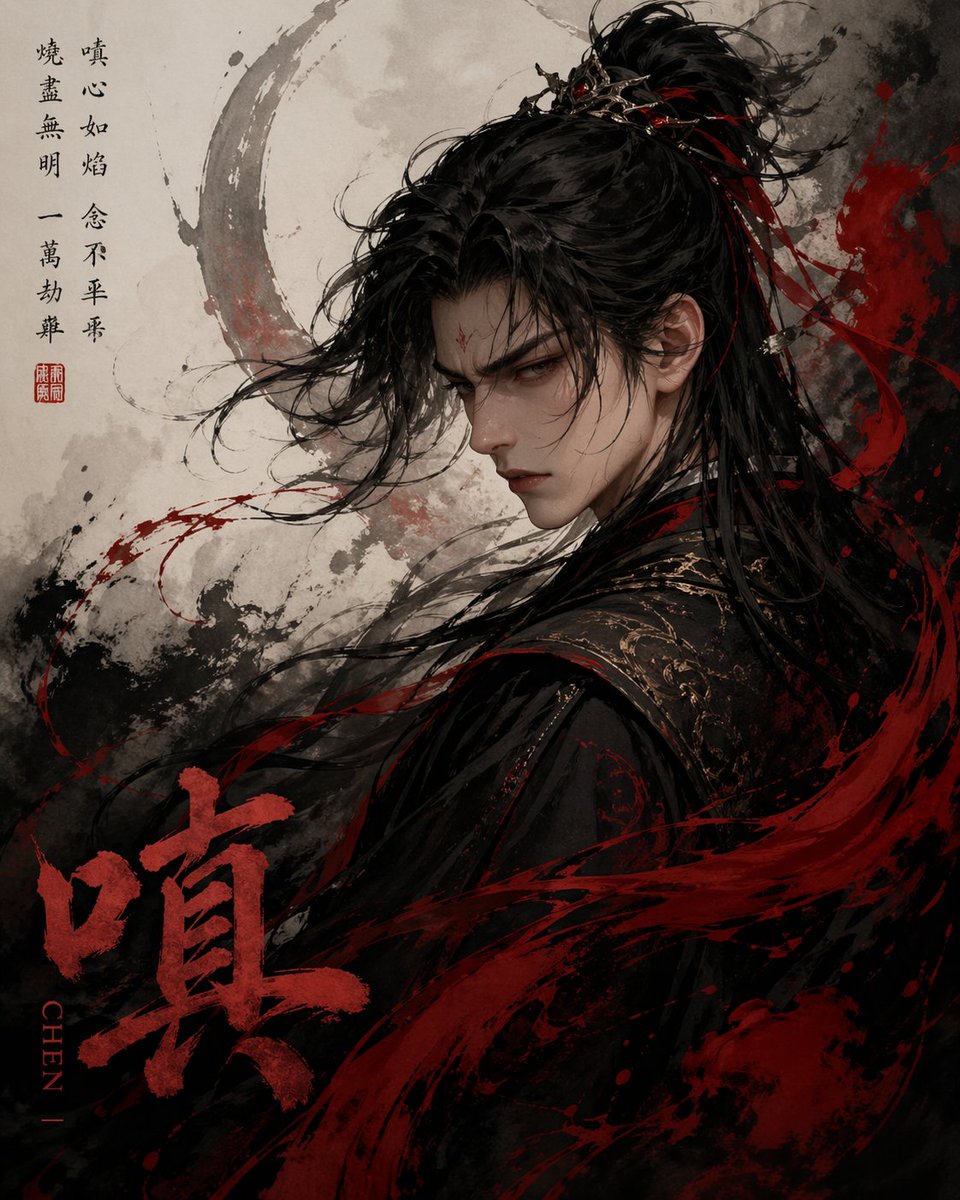
Chinese Ink Fury Character Poster
This prompt generates a moody vertical xianxia-style ink poster centered on a single Chinese character, useful for expressive typographic character art or dramatic fantasy cover imagery.
This is a GPT Image 2 prompt case for Portrait & Character. Use the copy-ready prompt below to generate similar visuals, and review Awesome GPT Image 2 Prompts attribution plus commercial-use rights before reuse.
Free 1K preview
Generate one preview image instantly, no sign-up required.
Prompt
Copy-ready prompt
A dramatic Chinese ink-wash fantasy portrait based on the single Chinese character {argument name="character" default="Wrath"}, showing a male xianxia or wuxia warrior from the back in three-quarter profile, turning slightly to the side. He has long, windswept black hair tied in a high half-up topknot with an ornate dark metallic hair crown, with several thin red ribbons threaded through the hair and trailing in the wind. His clothing is a black embroidered robe with subtle gold patterning on the shoulder and collar, layered and heavy, with flowing fabric merging into the surrounding brushwork. The face is mostly obscured by angle and hair, creating a mysterious and intense mood. The overall composition is vertical poster art with a pale parchment background, textured with gray and black ink splashes, a large faded circular brushstroke halo behind the figure’s head, and violent red paint streaks sweeping across the lower half and right side like blood-red calligraphy in motion. Use a limited palette of black, charcoal gray, parchment beige, and deep crimson red. Add 2 calligraphic text areas: a vertical poem column in black Chinese calligraphy on the upper left with a small red seal stamp beneath it, and a very large bold red Chinese character {argument name="large title character" default="Wrath"} painted at the lower left. Beside the large red character, place a vertical Romanized label reading {argument name="romanization" default="CHEN"}. The style should feel like expressive ink painting mixed with ultra-detailed cinematic character illustration, with flying hair strands, splattered brush textures, emotional tension, and a dark, wrathful, elegant atmosphere.Prompt variables
Editable argument placeholders found in the prompt, with their default values.
Best for
- - Portrait & Character visual exploration
- - Image generation and reference-image edits
- - Reusable briefs that keep source attribution visible
Change these parts
- - Subject, product, character, or scene
- - Aspect ratio, camera, lighting, and background
- - Brand, text, color, and output constraints
Recommended model and settings
- - Model: gpt-image-2
- - Input mode: Text to Image
- - Aspect ratio: source
- - Commercial status: review original source
How to use this prompt
- 1. Copy the prompt and preserve its structure for the first test.
- 2. Replace the subject, context, and publishing channel.
- 3. Change one camera, lighting, or style variable per iteration.
- 4. Inspect the output, source, text, and rights before reuse.
Limitations, source, and reuse cautions
- - Generated output is an editable draft, not factual, legal, or rights evidence.
- - Review the linked source, people, brands, logos, text, and third-party media before commercial use.
More cases in this category
Prioritized by category, input mode compatibility, quality, and lower risk.






Reuse and source notes
Use this prompt safely after previewing the case.
- 1.Copy the prompt or open it directly in Dovoo with the generation button.
- 2.Adjust variables, aspect ratio, and reference images for your own use case.
- 3.Before publishing or paid usage, verify source rights, attribution requirements, and brand or likeness risks.
Can I use this prompt commercially?
Commercial-use status is allowed. Review the original source, license, brand constraints, and legal requirements before paid usage.
Where does this case come from?
This case is imported from Awesome GPT Image 2 Prompts; keep attribution visible and check the source URL before reuse.