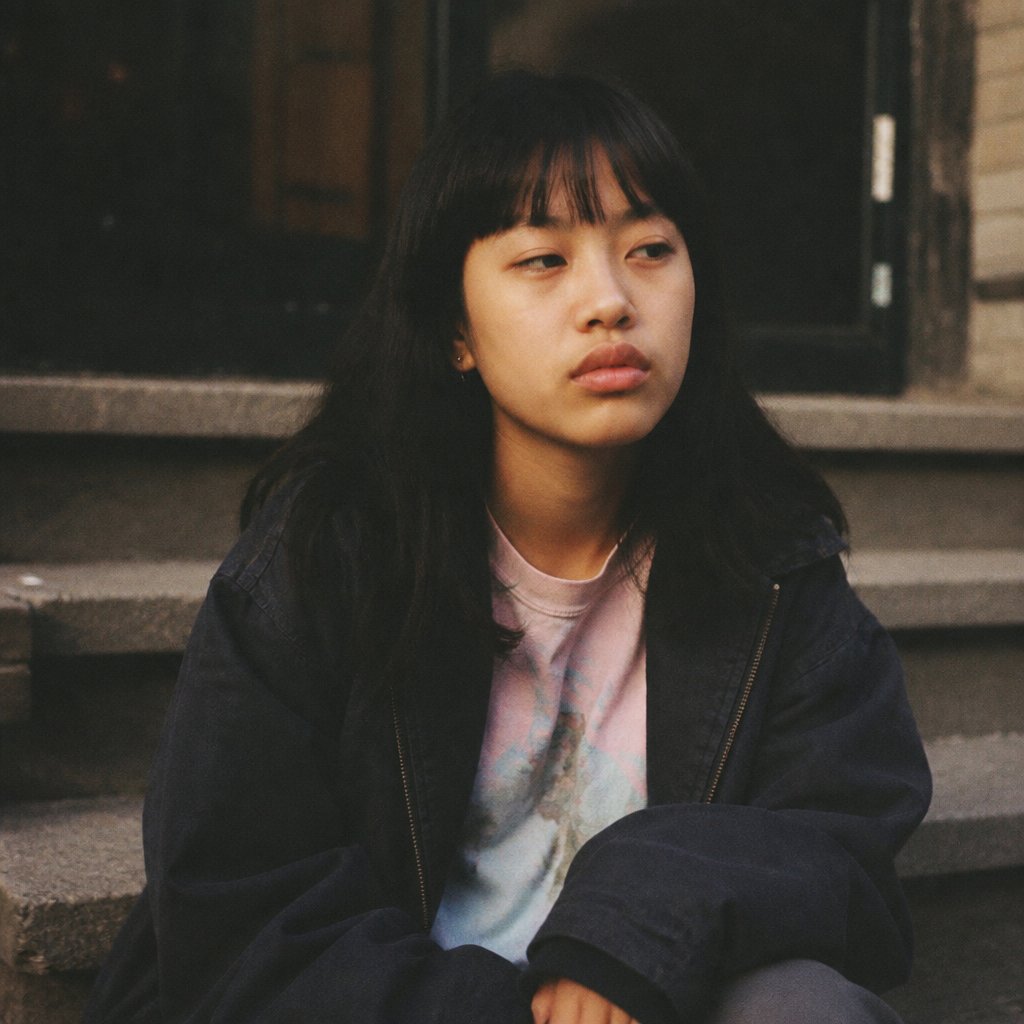
Censored Film Portrait on Stairs
Generates a moody analog-style square portrait of a seated person on stone stairs with the face hidden by a censor block.
This is a GPT Image 2 prompt case for Portrait & Character. Use the copy-ready prompt below to generate similar visuals, and review Awesome GPT Image 2 Prompts attribution plus commercial-use rights before reuse.
Free 1K preview
Generate one preview image instantly, no sign-up required.
Prompt
Copy-ready prompt
Create a moody, grainy analog-film style portrait of exactly one young person sitting on outdoor stone stairs in front of a dark building entrance. The subject has long {argument name="hair color" default="black"} hair falling over the shoulders, wears an oversized dark navy zip jacket and a pastel tie-dye T-shirt with pale pink and blue tones, and sits casually with arms folded near the knees. Place exactly one large opaque square censor block over the entire face, centered from forehead to chin, in a warm brown gradient that hides all facial features. Show exactly three broad gray stone stair treads behind and beneath the subject, with a dark doorway and weathered wall details in the background. Use a square 1:1 crop, close medium framing from upper thighs to above the head, soft dim natural light, muted colors, shallow depth of field, subtle underexposure, visible film grain, and a candid street-photography feeling. The setting should feel like {argument name="setting mood" default="quiet urban evening"}; keep the pose relaxed and introspective, with no text, no logos, and no extra people.Prompt variables
Editable argument placeholders found in the prompt, with their default values.
Best for
- - Portrait & Character visual exploration
- - Image generation and reference-image edits
- - Reusable briefs that keep source attribution visible
Change these parts
- - Subject, product, character, or scene
- - Aspect ratio, camera, lighting, and background
- - Brand, text, color, and output constraints
Recommended model and settings
- - Model: gpt-image-2
- - Input mode: Text to Image
- - Aspect ratio: source
- - Commercial status: review original source
How to use this prompt
- 1. Copy the prompt and preserve its structure for the first test.
- 2. Replace the subject, context, and publishing channel.
- 3. Change one camera, lighting, or style variable per iteration.
- 4. Inspect the output, source, text, and rights before reuse.
Limitations, source, and reuse cautions
- - Generated output is an editable draft, not factual, legal, or rights evidence.
- - Review the linked source, people, brands, logos, text, and third-party media before commercial use.
More cases in this category
Prioritized by category, input mode compatibility, quality, and lower risk.




Reuse and source notes
Use this prompt safely after previewing the case.
- 1.Copy the prompt or open it directly in Dovoo with the generation button.
- 2.Adjust variables, aspect ratio, and reference images for your own use case.
- 3.Before publishing or paid usage, verify source rights, attribution requirements, and brand or likeness risks.
Can I use this prompt commercially?
Commercial-use status is allowed. Review the original source, license, brand constraints, and legal requirements before paid usage.
Where does this case come from?
This case is imported from Awesome GPT Image 2 Prompts; keep attribution visible and check the source URL before reuse.