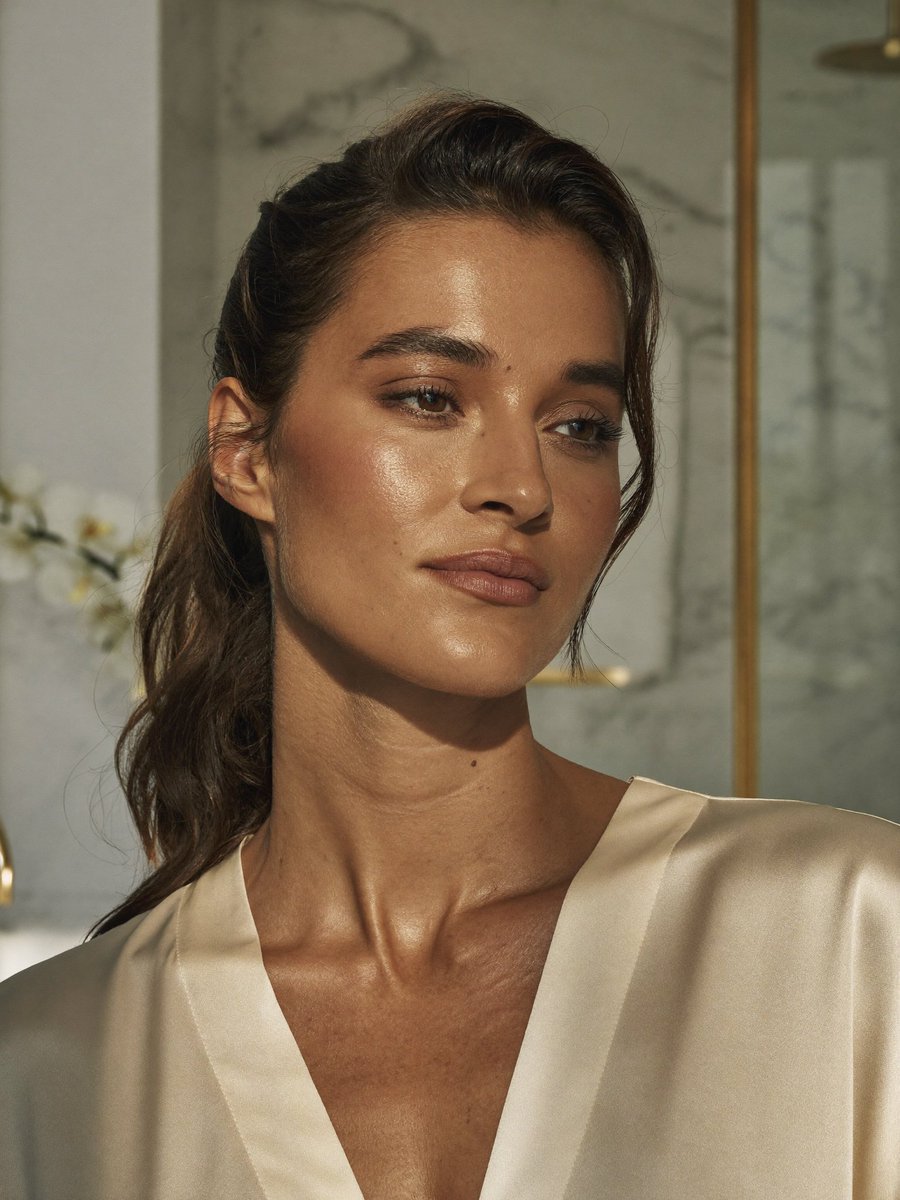
Censored Realistic Spa Portrait
Generates a hyper-realistic luxury spa portrait of a woman with natural skin texture and an opaque square censor block over the face.
This is a GPT Image 2 prompt case for 人像角色. Use the copy-ready prompt below to generate similar visuals, and review Awesome GPT Image 2 Prompts attribution plus commercial-use rights before reuse.
Prompt
Copy-ready prompt
创作一张超写实的竖版肖像照片,主体为 {argument name="subject" default="An elegant adult woman"},场景设定在光线柔和的奢华浴室或水疗中心内。主体取景范围从胸部以上至头顶,身体略微朝向观众右侧,留着深棕色长波浪卷发,头发松散地别在耳后并垂落在左肩。她身穿奶油色缎面长袍或衬衫,深 V 领口展现出自然的锁骨、颈部纹理、细微的雀斑和痣、温暖的棕褐色皮肤、真实的毛孔、细小的体毛以及阳光带来的自然高光。在整个面部覆盖一个巨大的不透明方形遮挡块,中心位置从额头延伸至嘴部下方,填充平滑的棕色肤色渐变,遮住所有面部特征,同时保留头发、耳朵、颈部、肩膀和衣物可见。使用 {argument name="lighting" default="温暖的午后自然阳光"},营造柔和的阴影和亮泽的皮肤高光。背景:浅景深大理石墙板、柔和的米灰色石材、右侧有一条垂直的黄铜或金色装饰线条、左侧有模糊的白色花朵,整体呈现高端宁静的室内氛围。摄影风格:写实编辑类美妆肖像,4:5 竖版裁剪,768x1024 构图,保留自然瑕疵,无文字,无水印,无首饰,无其他人物。Prompt variables
Editable argument placeholders found in the prompt, with their default values.
More cases in this category
Prioritized by category, input mode compatibility, quality, and lower risk.

Reuse and source notes
Use this prompt safely after previewing the case.
- 1.Copy the prompt or open it directly in Dovoo with the generation button.
- 2.Adjust variables, aspect ratio, and reference images for your own use case.
- 3.Before publishing or paid usage, verify source rights, attribution requirements, and brand or likeness risks.
Can I use this prompt commercially?
Commercial-use status is allowed. Review the original source, license, brand constraints, and legal requirements before paid usage.
Where does this case come from?
This case is imported from Awesome GPT Image 2 Prompts; keep attribution visible and check the source URL before reuse.