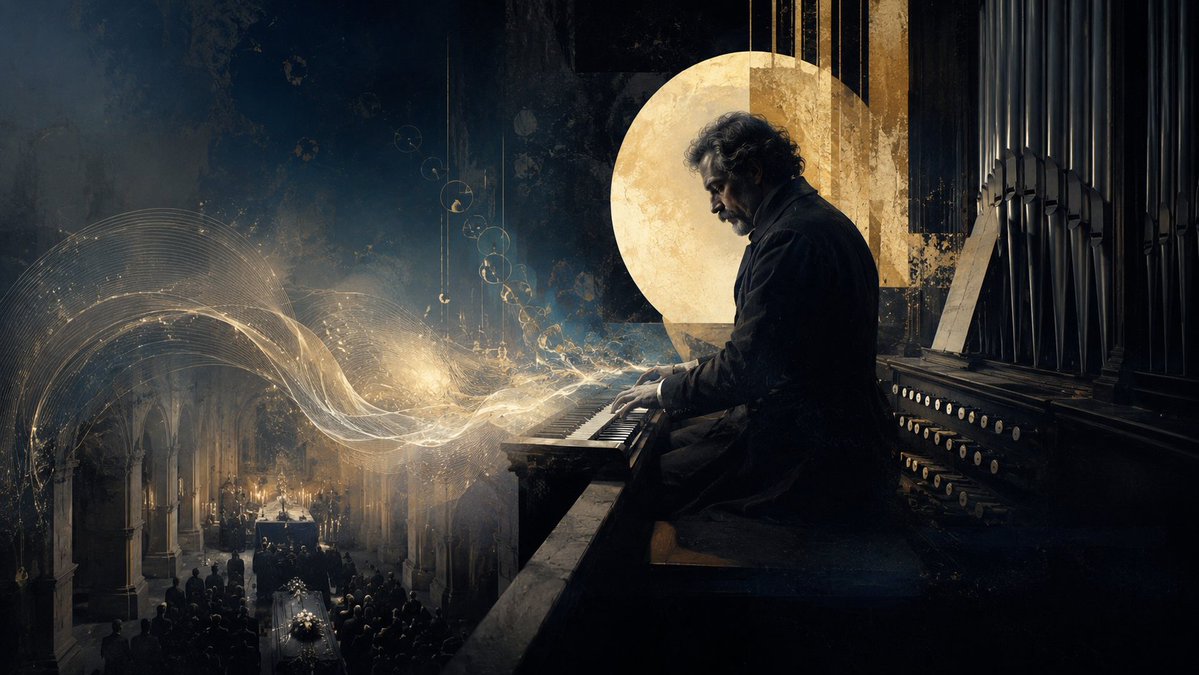
Solemn Cathedral Organist
A cinematic illustration of a somber organist playing luminous sacred music over a candlelit funeral inside a Gothic cathedral.
This is a GPT Image 2 prompt case for Illustration & Art. Use the copy-ready prompt below to generate similar visuals, and review Awesome GPT Image 2 Prompts attribution plus commercial-use rights before reuse.
Free 1K preview
Generate one preview image instantly, no sign-up required.
Prompt
Copy-ready prompt
Create a cinematic dark sacred-music illustration in a wide 16:9 aspect ratio. Show {argument name="character name" default="a solitary elderly organist"} seated in profile on the right side, playing a massive cathedral pipe organ. He has curly gray hair, a short beard, a somber expression, and wears a long black coat, with his hands on the manuals. Behind him are tall black organ pipes, rows of round white stop knobs, and a weathered wooden organ console. Place a large textured golden circular halo or moon-like disc behind his head and shoulders, partially intersected by vertical golden architectural strips, creating a sacred yet ambiguous aura. On the left side, depict a dim Gothic church interior far below with stone arches, candlelight, mourners, and exactly 1 funeral coffin in the aisle covered with white flowers, surrounded by a dark congregation. From the organ keys, paint luminous flowing musical energy: transparent golden-white ribbons, fine staff-like curves, sparkling particles, and delicate circular note-like glyphs sweeping leftward over the funeral scene. Use a moody palette of deep navy, charcoal black, antique gold, smoky gray, and candle amber. The style should blend painterly realism, matte painting, and subtle surrealism, with dramatic chiaroscuro, grainy texture, dust, aged plaster, and soft volumetric light. Keep the composition solemn, consoling, and paradoxically sacred; no readable text, no modern objects, no watermark.Prompt variables
Editable argument placeholders found in the prompt, with their default values.
Best for
- - Illustration & Art visual exploration
- - Image generation and reference-image edits
- - Reusable briefs that keep source attribution visible
Change these parts
- - Subject, product, character, or scene
- - Aspect ratio, camera, lighting, and background
- - Brand, text, color, and output constraints
Recommended model and settings
- - Model: gpt-image-2
- - Input mode: Text to Image
- - Aspect ratio: source
- - Commercial status: review original source
How to use this prompt
- 1. Copy the prompt and preserve its structure for the first test.
- 2. Replace the subject, context, and publishing channel.
- 3. Change one camera, lighting, or style variable per iteration.
- 4. Inspect the output, source, text, and rights before reuse.
Limitations, source, and reuse cautions
- - Generated output is an editable draft, not factual, legal, or rights evidence.
- - Review the linked source, people, brands, logos, text, and third-party media before commercial use.
More cases in this category
Prioritized by category, input mode compatibility, quality, and lower risk.




Reuse and source notes
Use this prompt safely after previewing the case.
- 1.Copy the prompt or open it directly in Dovoo with the generation button.
- 2.Adjust variables, aspect ratio, and reference images for your own use case.
- 3.Before publishing or paid usage, verify source rights, attribution requirements, and brand or likeness risks.
Can I use this prompt commercially?
Commercial-use status is allowed. Review the original source, license, brand constraints, and legal requirements before paid usage.
Where does this case come from?
This case is imported from Awesome GPT Image 2 Prompts; keep attribution visible and check the source URL before reuse.