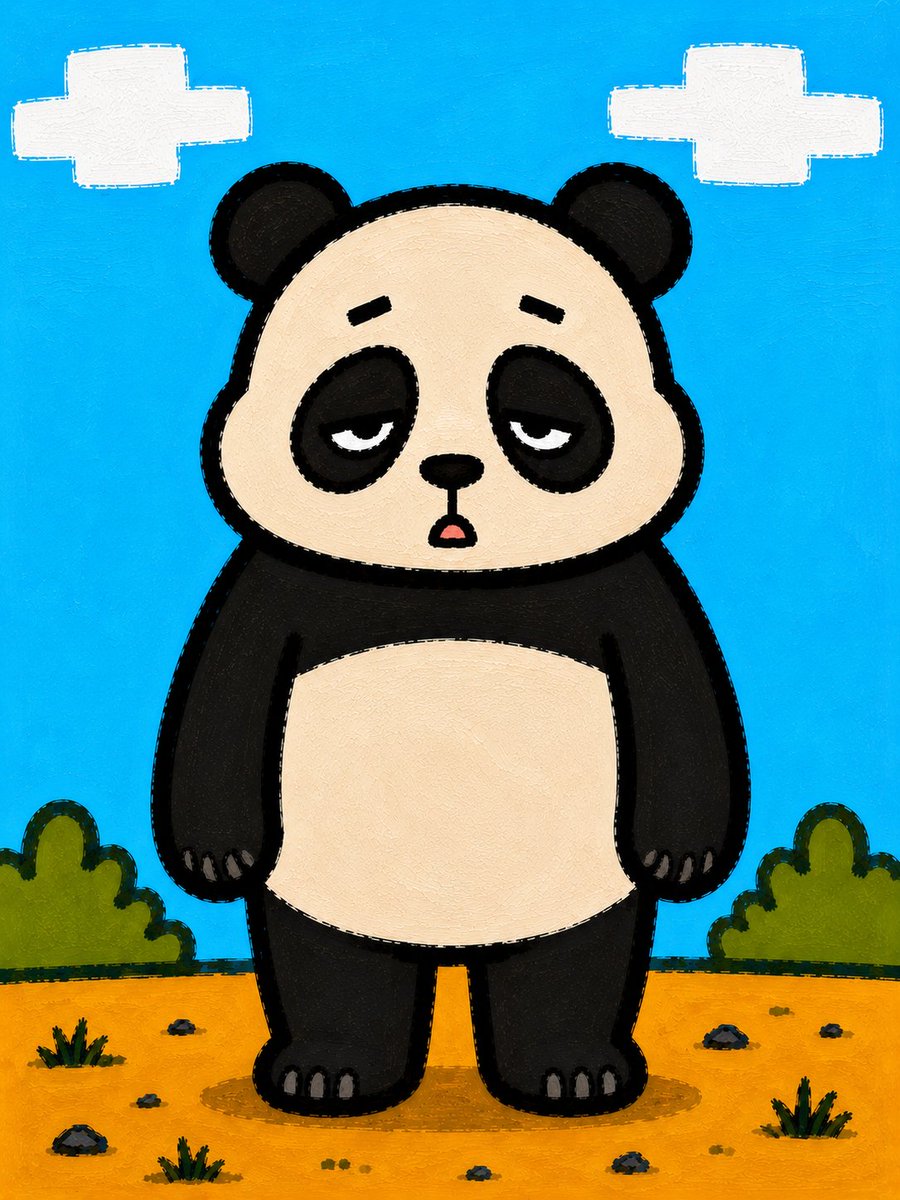
Sleepy Cartoon Panda Illustration
Generates a centered hand-painted children’s illustration of a sleepy panda character in a simple outdoor scene.
This is a GPT Image 2 prompt case for Illustration & Art. Use the copy-ready prompt below to generate similar visuals, and review Awesome GPT Image 2 Prompts attribution plus commercial-use rights before reuse.
Free 1K preview
Generate one preview image instantly, no sign-up required.
Prompt
Copy-ready prompt
Create a square-ish vertical children's book illustration of a cute cartoon {argument name="animal character" default="panda bear"} standing centered in a simple outdoor landscape. The character should be full body, front-facing, short and round with a large beige face, black circular ears, black eye patches, sleepy half-lidded eyes, small black eyebrows, a tiny black nose, and a small open mouth that makes the expression look tired, dazed, or just about to snap. Use a thick rough black outline around the body and facial features. The panda has a black torso and limbs with a large cream belly patch, stubby arms hanging at the sides, and small gray claws visible on both hands and both feet. The background is a bright cyan-blue sky with exactly two white blocky pixel-like clouds, one in the upper left and one in the upper right. The ground is flat orange-yellow dirt with scattered small rocks, tiny grass tufts, and rounded green bushes on both sides near the horizon. Style it like a hand-painted acrylic or gouache illustration on textured canvas, with visible brush strokes, slightly imperfect edges, bold flat colors, simple shapes, and a charming handmade children's storybook feel. No text, no watermark, no extra characters.Prompt variables
Editable argument placeholders found in the prompt, with their default values.
Best for
- - Illustration & Art visual exploration
- - Image generation and reference-image edits
- - Reusable briefs that keep source attribution visible
Change these parts
- - Subject, product, character, or scene
- - Aspect ratio, camera, lighting, and background
- - Brand, text, color, and output constraints
Recommended model and settings
- - Model: gpt-image-2
- - Input mode: Text to Image
- - Aspect ratio: source
- - Commercial status: review original source
How to use this prompt
- 1. Copy the prompt and preserve its structure for the first test.
- 2. Replace the subject, context, and publishing channel.
- 3. Change one camera, lighting, or style variable per iteration.
- 4. Inspect the output, source, text, and rights before reuse.
Limitations, source, and reuse cautions
- - Generated output is an editable draft, not factual, legal, or rights evidence.
- - Review the linked source, people, brands, logos, text, and third-party media before commercial use.
More cases in this category
Prioritized by category, input mode compatibility, quality, and lower risk.

Reuse and source notes
Use this prompt safely after previewing the case.
- 1.Copy the prompt or open it directly in Dovoo with the generation button.
- 2.Adjust variables, aspect ratio, and reference images for your own use case.
- 3.Before publishing or paid usage, verify source rights, attribution requirements, and brand or likeness risks.
Can I use this prompt commercially?
Commercial-use status is allowed. Review the original source, license, brand constraints, and legal requirements before paid usage.
Where does this case come from?
This case is imported from Awesome GPT Image 2 Prompts; keep attribution visible and check the source URL before reuse.