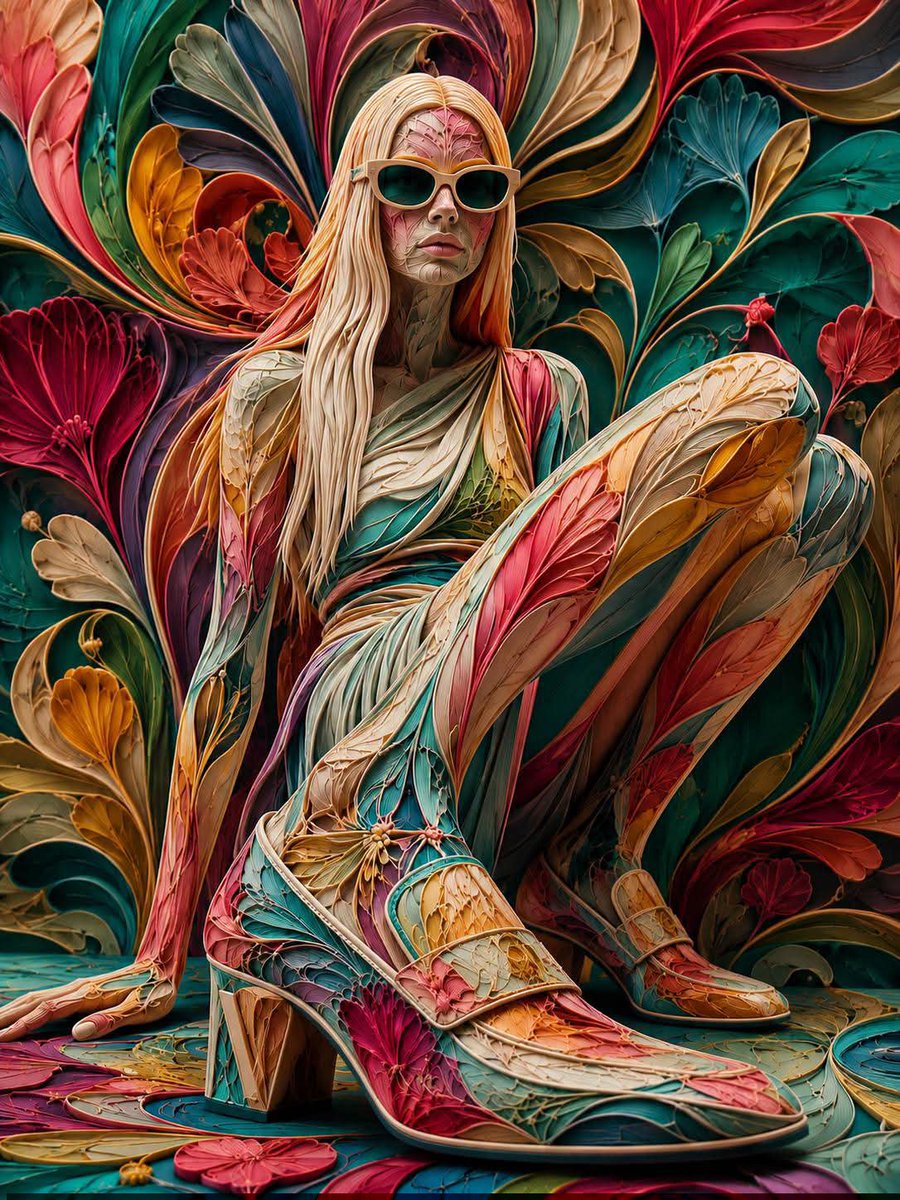
Floraverse Botanical Filament Fusion
An artistic image-to-image prompt that transforms a reference subject into a complex 3D botanical composition made of petals and organic filaments.
This is a GPT Image 2 prompt case for Portrait & Character. Use the copy-ready prompt below to generate similar visuals, and review Awesome GPT Image 2 Prompts attribution plus commercial-use rights before reuse.
Free 1K preview
Generate one preview image instantly, no sign-up required.
Free text preview doesn’t preserve reference-image consistency.
Prompt
Copy-ready prompt
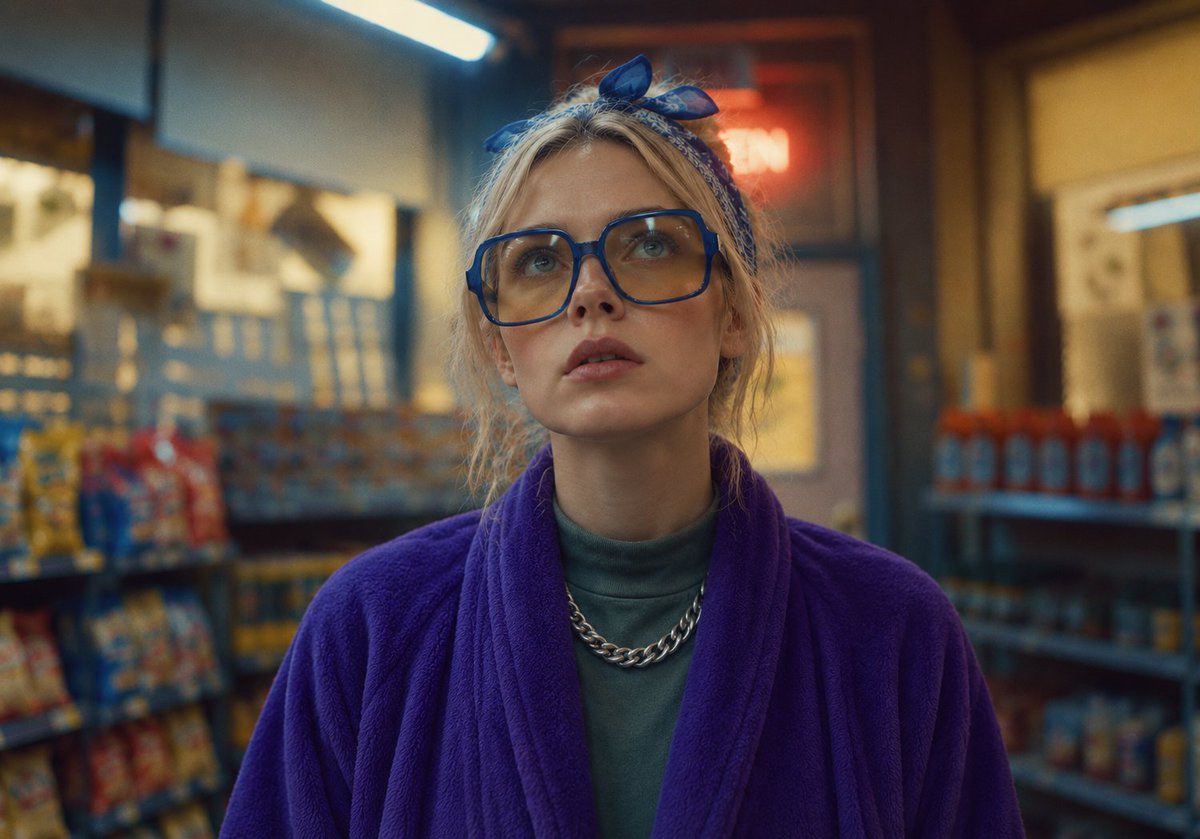
Use the uploaded image as the sole reference while preserving the exact identity, facial structure, expression, eye shape, eyebrows, eyelashes, nose, lips, jawline, ears, hairstyle silhouette, body proportions, pose, composition, camera angle, perspective, framing, and recognizability. Transform the entire subject into a luxurious {argument name="style" default="three-dimensional abstract botanical filament composition"} where the pattern is deeply infused into every visible surface rather than placed on top. Reconstruct the face using flowing layered petal-like contours, delicate organic filaments, elegant floral veins, rippling botanical curves, and sculpted abstract forms that naturally follow the facial anatomy while preserving every defining feature. Transform the hair into dense flowing botanical ribbons composed of layered petals, fine silk-like fibers, graceful leaf structures, curved floral folds, and sweeping organic strands instead of individual hairs, creating rich dimensional volume. Extend the same interconnected floral pattern seamlessly across the clothing, accessories, and background so the entire composition appears organically grown from one continuous botanical structure. Render with silky satin petals, velvety floral textures, translucent layered membranes, fine filament veins, soft sculpted ridges, polished organic surfaces, subtle ambient occlusion, realistic depth, and cinematic lighting for a premium 3D appearance. Use a vibrant palette of {argument name="colors" default="crimson, scarlet, coral, magenta, golden yellow, turquoise, teal, emerald, lime, ivory, and deep sapphire"} with luminous color transitions, ensuring the botanical pattern remains dominant, highly detailed, abstract, and visually integrated throughout the entire subject and scene.Prompt variables
Editable argument placeholders found in the prompt, with their default values.
Best for
- - Portrait & Character visual exploration
- - Image generation and reference-image edits
- - Reusable briefs that keep source attribution visible
Change these parts
- - Subject, product, character, or scene
- - Aspect ratio, camera, lighting, and background
- - Brand, text, color, and output constraints
Recommended model and settings
- - Model: gpt-image-2
- - Input mode: Image to Image
- - Aspect ratio: source
- - Commercial status: review original source
How to use this prompt
- 1. Copy the prompt and preserve its structure for the first test.
- 2. Replace the subject, context, and publishing channel.
- 3. Change one camera, lighting, or style variable per iteration.
- 4. Inspect the output, source, text, and rights before reuse.
Limitations, source, and reuse cautions
- - Generated output is an editable draft, not factual, legal, or rights evidence.
- - Review the linked source, people, brands, logos, text, and third-party media before commercial use.
More cases in this category
Prioritized by category, input mode compatibility, quality, and lower risk.


Reuse and source notes
Use this prompt safely after previewing the case.
- 1.Copy the prompt or open it directly in Dovoo with the generation button.
- 2.Adjust variables, aspect ratio, and reference images for your own use case.
- 3.Before publishing or paid usage, verify source rights, attribution requirements, and brand or likeness risks.
Can I use this prompt commercially?
Commercial-use status is allowed. Review the original source, license, brand constraints, and legal requirements before paid usage.
Where does this case come from?
This case is imported from Awesome GPT Image 2 Prompts; keep attribution visible and check the source URL before reuse.