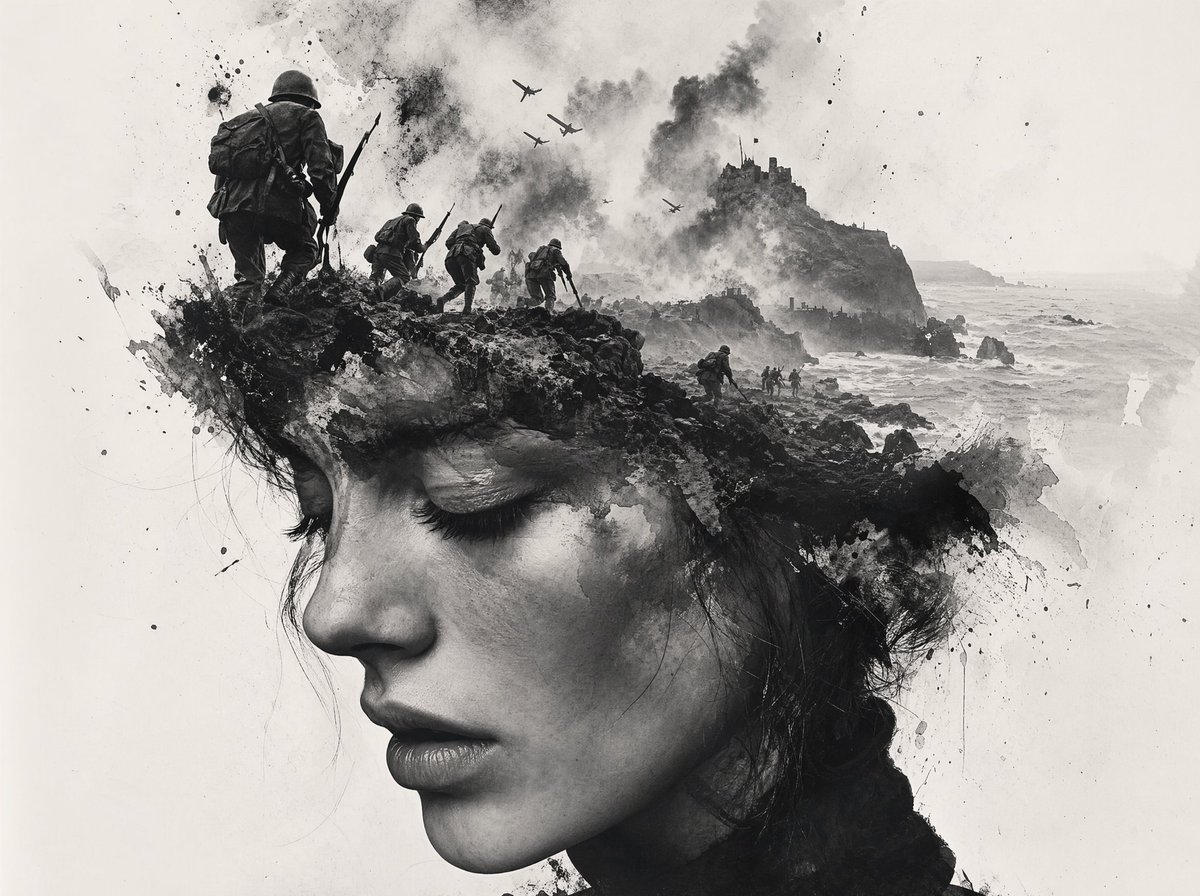
Black-and-White Wartime Ink Scene
A moody monochrome battlefield concept image showing soldiers, planes, smoke, and a rocky coastal fortress, ideal for historical poster art or dramatic editorial illustration.
This is a GPT Image 2 prompt case for Illustration & Art. Use the copy-ready prompt below to generate similar visuals, and review Awesome GPT Image 2 Prompts attribution plus commercial-use rights before reuse.
Free 1K preview
Generate one preview image instantly, no sign-up required.
Prompt
Copy-ready prompt
A dramatic black-and-white ink-wash wartime illustration in a vertical composition, combining realistic World War II imagery with abstract splattered brushwork on a mostly white background. Show 4 soldiers total advancing from the left toward the center and distance: 1 large foreground soldier seen from behind on a rocky ledge, wearing a steel helmet, heavy pack, and carrying a rifle with bayonet, plus 3 smaller soldiers in a staggered line behind him moving toward the right. In the sky, show 5 warplanes flying overhead through thick smoke. On the right side, place a steep rocky island or coastal cliff with a ruined fortress or castle on top, with smoke rising around it. Below, depict a rough sea crashing against dark rocks and a narrow shoreline with tiny landing figures near the water. Use explosive black ink splashes, soot clouds, scratches, drips, and painterly debris to merge the soldiers, cliffs, and surf into one expressive composition. High contrast monochrome, misty atmosphere, desaturated grayscale only, cinematic and haunting, with lots of negative space and a fine-art concept-art feel.
Best for
- - Illustration & Art visual exploration
- - Image generation and reference-image edits
- - Reusable briefs that keep source attribution visible
Change these parts
- - Subject, product, character, or scene
- - Aspect ratio, camera, lighting, and background
- - Brand, text, color, and output constraints
Recommended model and settings
- - Model: gpt-image-2
- - Input mode: Text to Image
- - Aspect ratio: source
- - Commercial status: review original source
How to use this prompt
- 1. Copy the prompt and preserve its structure for the first test.
- 2. Replace the subject, context, and publishing channel.
- 3. Change one camera, lighting, or style variable per iteration.
- 4. Inspect the output, source, text, and rights before reuse.
Limitations, source, and reuse cautions
- - Generated output is an editable draft, not factual, legal, or rights evidence.
- - Review the linked source, people, brands, logos, text, and third-party media before commercial use.
More cases in this category
Prioritized by category, input mode compatibility, quality, and lower risk.



Reuse and source notes
Use this prompt safely after previewing the case.
- 1.Copy the prompt or open it directly in Dovoo with the generation button.
- 2.Adjust variables, aspect ratio, and reference images for your own use case.
- 3.Before publishing or paid usage, verify source rights, attribution requirements, and brand or likeness risks.
Can I use this prompt commercially?
Commercial-use status is allowed. Review the original source, license, brand constraints, and legal requirements before paid usage.
Where does this case come from?
This case is imported from Awesome GPT Image 2 Prompts; keep attribution visible and check the source URL before reuse.