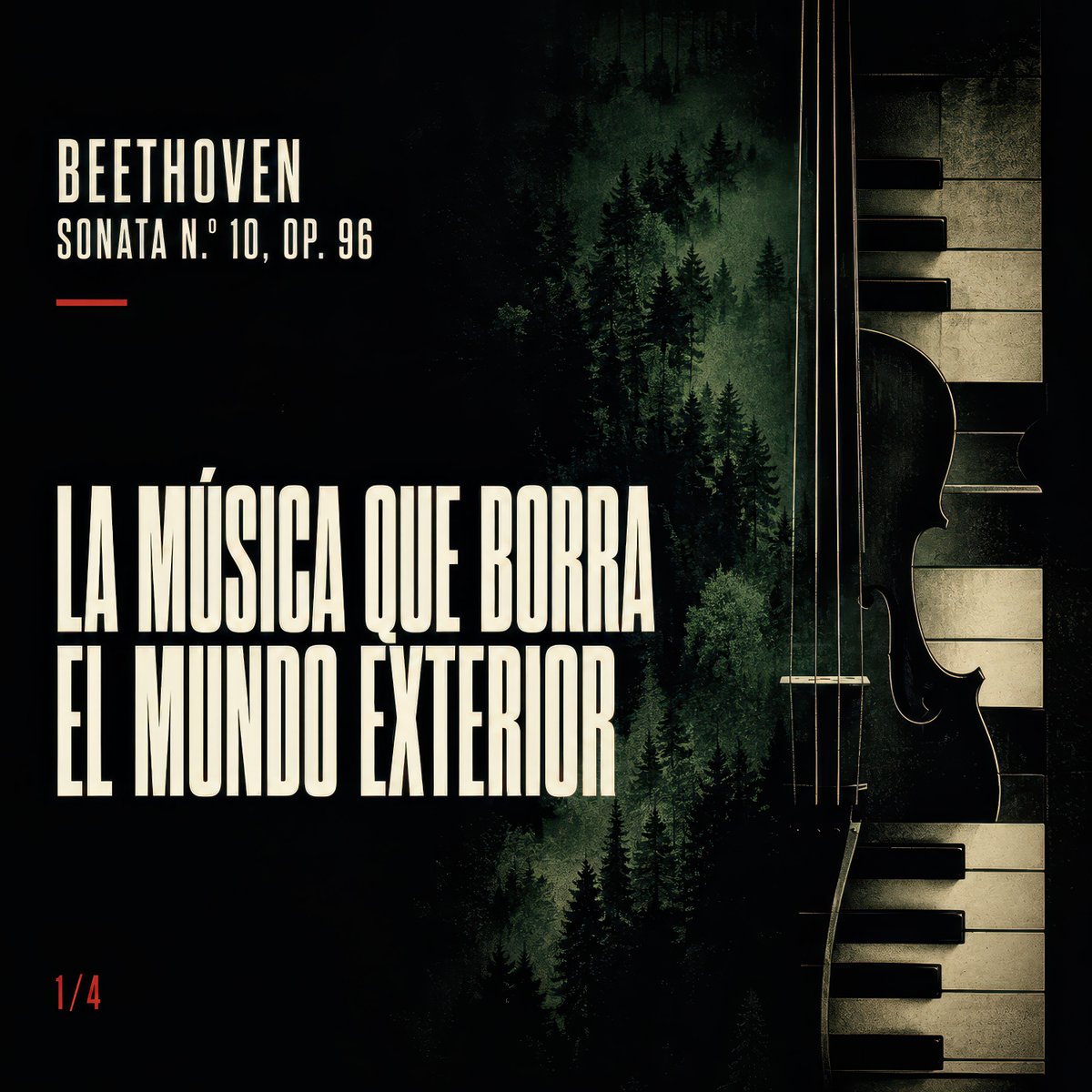
Dark Beethoven Forest Sonata Poster
A moody square classical music poster combining Beethoven typography, a misty pine forest, piano keys, and a string instrument silhouette for social media music features.
This is a GPT Image 2 prompt case for Graphic & Poster. Use the copy-ready prompt below to generate similar visuals, and review Awesome GPT Image 2 Prompts attribution plus commercial-use rights before reuse.
Free 1K preview
Generate one preview image instantly, no sign-up required.
Prompt
Copy-ready prompt
Goal: Create a square cinematic music poster for {argument name="composer name" default="BEETHOVEN"}, dark and moody, about a classical sonata that makes the outside world disappear.

Canvas: 1:1 square poster, high contrast, black background with deep forest-green shadows and aged ivory typography. Use a distressed printed texture, subtle grain, and a dramatic chiaroscuro look.

Layout: Left side contains all typography; right side is dominated by a vertical hybrid image of a violin/cello silhouette merged with piano keys. The center background shows a misty evergreen forest fading into darkness, as if music and nature are blending together. Keep the composition asymmetrical: roughly 60% dark negative space on the left, forest in the middle, instrument and piano keys on the right.

Text content: Use exactly 4 text elements: 1) top-left small title “{argument name="composer name" default="BEETHOVEN"}”; 2) directly below it, smaller subtitle “{argument name="sonata label" default="SONATA N.º 10, OP. 96"}”; 3) a short thin red horizontal dash beneath the subtitle; 4) large main headline in Spanish, stacked over two lines: “{argument name="headline text" default="LA MÚSICA QUE BORRA\nEL MUNDO EXTERIOR"}”. Add a small red page marker “{argument name="page marker" default="1/4"}” in the bottom-left corner.

Subject details: The right-side instrument should show four thin vertical strings, a curved violin or cello body edge, and partial f-holes in silhouette. Behind and beside it, show visible piano keys running vertically, with ivory keys aged and black keys in strong shadow. The middle forest should contain many dark pine trees at different depths, with misty green light behind them.

Visual style: Vintage classical album cover, noir poster design, tall condensed bold sans-serif typography similar to old concert posters, cream-white letters, muted red accent, forest-green haze, black vignette, worn paper texture, elegant but somber mood.

Constraints: Do not add people, headphones, musical notes, logos, watermarks, or extra text. Preserve the Spanish headline and the exact count of 4 text elements plus the bottom-left page marker.
Prompt variables
Editable argument placeholders found in the prompt, with their default values.
Best for
- - Graphic & Poster visual exploration
- - Image generation and reference-image edits
- - Reusable briefs that keep source attribution visible
Change these parts
- - Subject, product, character, or scene
- - Aspect ratio, camera, lighting, and background
- - Brand, text, color, and output constraints
Recommended model and settings
- - Model: gpt-image-2
- - Input mode: Text to Image
- - Aspect ratio: source
- - Commercial status: review original source
How to use this prompt
- 1. Copy the prompt and preserve its structure for the first test.
- 2. Replace the subject, context, and publishing channel.
- 3. Change one camera, lighting, or style variable per iteration.
- 4. Inspect the output, source, text, and rights before reuse.
Limitations, source, and reuse cautions
- - Generated output is an editable draft, not factual, legal, or rights evidence.
- - Review the linked source, people, brands, logos, text, and third-party media before commercial use.
More cases in this category
Prioritized by category, input mode compatibility, quality, and lower risk.






Reuse and source notes
Use this prompt safely after previewing the case.
- 1.Copy the prompt or open it directly in Dovoo with the generation button.
- 2.Adjust variables, aspect ratio, and reference images for your own use case.
- 3.Before publishing or paid usage, verify source rights, attribution requirements, and brand or likeness risks.
Can I use this prompt commercially?
Commercial-use status is allowed. Review the original source, license, brand constraints, and legal requirements before paid usage.
Where does this case come from?
This case is imported from Awesome GPT Image 2 Prompts; keep attribution visible and check the source URL before reuse.