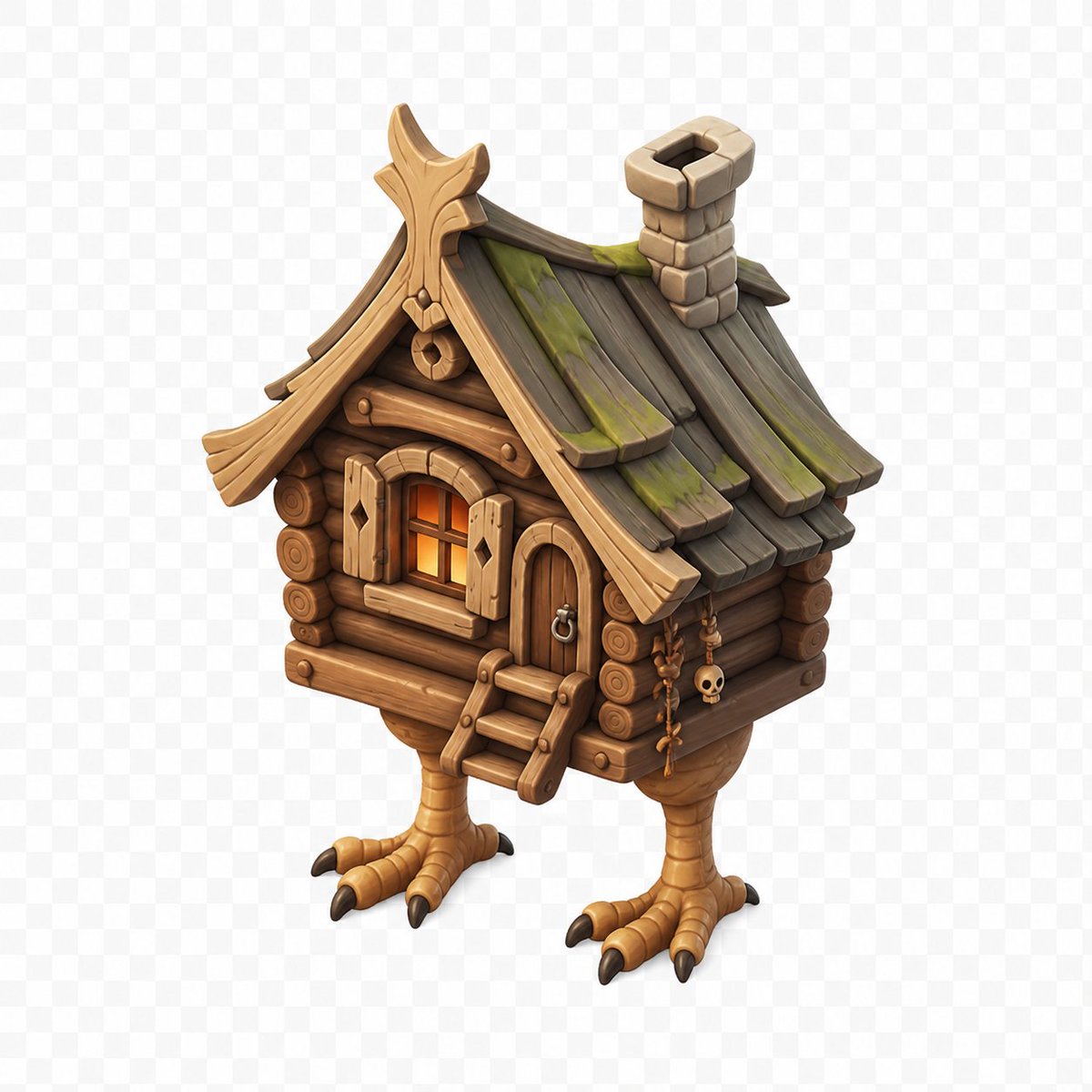
Stylized Baba Yaga Hut
Generates a polished isometric 3D fantasy game asset of a wooden Baba Yaga hut standing on chicken legs.
This is a GPT Image 2 prompt case for Anime & Game. Use the copy-ready prompt below to generate similar visuals, and review Awesome GPT Image 2 Prompts attribution plus commercial-use rights before reuse.
Free 1K preview
Generate one preview image instantly, no sign-up required.
Prompt
Copy-ready prompt
Create a high-quality stylized 3D game asset of {argument name="subject" default="a Baba Yaga chicken-leg hut"}, centered on a transparent checkerboard background. The hut is an isometric three-quarter view facing slightly left, built from warm brown rounded log walls with visible circular log ends, a small arched wooden door on the front-right with a metal ring handle, and a small front window glowing orange from inside with open plank shutters. Add a short wooden ladder with three steps leading to the entrance. The roof is steep and whimsical, made of dark weathered wooden planks with green moss patches, curved golden-brown carved trim, an ornate peaked gable, and a chunky stone chimney near the back-right. The house stands on exactly two large bird-like legs with tan scaly texture, each ending in three forward toes and one rear toe with dark claws. Include small hanging charms on the right wall, including beads, bones, and a tiny skull. Use a polished fantasy miniature style, rounded shapes, hand-painted textures, soft ambient occlusion, subtle shadows, warm lighting, crisp edges, and no text.Prompt variables
Editable argument placeholders found in the prompt, with their default values.
Best for
- - Anime & Game visual exploration
- - Image generation and reference-image edits
- - Reusable briefs that keep source attribution visible
Change these parts
- - Subject, product, character, or scene
- - Aspect ratio, camera, lighting, and background
- - Brand, text, color, and output constraints
Recommended model and settings
- - Model: gpt-image-2
- - Input mode: Text to Image
- - Aspect ratio: source
- - Commercial status: review original source
How to use this prompt
- 1. Copy the prompt and preserve its structure for the first test.
- 2. Replace the subject, context, and publishing channel.
- 3. Change one camera, lighting, or style variable per iteration.
- 4. Inspect the output, source, text, and rights before reuse.
Limitations, source, and reuse cautions
- - Generated output is an editable draft, not factual, legal, or rights evidence.
- - Review the linked source, people, brands, logos, text, and third-party media before commercial use.
More cases in this category
Prioritized by category, input mode compatibility, quality, and lower risk.

Reuse and source notes
Use this prompt safely after previewing the case.
- 1.Copy the prompt or open it directly in Dovoo with the generation button.
- 2.Adjust variables, aspect ratio, and reference images for your own use case.
- 3.Before publishing or paid usage, verify source rights, attribution requirements, and brand or likeness risks.
Can I use this prompt commercially?
Commercial-use status is allowed. Review the original source, license, brand constraints, and legal requirements before paid usage.
Where does this case come from?
This case is imported from Awesome GPT Image 2 Prompts; keep attribution visible and check the source URL before reuse.