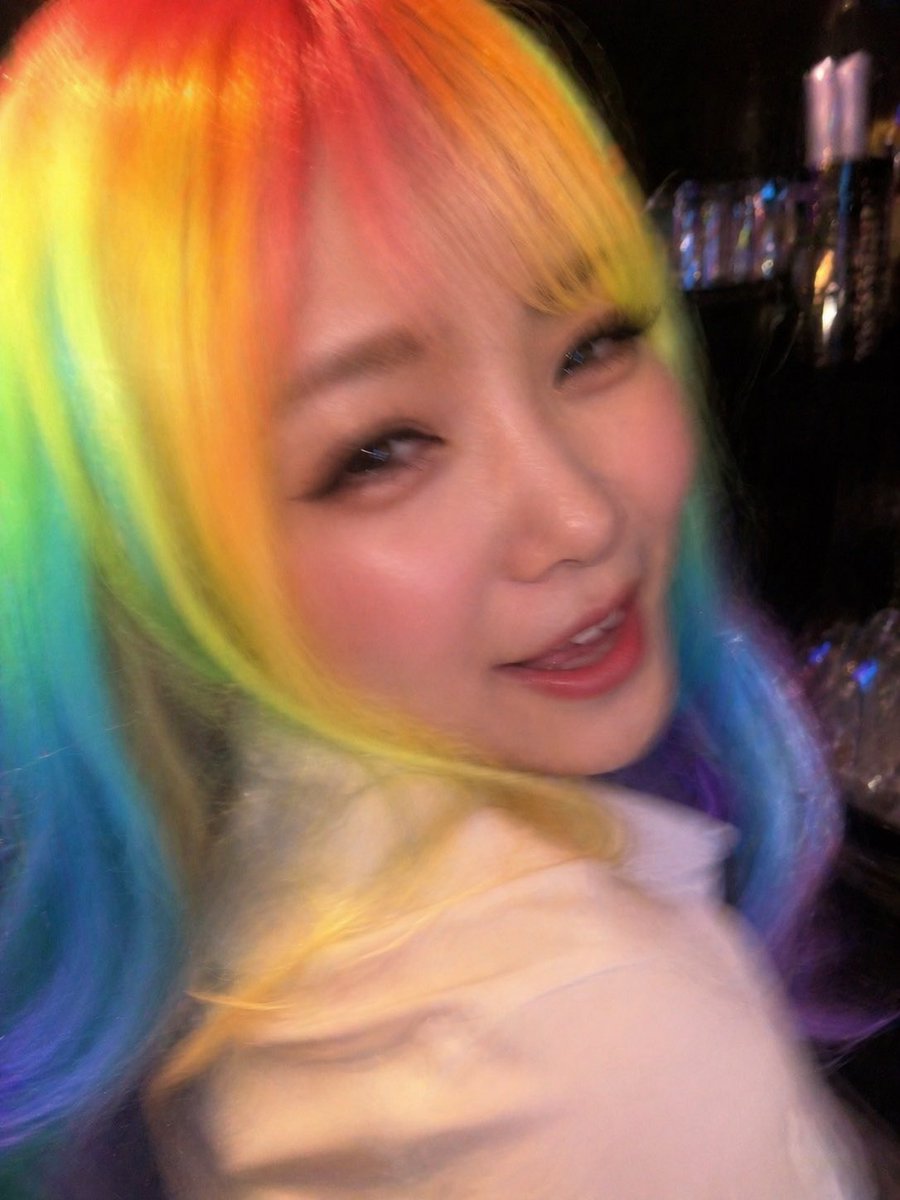
Awkward Blurry Nightclub Rainbow Hair Shot
Generates a deliberately bad candid nightclub photo with rainbow hair and heavy motion blur, useful for creating awkward accidental snapshot-style images.
This is a GPT Image 2 prompt case for Portrait & Character. Use the copy-ready prompt below to generate similar visuals, and review Awesome GPT Image 2 Prompts attribution plus commercial-use rights before reuse.
Free 1K preview
Generate one preview image instantly, no sign-up required.
Prompt
Copy-ready prompt
A candid, badly timed snapshot aesthetic taken from too close and slightly behind, as if someone accidentally photographed a person at the worst possible moment in a dark nightclub. The image is vertically framed and heavily motion-blurred, with the subject filling almost the entire frame. Show only 1 person, turned away from the camera so the face is not visible, with long wavy {argument name="hair color" default="rainbow pastel hair"} transitioning from hot pink and orange at the crown into yellow, green, cyan, blue, and violet through the lengths. The person wears a pale blush-pink top or hoodie, softly lit and also blurred by movement. The composition should feel awkward and intrusive, with the camera too close, the hair dominating the left and center of the frame, and only a partial shoulder and back visible near the bottom right. In the dark background, include 1 dim nightclub bar area with scattered colored lights, shiny bottles, and vague reflective highlights on the right side, all out of focus. Use harsh mixed club lighting, low-light digital camera noise, flash-like exposure on the hair and clothing, strong blur, shallow detail, and an unflattering accidental-phone-photo vibe. Make it feel like a forbidden saved snapshot, messy, spontaneous, and realistically imperfect.Prompt variables
Editable argument placeholders found in the prompt, with their default values.
Best for
- - Portrait & Character visual exploration
- - Image generation and reference-image edits
- - Reusable briefs that keep source attribution visible
Change these parts
- - Subject, product, character, or scene
- - Aspect ratio, camera, lighting, and background
- - Brand, text, color, and output constraints
Recommended model and settings
- - Model: gpt-image-2
- - Input mode: Text to Image
- - Aspect ratio: source
- - Commercial status: review original source
How to use this prompt
- 1. Copy the prompt and preserve its structure for the first test.
- 2. Replace the subject, context, and publishing channel.
- 3. Change one camera, lighting, or style variable per iteration.
- 4. Inspect the output, source, text, and rights before reuse.
Limitations, source, and reuse cautions
- - Generated output is an editable draft, not factual, legal, or rights evidence.
- - Review the linked source, people, brands, logos, text, and third-party media before commercial use.
More cases in this category
Prioritized by category, input mode compatibility, quality, and lower risk.





Reuse and source notes
Use this prompt safely after previewing the case.
- 1.Copy the prompt or open it directly in Dovoo with the generation button.
- 2.Adjust variables, aspect ratio, and reference images for your own use case.
- 3.Before publishing or paid usage, verify source rights, attribution requirements, and brand or likeness risks.
Can I use this prompt commercially?
Commercial-use status is allowed. Review the original source, license, brand constraints, and legal requirements before paid usage.
Where does this case come from?
This case is imported from Awesome GPT Image 2 Prompts; keep attribution visible and check the source URL before reuse.