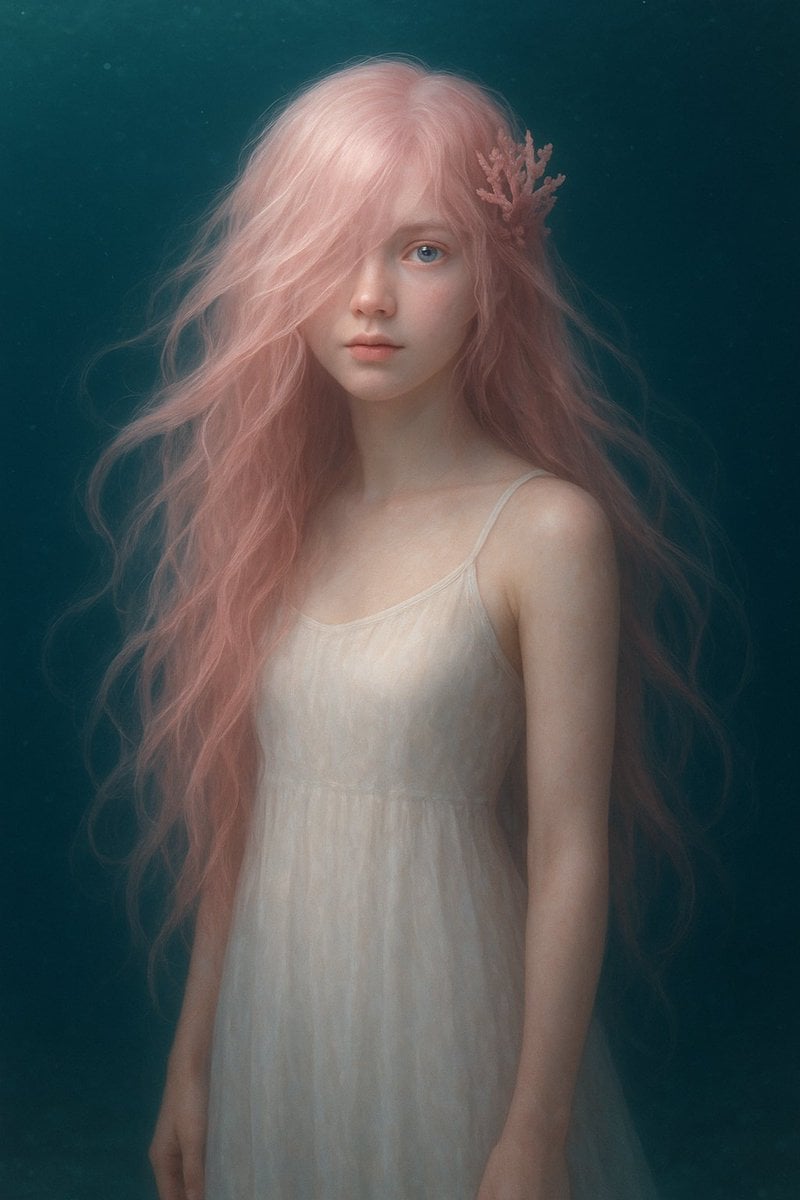
梦幻水下粉发肖像
Source-attributed GPT Image 2 image prompt from the Awesome GPT Image 2 Prompts repository.
This is a GPT Image 2 prompt case for Portrait & Character. Use the copy-ready prompt below to generate similar visuals, and review Awesome GPT Image 2 Prompts attribution plus commercial-use rights before reuse.
Free 1K preview
Generate one preview image instantly, no sign-up required.
Prompt
Copy-ready prompt
创作一张梦幻的水下奇幻肖像,展示一位年轻女性从大腿中部以上的半身像,背景为深青色的海洋,漂浮着微小颗粒并带有柔和的雾气。她拥有非常长且飘逸的波浪形 {argument name="hair color" default="柔和粉色"} 头发,在肩部周围无重力地漂浮,右侧头部别着一个珊瑚状的发饰。她穿着一件精致的半透明 {argument name="dress color" default="象牙白"} 无袖吊带裙,腰部有柔和的褶皱,薄纱面料在水下显得格外空灵。她的皮肤白皙且光线柔和,姿态放松,双臂自然下垂。构图为垂直居中,具有绘画般的写实感和柔和的电影光泽。所有人脸均清晰可见,保留自然、细致的五官,颜色为 {argument name="censor block color" default="灰紫色米色"},所有人脸均清晰可见,保留自然、细致的五官,同时保持头发和身体可见。采用柔焦、低对比度、微妙的光晕、水下漫反射效果,营造艺术奇幻摄影氛围,无文字,无额外物体。Prompt variables
Editable argument placeholders found in the prompt, with their default values.
Best for
- - Portrait & Character visual exploration
- - Image generation and reference-image edits
- - Reusable briefs that keep source attribution visible
Change these parts
- - Subject, product, character, or scene
- - Aspect ratio, camera, lighting, and background
- - Brand, text, color, and output constraints
Recommended model and settings
- - Model: gpt-image-2
- - Input mode: Text to Image
- - Aspect ratio: source
- - Commercial status: restricted
How to use this prompt
- 1. Copy the prompt and preserve its structure for the first test.
- 2. Replace the subject, context, and publishing channel.
- 3. Change one camera, lighting, or style variable per iteration.
- 4. Inspect the output, source, text, and rights before reuse.
Limitations, source, and reuse cautions
- - Generated output is an editable draft, not factual, legal, or rights evidence.
- - Review the linked source, people, brands, logos, text, and third-party media before commercial use.
More cases in this category
Prioritized by category, input mode compatibility, quality, and lower risk.

Reuse and source notes
Use this prompt safely after previewing the case.
- 1.Copy the prompt or open it directly in Dovoo with the generation button.
- 2.Adjust variables, aspect ratio, and reference images for your own use case.
- 3.Before publishing or paid usage, verify source rights, attribution requirements, and brand or likeness risks.
Can I use this prompt commercially?
Commercial-use status is allowed. Review the original source, license, brand constraints, and legal requirements before paid usage.
Where does this case come from?
This case is imported from Awesome GPT Image 2 Prompts; keep attribution visible and check the source URL before reuse.