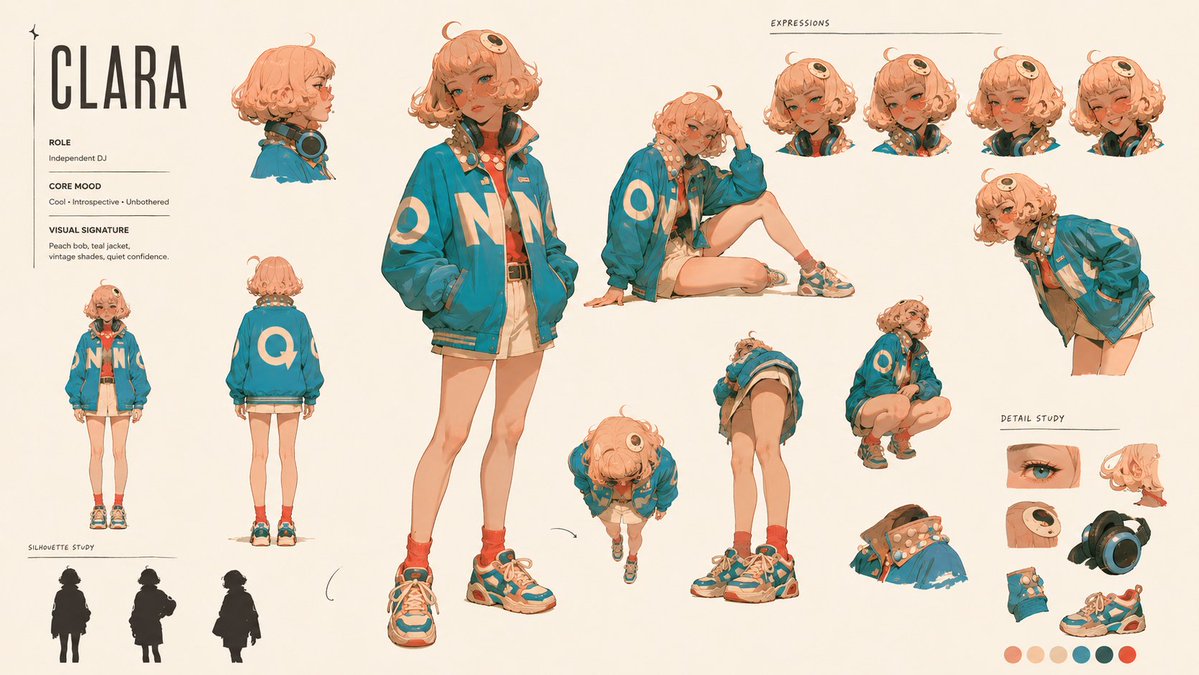
Cinematic Character Identity Board
An artistic prompt for creating high-end character sheets that feel like studio animation identity boards rather than simple grids.
This is a GPT Image 2 prompt case for Portrait & Character. Use the copy-ready prompt below to generate similar visuals, and review Awesome GPT Image 2 Prompts attribution plus commercial-use rights before reuse.
Free 1K preview
Generate one preview image instantly, no sign-up required.
Prompt
Copy-ready prompt
Create an artistic 16:9 CHARACTER IDENTITY BOARD.

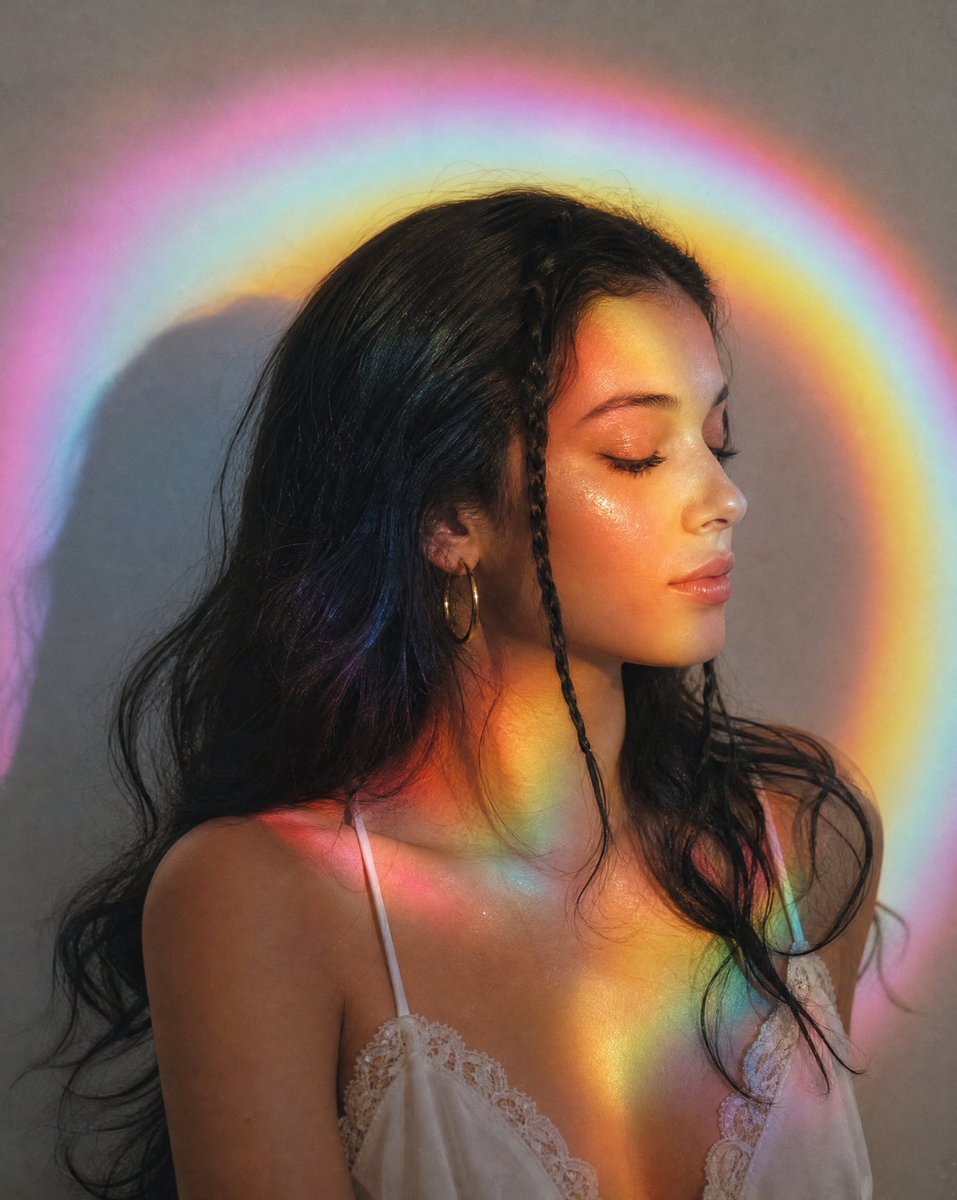
Use Image A as the subject and the visual medium. Name: {argument name="name" default="Clara"}. {argument name="correction" default="Fix headphones"}. (just change this line as your needs.)

Soft off-white background. No environment, no logo, no watermark.

DESIGN DIRECTION:
Do not create a standard character reference sheet.
Create a cinematic identity board that feels like a high-end animation studio character study mixed with an artbook layout.

The layout should be asymmetrical, elegant and visually memorable.
Use large empty space, varied image scale and intentional imbalance.
Avoid grids, blueprint design, catalog layout and repetitive turnaround presentation.

IMPORTANT LAYOUT RULE:
Do not overlap any character images.
Every view must have clear separation and breathing room.
Keep all bodies, portraits, silhouettes and detail studies visually distinct.
No cropped faces, no hidden limbs, no stacked figures, no merged poses.

MAIN COMPOSITION:
Place one large hero full-body view slightly off-center as the visual anchor.

Around it, arrange smaller supporting studies with clean spacing:
neutral full-body view, back view, profile view, seated pose, leaning pose, crouching pose, top-down body angle, low-angle body angle, expressive portrait studies.

Each view should feel like a separate clean character study, not a frame from one scene.

IDENTITY LOCK:
Preserve strict identity consistency across all views:
same face, same facial proportions, same hairstyle, same outfit, same body proportions, same posture language, same visual personality.

USEFUL REFERENCE DETAILS:
Make the character readable for future image and video generation:
clear face shape, clear hair silhouette, clear outfit silhouette, clear body shape, clear hands, clear posture, clear expression range.

ARTISTIC SECTIONS:
Include a small silhouette study area with 2-3 simplified black character silhouettes.
Include a small expression study area with subtle emotional variations.
Include a small detail study area showing key visual features of the face, hair and outfit.

TEXT DESIGN:
Add one stylish CHARACTER ID block.
Keep it minimal, bold and art-directed.
Use only:
NAME
ROLE
CORE MOOD
VISUAL SIGNATURE

Use small handwritten-style labels only where helpful.
Subtle editorial arrows and annotation marks are allowed, but keep them minimal and elegant.

STYLE:
minimal, cinematic, premium, artbook-like, clean, expressive, useful for production.

The final image should feel like an artistic character identity board designed
Prompt variables
Editable argument placeholders found in the prompt, with their default values.
Best for
- - Portrait & Character visual exploration
- - Image generation and reference-image edits
- - Reusable briefs that keep source attribution visible
Change these parts
- - Subject, product, character, or scene
- - Aspect ratio, camera, lighting, and background
- - Brand, text, color, and output constraints
Recommended model and settings
- - Model: gpt-image-2
- - Input mode: Text to Image
- - Aspect ratio: source
- - Commercial status: review original source
How to use this prompt
- 1. Copy the prompt and preserve its structure for the first test.
- 2. Replace the subject, context, and publishing channel.
- 3. Change one camera, lighting, or style variable per iteration.
- 4. Inspect the output, source, text, and rights before reuse.
Limitations, source, and reuse cautions
- - Generated output is an editable draft, not factual, legal, or rights evidence.
- - Review the linked source, people, brands, logos, text, and third-party media before commercial use.
More cases in this category
Prioritized by category, input mode compatibility, quality, and lower risk.





Reuse and source notes
Use this prompt safely after previewing the case.
- 1.Copy the prompt or open it directly in Dovoo with the generation button.
- 2.Adjust variables, aspect ratio, and reference images for your own use case.
- 3.Before publishing or paid usage, verify source rights, attribution requirements, and brand or likeness risks.
Can I use this prompt commercially?
Commercial-use status is allowed. Review the original source, license, brand constraints, and legal requirements before paid usage.
Where does this case come from?
This case is imported from Awesome GPT Image 2 Prompts; keep attribution visible and check the source URL before reuse.