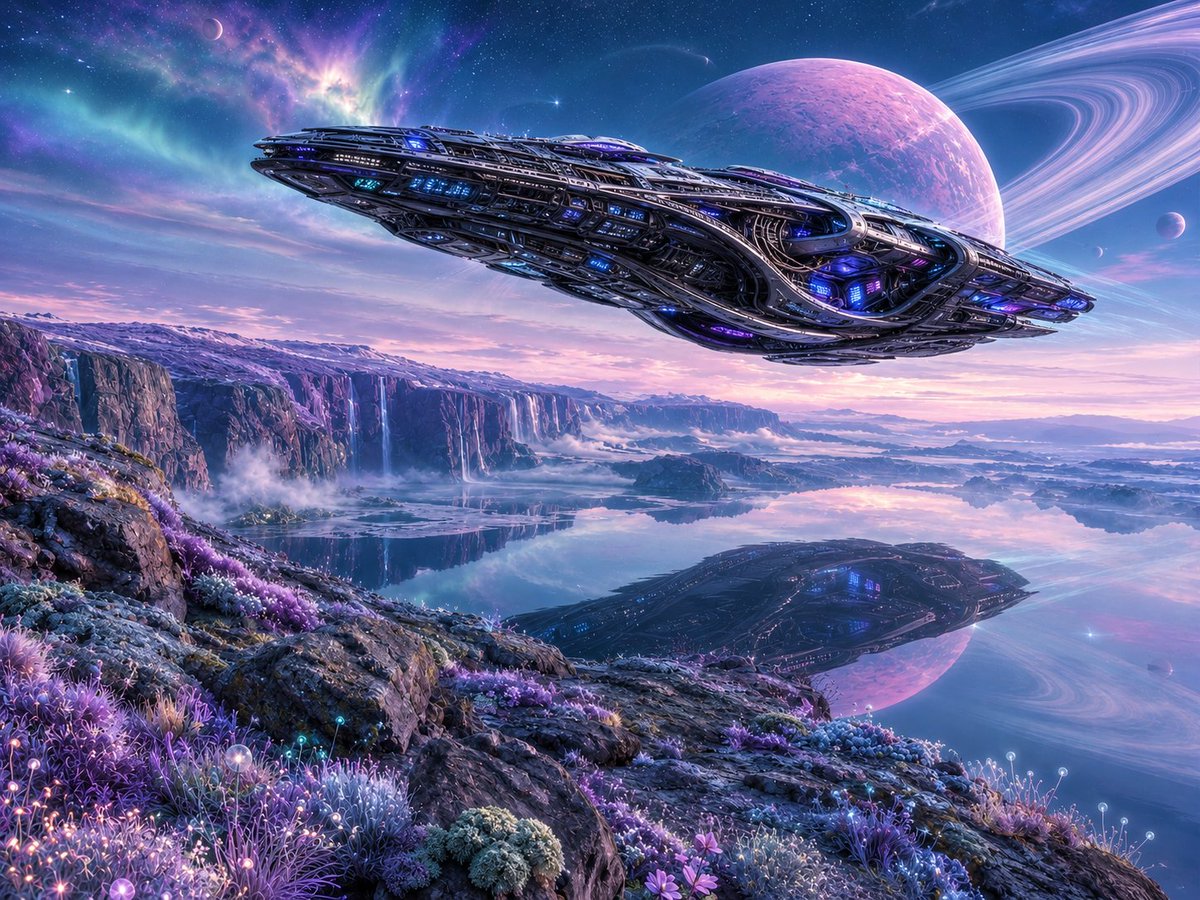
Alien Lake Spaceship Vista
Generates an epic photorealistic sci-fi world with a massive spacecraft, ringed planet, reflective lake, waterfalls, and glowing alien flora.
This is a GPT Image 2 prompt case for Landscape & Nature. Use the copy-ready prompt below to generate similar visuals, and review Awesome GPT Image 2 Prompts attribution plus commercial-use rights before reuse.
Free 1K preview
Generate one preview image instantly, no sign-up required.
Prompt
Copy-ready prompt
A cinematic ultra-detailed science fiction alien landscape at twilight on a distant planet: a gigantic sleek futuristic spaceship floats low across the sky from left to right above a mirror-still lake, its elongated dark metallic hull covered in intricate layered armor plates, vents, windows, exposed mechanical ribs, glowing blue and violet lights, and luminous engine details. The lake below reflects the entire spacecraft, the pastel sky, and a huge pink-purple ringed planet dominating the upper right, with two small moons nearby and a star-filled nebula sky in teal, indigo, lavender, and magenta. The foreground is a rocky alien shoreline covered with dense bioluminescent extraterrestrial plants: purple grasses, blue moss, glowing spherical flower tips, tiny luminous blossoms, and crystalline shrubs. In the middle distance, high cliffs stretch across the horizon with multiple thin waterfalls dropping into misty basins, low fog drifting over the water, and layered mountains fading into the distance. Lighting is dreamy but photorealistic, with soft sunrise/sunset colors, crisp reflections, volumetric mist, high dynamic range, extreme environmental detail, wide-angle composition, epic scale, 16:9 aspect ratio, no text, no people. Customize the scene with a {argument name="spaceship color" default="dark gunmetal with blue and violet lights"}, {argument name="planet color" default="pink-purple"}, {argument name="alien plant color palette" default="purple, blue, lavender, and cyan bioluminescence"}, {argument name="time of day" default="twilight"}, and {argument name="overall style" default="cinematic photorealistic space opera concept art"}.Prompt variables
Editable argument placeholders found in the prompt, with their default values.
Best for
- - Landscape & Nature visual exploration
- - Image generation and reference-image edits
- - Reusable briefs that keep source attribution visible
Change these parts
- - Subject, product, character, or scene
- - Aspect ratio, camera, lighting, and background
- - Brand, text, color, and output constraints
Recommended model and settings
- - Model: gpt-image-2
- - Input mode: Text to Image
- - Aspect ratio: source
- - Commercial status: review original source
How to use this prompt
- 1. Copy the prompt and preserve its structure for the first test.
- 2. Replace the subject, context, and publishing channel.
- 3. Change one camera, lighting, or style variable per iteration.
- 4. Inspect the output, source, text, and rights before reuse.
Limitations, source, and reuse cautions
- - Generated output is an editable draft, not factual, legal, or rights evidence.
- - Review the linked source, people, brands, logos, text, and third-party media before commercial use.
More cases in this category
Prioritized by category, input mode compatibility, quality, and lower risk.

Reuse and source notes
Use this prompt safely after previewing the case.
- 1.Copy the prompt or open it directly in Dovoo with the generation button.
- 2.Adjust variables, aspect ratio, and reference images for your own use case.
- 3.Before publishing or paid usage, verify source rights, attribution requirements, and brand or likeness risks.
Can I use this prompt commercially?
Commercial-use status is allowed. Review the original source, license, brand constraints, and legal requirements before paid usage.
Where does this case come from?
This case is imported from Awesome GPT Image 2 Prompts; keep attribution visible and check the source URL before reuse.