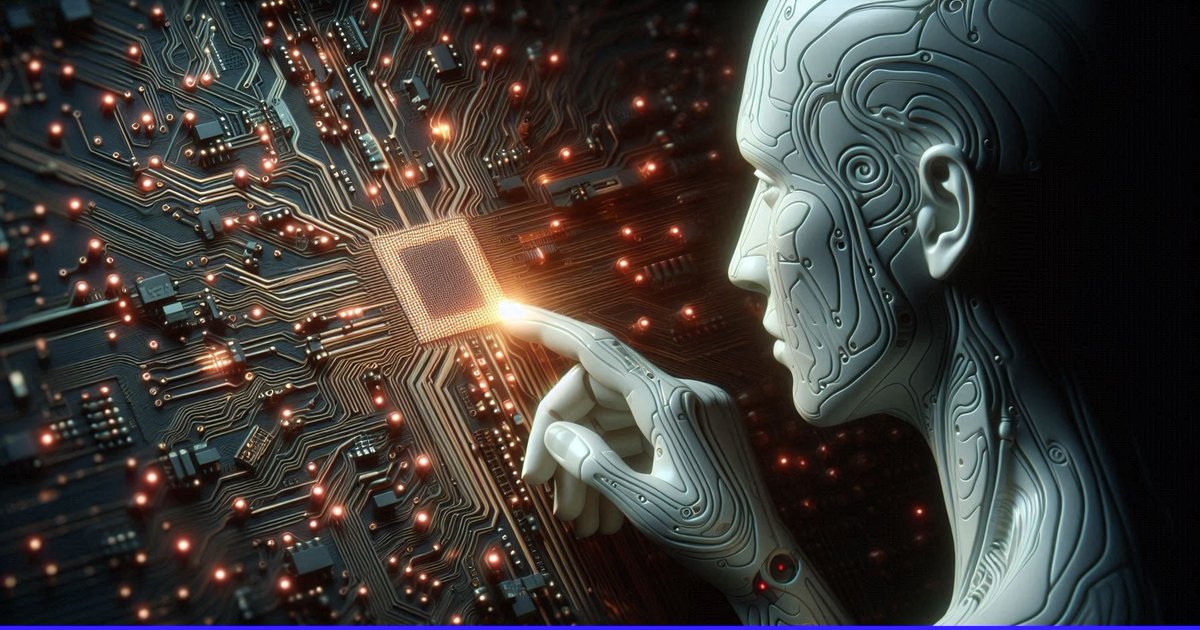
AI Touching a Glowing Microchip
A cinematic futuristic banner showing a humanoid robot making contact with a luminous processor on a dense circuit board, useful for AI technology news or editorial visuals.
This is a GPT Image 2 prompt case for Illustration & Art. Use the copy-ready prompt below to generate similar visuals, and review Awesome GPT Image 2 Prompts attribution plus commercial-use rights before reuse.
Free 1K preview
Generate one preview image instantly, no sign-up required.
Prompt
Copy-ready prompt
Create a cinematic widescreen sci-fi illustration of a humanoid artificial intelligence figure in right-side profile, reaching out with one delicate robotic finger to touch a glowing microchip on a vast dark circuit board. The AI figure has a smooth pale {argument name="robot material" default="porcelain-white metallic"} face and hand, elegant biomechanical panel lines, etched circuit-like grooves, exposed layered contours around the head, cheek, neck, ear, and fingers, and a calm focused expression. The fingertip makes contact with the central processor, producing a bright warm {argument name="contact glow color" default="golden-orange"} flare and small lens bloom. The background is a dense motherboard landscape filling the left and center of the frame, with one square microchip near the center-left, countless copper traces radiating outward, tiny components, and many red-orange LED points scattered across the board like a neural network. Use a dark teal, black, and gunmetal palette with warm sparks and glow accents, high-detail 3D render quality, shallow depth of field, dramatic side lighting from the chip, subtle volumetric haze, futuristic atmosphere, and a composition where the robot occupies the right third while the circuitry expands across the left two thirds. Format as {argument name="aspect ratio" default="wide 16:9 cinematic banner"}, ultra-detailed, sharp focus on the fingertip and chip, no text, no logos, no watermark.Prompt variables
Editable argument placeholders found in the prompt, with their default values.
Best for
- - Illustration & Art visual exploration
- - Image generation and reference-image edits
- - Reusable briefs that keep source attribution visible
Change these parts
- - Subject, product, character, or scene
- - Aspect ratio, camera, lighting, and background
- - Brand, text, color, and output constraints
Recommended model and settings
- - Model: gpt-image-2
- - Input mode: Text to Image
- - Aspect ratio: source
- - Commercial status: review original source
How to use this prompt
- 1. Copy the prompt and preserve its structure for the first test.
- 2. Replace the subject, context, and publishing channel.
- 3. Change one camera, lighting, or style variable per iteration.
- 4. Inspect the output, source, text, and rights before reuse.
Limitations, source, and reuse cautions
- - Generated output is an editable draft, not factual, legal, or rights evidence.
- - Review the linked source, people, brands, logos, text, and third-party media before commercial use.
More cases in this category
Prioritized by category, input mode compatibility, quality, and lower risk.



Reuse and source notes
Use this prompt safely after previewing the case.
- 1.Copy the prompt or open it directly in Dovoo with the generation button.
- 2.Adjust variables, aspect ratio, and reference images for your own use case.
- 3.Before publishing or paid usage, verify source rights, attribution requirements, and brand or likeness risks.
Can I use this prompt commercially?
Commercial-use status is allowed. Review the original source, license, brand constraints, and legal requirements before paid usage.
Where does this case come from?
This case is imported from Awesome GPT Image 2 Prompts; keep attribution visible and check the source URL before reuse.