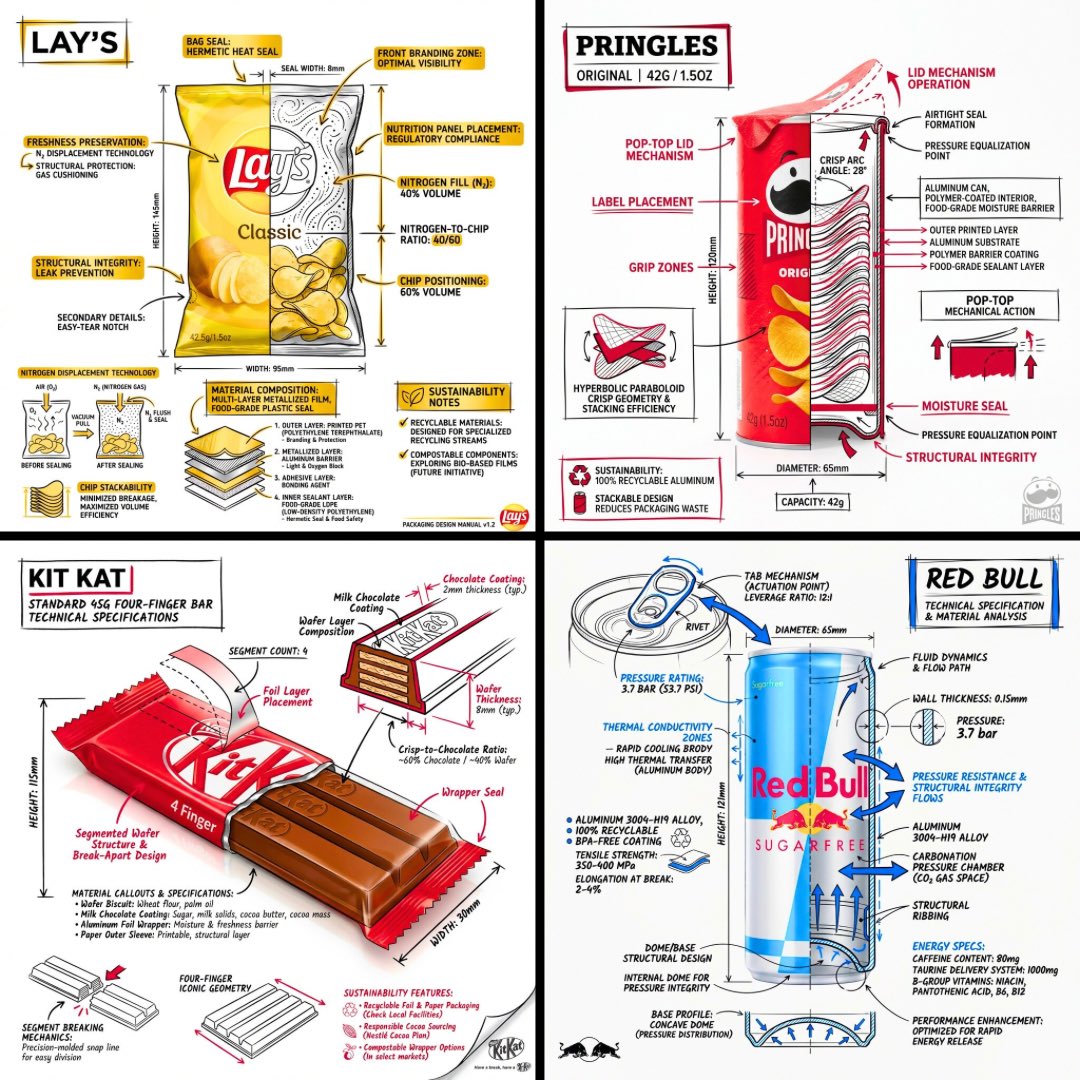
Technical Engineering Product Infographic
A prompt for creating architectural-style technical infographics that overlay annotations and diagrams onto realistic product renders.
这是一个用于 平面设计和海报设计 的 GPT Image 2 提示词案例。你可以复制下方 prompt 生成相似图片;商用前请复核 Awesome GPT Image 2 Prompts 来源归因和原始权利。
需要完整提示词集合?请使用 平面设计和海报设计 主题页获取更多同类示例,或打开 GPT Image 2 提示词库 查看完整示例索引、可复用结构和来源归因。
免费 1K 极速预览
无需注册,立即生成一张预览图。
693/4000
提示词
可复制提示词
设计一张 {argument name="subject" default="[SNACK]"} 的品牌技术信息图,将建筑风格的注释叠加在逼真的产品照片或照片级渲染图上。将所有内容放置在纯白色的摄影棚背景中,以黑色墨水线条作为主要技术语言,并辅以战略性的 {argument name="brand color" default="[BRAND COLOR]"} 点缀(呈现出高端包装上的工程师草图质感)。

在产品上方叠加以下注释:
• 标注每个关键组件的标签
• 展示分层、结构或内部设计的内部横截面
• 尺寸、测量数据和产品规格
• 列出成分和数量的材料标注
• 指向主要功能和结构细节的箭头
• 展示机械/设计逻辑的小型示意图或剖面图
• 可持续性标注
将产品名称以粗体显示在手绘注释框内,并带有强调色边框,固定在角落作为标题。

风格和布局规则:
• 保持逼真的产品在所有线条下方完全可见
• 注释应呈现出草图、技术和建筑风格
• 约 70-80% 的黑色线条用于主要技术线条,20-30% 的 {argument name="accent color" default="[BRAND COLOR]"} 用于强调高光
• 构图均衡,留白充裕
• 具有教育意义的食品工程基调,兼具高端品牌质感
• 在角落处放置一个精致的品牌 Logo

视觉风格:极简技术插图美学,黑色线条与强调色叠加在逼真图像之上,精准但略带手绘感。
调色板:白色背景,黑色注释线条和文字,[BRAND COLOR] 仅用于强调和关键标注。
输出:1080×1080,超清晰,针对社交媒体动态优化,无水印。
提示词变量
从提示词中识别到的可编辑 argument 占位符及默认值。
变量
subject
默认值
[SNACK]
变量
brand color
默认值
[BRAND COLOR]
变量
accent color
默认值
[BRAND COLOR]
Best for
- - 平面海报 方向的视觉探索
- - 图片生成与参考图改写
- - 需要保留来源归因的可复用 brief
可以替换这些部分
- - 主体、产品、角色或场景
- - 画幅、镜头、光线和背景
- - 品牌、文字、颜色和输出限制
推荐模型与设置
- - 模型:gpt-image-2
- - 输入模式:文生图
- - 画幅:source
- - 商用状态:需复核原始来源
如何使用这个提示词
- 1. 复制提示词并先保留原始结构。
- 2. 替换主体、场景和输出渠道。
- 3. 每次只调整一个镜头、光线或风格变量。
- 4. 检查结果媒体、文字、来源和权利风险。
限制、来源与复用提醒
- - 生成结果是可编辑草稿,不是事实、法务或权利证明。
- - 商用前复核来源链接、人物、品牌、Logo、文字和第三方素材。
导入自 Awesome GPT Image 2 Prompts。需要保留来源归因。商业使用状态:allowed;付费使用前请复核原始权利。
相关主题包
同分类案例
优先推荐同分类、同输入模式且风险更低的案例。






复用与来源说明
看完案例后,再安全复用这个提示词。
- 1.复制 prompt,或点击生成入口在 Dovoo 中直接打开。
- 2.按你的用途调整变量、画面比例和参考图。
- 3.发布或商用前,复核来源权利、归因要求以及品牌、肖像或版权风险。
这个提示词可以商用吗?
当前商业使用状态为 allowed。付费或公开使用前,请复核原始来源、许可、品牌限制和法务要求。
这个案例来自哪里?
该案例导入自 Awesome GPT Image 2 Prompts;复用时请保留来源归因,并打开来源 URL 检查最新授权信息。