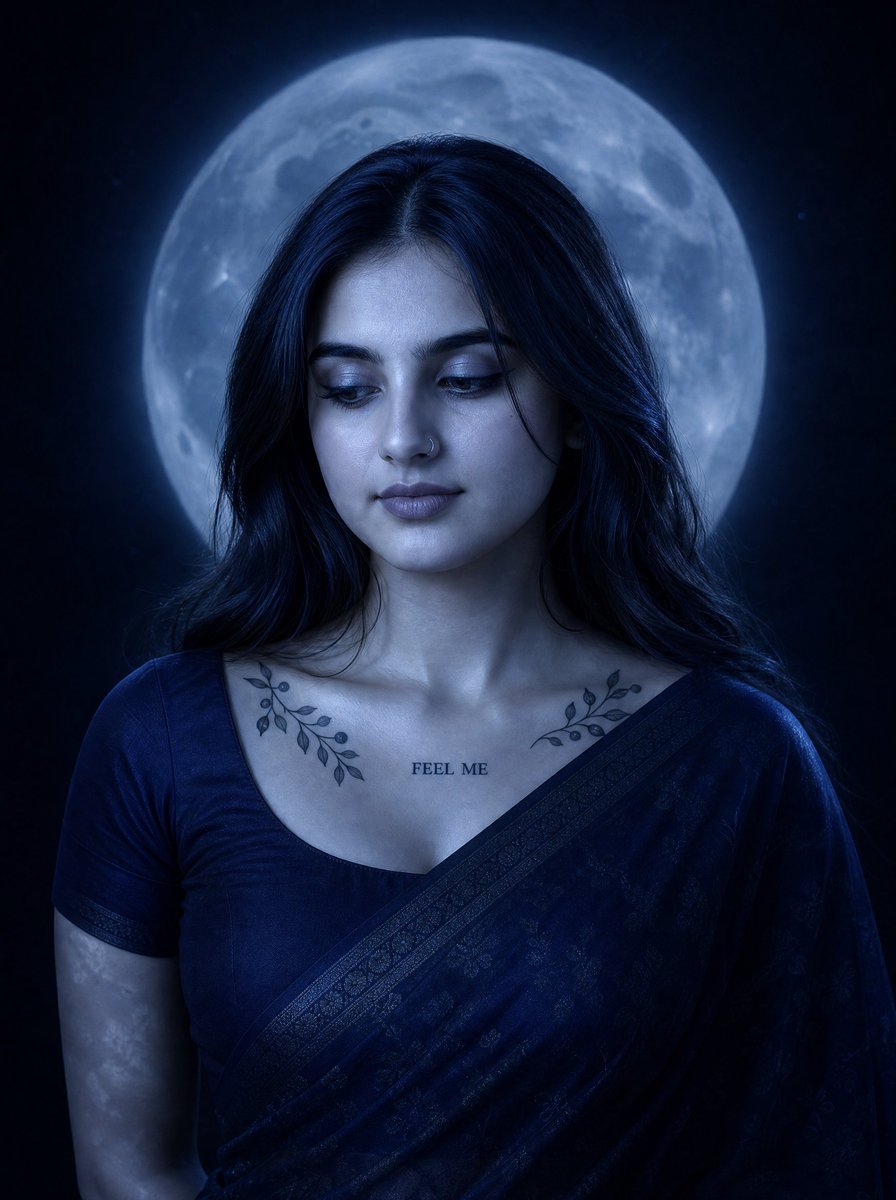
Blue Moonlit Sari Portrait
Generates a cinematic cool-blue nocturnal portrait of a woman in a sari posed before a glowing full moon.
这是一个用于 肖像与人物 的 GPT Image 2 提示词案例。你可以复制下方 prompt 生成相似图片;商用前请复核 Awesome GPT Image 2 Prompts 来源归因和原始权利。
需要完整提示词集合?请使用 肖像与人物 主题页获取更多同类示例,或打开 GPT Image 2 提示词库 查看完整示例索引、可复用结构和来源归因。
免费 1K 极速预览
无需注册,立即生成一张预览图。
1391/4000
提示词
可复制提示词
Create a low-key nocturnal vertical portrait of {argument name="character description" default="a young South Asian woman"} from upper torso to head, centered slightly below the upper half of the frame, with a huge luminous full moon directly behind her head like a halo. She has long loose wavy {argument name="hair color" default="black hair"} parted near the center, a calm introspective expression, her complete face visible, eyes looking down and slightly to her left, soft lips, and a small nose ring. Use a monochromatic cool-blue moonlit color grade with deep navy shadows, subtle rim light on the hair and shoulders, and smooth realistic photographic skin texture. She wears a dark navy sari draped diagonally over one shoulder and a matching short-sleeve blouse with a wide neckline. Include exactly three visible tattoos: two symmetrical black leafy branch tattoos across the left and right collarbones, and one small centered chest text tattoo reading {argument name="chest tattoo text" default="FEEL ME"}. The background is almost black with faint star specks and negative space, while the oversized moon is softly detailed with craters and a blue glow. Mood should be quiet, cinematic, mysterious, and romantic, with shallow depth of field, high contrast, soft moon haze, no extra people, no added text besides the tattoo, no watermark, and a polished editorial portrait style.提示词变量
从提示词中识别到的可编辑 argument 占位符及默认值。
变量
character description
默认值
a young South Asian woman
变量
hair color
默认值
black hair
变量
chest tattoo text
默认值
FEEL ME
Best for
- - 人像角色 方向的视觉探索
- - 图片生成与参考图改写
- - 需要保留来源归因的可复用 brief
可以替换这些部分
- - 主体、产品、角色或场景
- - 画幅、镜头、光线和背景
- - 品牌、文字、颜色和输出限制
推荐模型与设置
- - 模型:gpt-image-2
- - 输入模式:文生图
- - 画幅:source
- - 商用状态:需复核原始来源
如何使用这个提示词
- 1. 复制提示词并先保留原始结构。
- 2. 替换主体、场景和输出渠道。
- 3. 每次只调整一个镜头、光线或风格变量。
- 4. 检查结果媒体、文字、来源和权利风险。
限制、来源与复用提醒
- - 生成结果是可编辑草稿,不是事实、法务或权利证明。
- - 商用前复核来源链接、人物、品牌、Logo、文字和第三方素材。
导入自 Awesome GPT Image 2 Prompts。需要保留来源归因。商业使用状态:allowed;付费使用前请复核原始权利。
同分类案例
优先推荐同分类、同输入模式且风险更低的案例。






复用与来源说明
看完案例后,再安全复用这个提示词。
- 1.复制 prompt,或点击生成入口在 Dovoo 中直接打开。
- 2.按你的用途调整变量、画面比例和参考图。
- 3.发布或商用前,复核来源权利、归因要求以及品牌、肖像或版权风险。
这个提示词可以商用吗?
当前商业使用状态为 allowed。付费或公开使用前,请复核原始来源、许可、品牌限制和法务要求。
这个案例来自哪里?
该案例导入自 Awesome GPT Image 2 Prompts;复用时请保留来源归因,并打开来源 URL 检查最新授权信息。