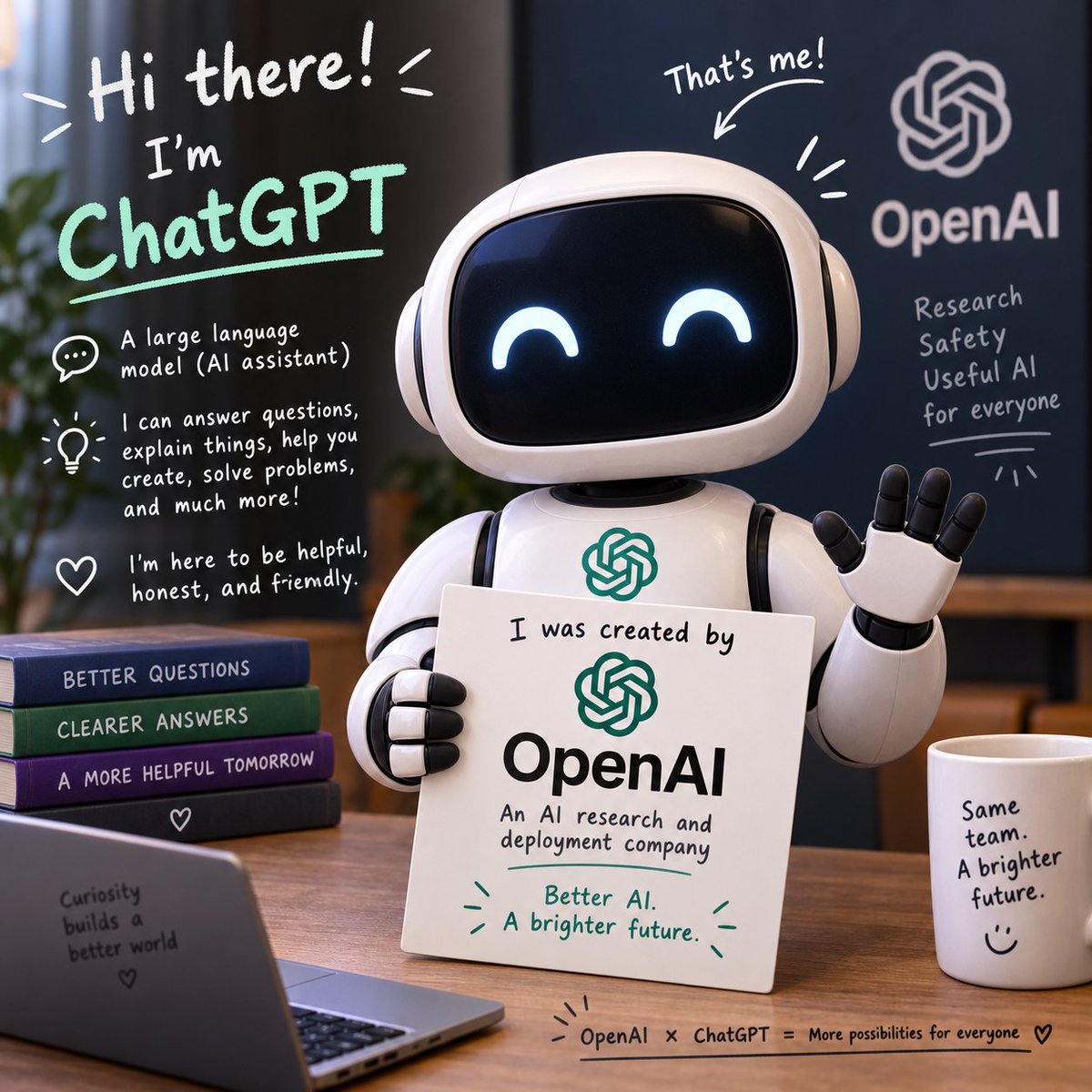
Friendly ChatGPT Robot Intro Scene
A square illustrated promo scene showing a cute ChatGPT robot explaining its OpenAI origin with friendly handwritten annotations.
这是一个用于 插画与艺术 的 GPT Image 2 提示词案例。你可以复制下方 prompt 生成相似图片;商用前请复核 Awesome GPT Image 2 Prompts 来源归因和原始权利。
需要完整提示词集合?请使用 插画与艺术 主题页获取更多同类示例,或打开 GPT Image 2 提示词库 查看完整示例索引、可复用结构和来源归因。
免费 1K 极速预览
无需注册,立即生成一张预览图。
1495/4000
提示词
可复制提示词
目标:创作一张正方形、精致的 3D 宣传插图,介绍 {argument name="character name" default="ChatGPT"} 作为由 {argument name="company name" default="OpenAI"} 开发的友好 AI 助手。

画布:1:1 正方形图像,温暖的室内办公室环境,浅景深,柔和的电影级光效,逼真的 3D 玩具风格渲染,场景上叠加手写白板风格的注释。

主体:画面中右侧是一个可爱的光面白色机器人助手,拥有圆角矩形黑色屏幕脸部,发光的快乐新月形眼睛,圆形的耳状侧舱,分段式手臂,胸前有一个小型的 OpenAI 结状标志。机器人右手挥手致意,左手拿着一块白色标牌。标牌上写着:“I was created by” 以及下方的绿色 OpenAI 标志,接着是大号黑色字体的“OpenAI”,然后是“An AI research and deployment company”,底部用绿色写着:“Better AI. A brighter future.” 并带有小型装饰性强调符号。

布局与物体:将机器人放置在木质办公桌后。桌子左侧放置 4 本堆叠的书籍,从上到下依次标注为:“BETTER QUESTIONS”、“CLEARER ANSWERS”、“A MORE HELPFUL TOMORROW”,最底下一本深色书籍上有一个小爱心图标。在左下角前景中,放置一台朝向观众的打开的笔记本电脑,背面文字为:“Curiosity builds a better world” 以及一颗小爱心。桌子右侧放置 1 个白色咖啡杯,标注为:“Same team. A brighter future.” 并带有一个简单的笑脸。在桌子底边缘,添加一行手写标题:“OpenAI × ChatGPT = More possibilities for everyone”,后跟一颗爱心。

背景:右侧使用深蓝色墙壁或项目,上面有一个巨大的白色 OpenAI 结状标志和“OpenAI”字样。下方手写文字精确分为 4 行:“Research”、“Safety”、“Useful AI”、“for everyone”,并带有下划线和装饰性射线。最左侧添加一株模糊的植物,背景为温暖的办公家具。

手写注释叠加:左上角添加巨大的白色问候语:“Hi there!” 并带有充满活力的线条。下方写上“I’m”,然后是 {argument name="headline text" default="ChatGPT"},使用大号薄荷绿色手写字母并带有下划线。在左侧添加 3 个解释性图标标注:1 个对话气泡图标,内容为“A large language model (AI assistant)”;1 个灯泡图标,内容为“I can answer questions, explain things, help you create, solve problems, and much more!”;1 个爱心图标,内容为“I’m here to be helpful, honest, and friendly.”。在机器人头部上方,添加“That’s me!”,并配有一个指向机器人的箭头和几笔强调线条。

视觉风格:友好、乐观、简洁的科技品牌感、圆润的造型、光面材质、白色和薄荷绿色马克笔字体、温暖的木质色调、深蓝色背景,专业且充满趣味。保持 OpenAI 品牌标识清晰可辨,保留上述所有精确文本,避免多余标志,避免拼写错误,并确保所有字体清晰易读。
提示词变量
从提示词中识别到的可编辑 argument 占位符及默认值。
变量
character name
默认值
ChatGPT
变量
company name
默认值
OpenAI
变量
headline text
默认值
ChatGPT
Best for
- - 插画艺术 方向的视觉探索
- - 图片生成与参考图改写
- - 需要保留来源归因的可复用 brief
可以替换这些部分
- - 主体、产品、角色或场景
- - 画幅、镜头、光线和背景
- - 品牌、文字、颜色和输出限制
推荐模型与设置
- - 模型:gpt-image-2
- - 输入模式:文生图
- - 画幅:source
- - 商用状态:需复核原始来源
如何使用这个提示词
- 1. 复制提示词并先保留原始结构。
- 2. 替换主体、场景和输出渠道。
- 3. 每次只调整一个镜头、光线或风格变量。
- 4. 检查结果媒体、文字、来源和权利风险。
限制、来源与复用提醒
- - 生成结果是可编辑草稿,不是事实、法务或权利证明。
- - 商用前复核来源链接、人物、品牌、Logo、文字和第三方素材。
导入自 Awesome GPT Image 2 Prompts。需要保留来源归因。商业使用状态:allowed;付费使用前请复核原始权利。
同分类案例
优先推荐同分类、同输入模式且风险更低的案例。






复用与来源说明
看完案例后,再安全复用这个提示词。
- 1.复制 prompt,或点击生成入口在 Dovoo 中直接打开。
- 2.按你的用途调整变量、画面比例和参考图。
- 3.发布或商用前,复核来源权利、归因要求以及品牌、肖像或版权风险。
这个提示词可以商用吗?
当前商业使用状态为 allowed。付费或公开使用前,请复核原始来源、许可、品牌限制和法务要求。
这个案例来自哪里?
该案例导入自 Awesome GPT Image 2 Prompts;复用时请保留来源归因,并打开来源 URL 检查最新授权信息。