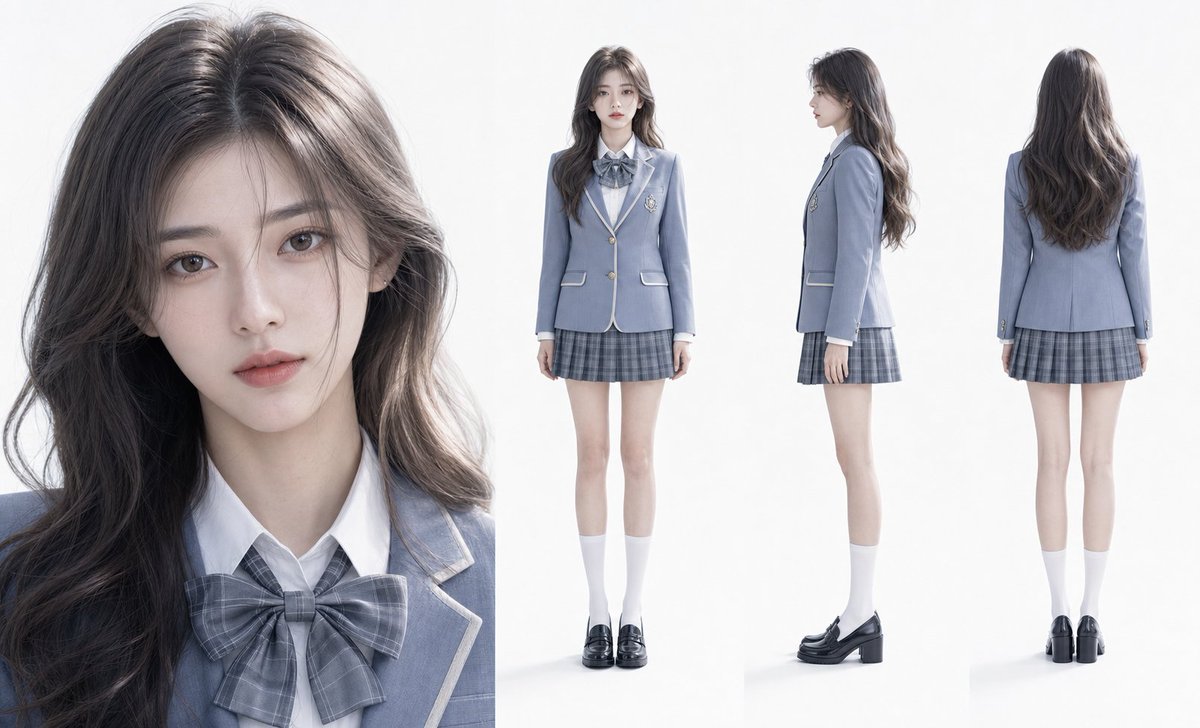
超寫實學院人像佈局
一個用於生成寫實角色設計的高級提示詞,包含詳細的皮膚紋理、特定的制服風格以及用於角色設定表的多視角佈局。
這是一個肖像與人物的GPT Image 2範例。請使用下方可直接使用的提示資訊產生類似的視覺素材,並在重複使用前查看Awesome GPT Image 2 Prompts署名和商業用途授權資訊。
需要完整的提示符號集?請使用 肖像與人物 主題中心提供更多相關範例,或打開 GPT Image 2 提示庫 有關完整範例索引、可重複使用結構和來源歸屬的資訊。
Free 1K preview
Generate one preview image instantly, no sign-up required.
321/4000
提示詞
可直接複製的提示
優雅的高年級學生,高端審美之美,標準鵝蛋臉,{argument name="outfit" default="煙藍色學院風制服套裝"},清冷且靈動的氣質,瓷白透亮的皮膚並帶有健康光澤,細膩的皮膚紋理且可見自然毛孔,{argument name="hairstyle" default="灰棕色漸層微捲長髮"},髮絲分明,柔順光澤,身材高挑且比例協調。光線柔和均勻,無明顯陰影,畫面乾淨透明,8K 超高解析度,超寫實 3D 模擬風格,極具真實感。佈局:左側為面部細節特寫,右側為三視圖(正面、側面、背面全身),{argument name="background" default="純白色乾淨背景"},整體極簡且高端,突出角色美感與服裝質感。提示變數
提示符號中可編輯的參數佔位符及其預設值。
多變的
outfit
預設
smog blue academy style uniform set
多變的
hairstyle
預設
gray-brown gradient slightly wavy long hair
多變的
background
預設
pure white clean background
Best for
- - 肖像與人物 visual exploration
- - Image generation and reference-image edits
- - Reusable briefs that keep source attribution visible
Change these parts
- - Subject, product, character, or scene
- - Aspect ratio, camera, lighting, and background
- - Brand, text, color, and output constraints
Recommended model and settings
- - Model: gpt-image-2
- - Input mode: 文生圖
- - Aspect ratio: source
- - Commercial status: review original source
How to use this prompt
- 1. Copy the prompt and preserve its structure for the first test.
- 2. Replace the subject, context, and publishing channel.
- 3. Change one camera, lighting, or style variable per iteration.
- 4. Inspect the output, source, text, and rights before reuse.
Limitations, source, and reuse cautions
- - Generated output is an editable draft, not factual, legal, or rights evidence.
- - Review the linked source, people, brands, logos, text, and third-party media before commercial use.
內容來自Awesome GPT Image 2 Prompts 。必須註明出處。商業用途狀態為allowed ;付費使用前請查看來源版權資訊。
此類案例更多
按類別、輸入模式相容性、品質和低風險進行優先排序。






重用和來源註釋
預覽案例後,請謹慎使用此提示。
- 1.複製提示或直接在 Dovoo 中使用生成按鈕開啟提示。
- 2.根據您的實際使用情況調整變數、寬高比和參考影像。
- 3.發布或付費使用前,請確認版權、署名要求以及品牌或肖像權風險。